Upgrading Telerik UI for ASP.NET Core Projects
This article demonstrates how to upgrade a Progress® Telerik® UI for ASP.NET Core application.
The Basics
The Upgrade Project Wizard upgrades existing Telerik UI for ASP.NET Core applications.
To open the wizard, click Extensions > Telerik > Telerik UI for ASP.NET Core > Upgrade Wizard.

Files for Upgrade
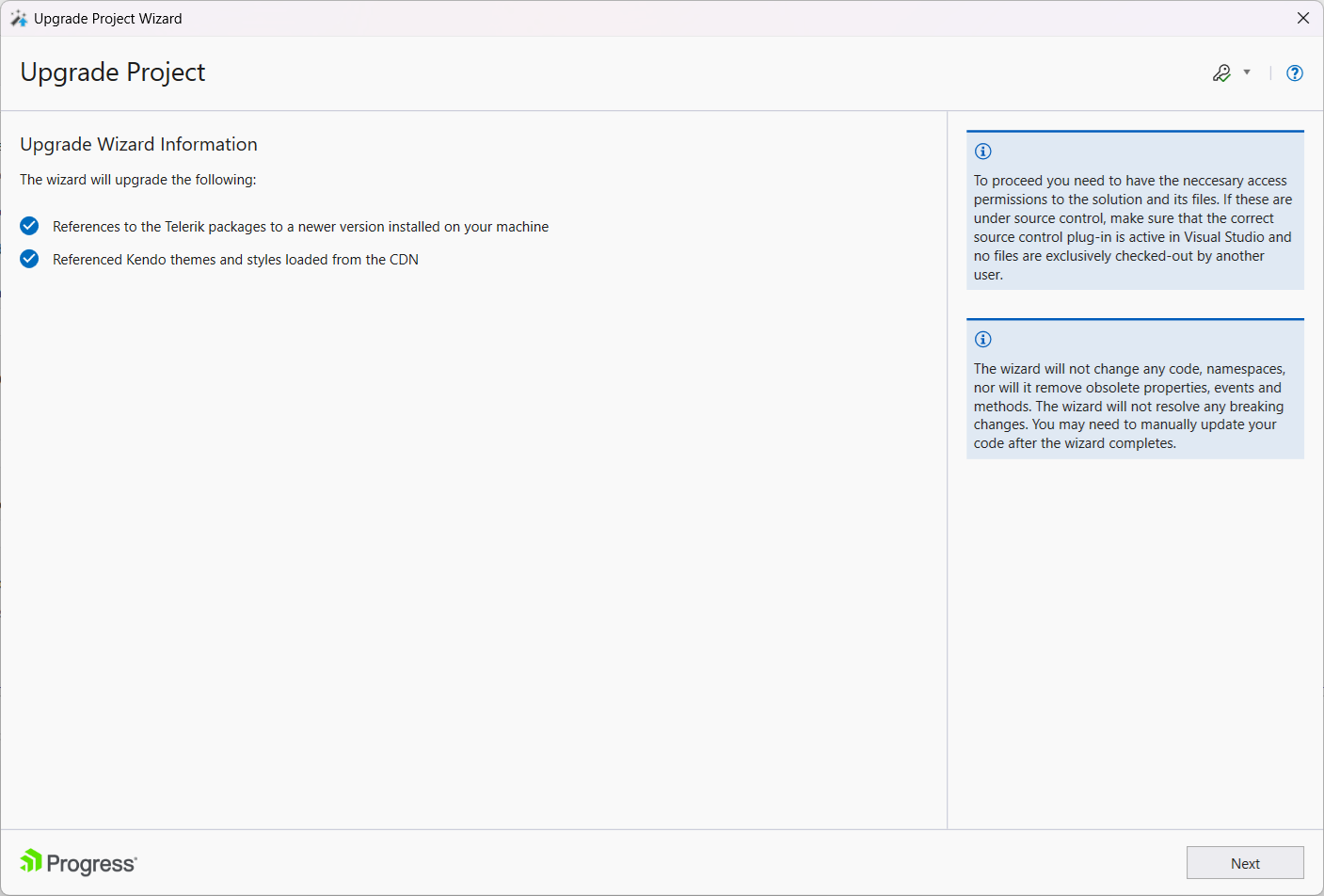
The Information Page of the Upgrade Project Wizard describes the files and assemblies that are going to be upgraded.
Projects for Upgrade
On the next page, the Wizard lists all projects from the solution that use Telerik UI for ASP.NET Core. This enables you to choose the projects that will be updated and the version to which they will be upgraded. You can select the new version from the locally installed distributions or the ones available on the NuGet feed. It is recommended to upgrade all projects to the selected version.
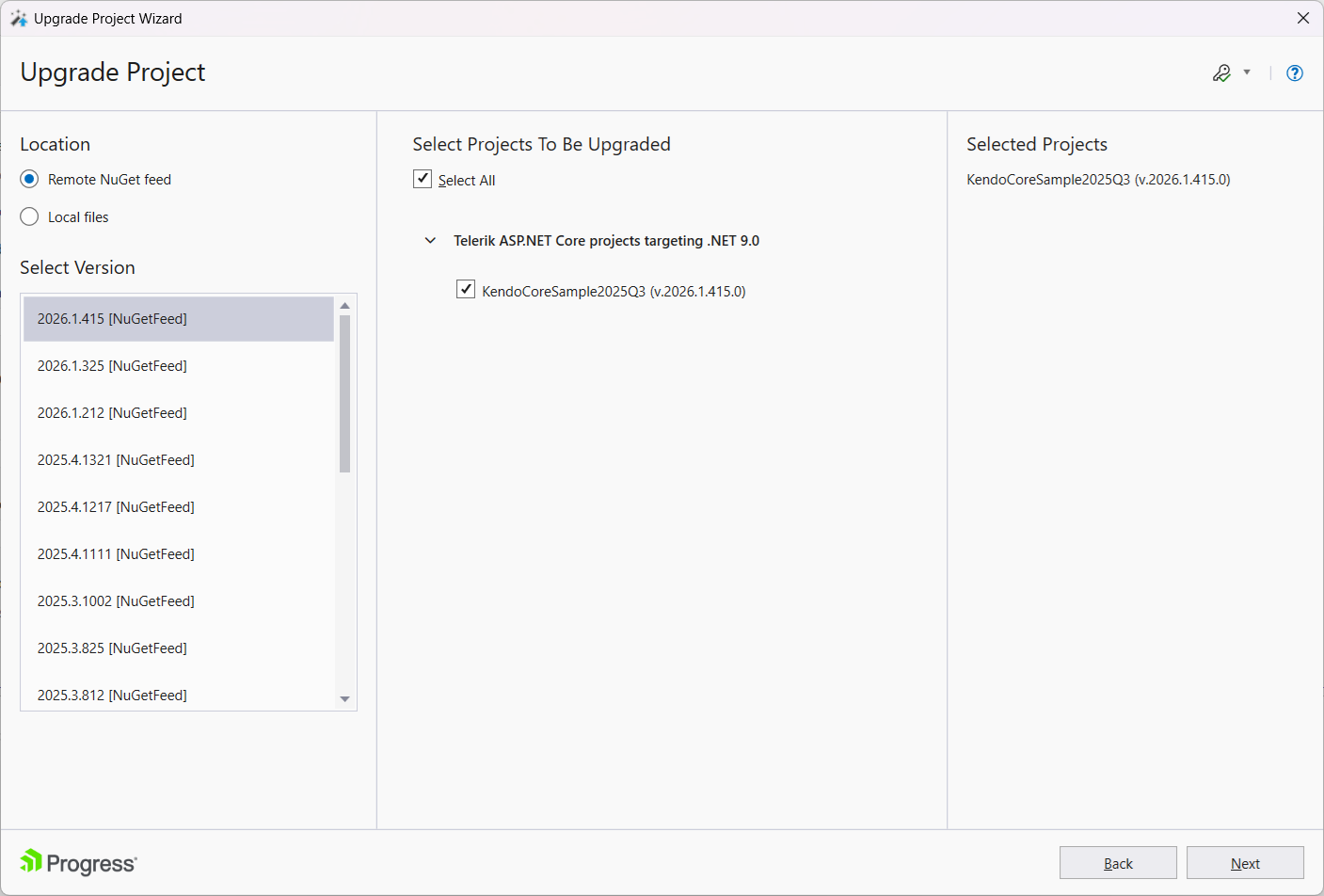
When you select Remote NuGet feed, the Upgrade Project Wizard uses the Telerik NuGet feed configured for your Visual Studio environment. The wizard does not document a separate login page or another location choice for signing in. Before opening the wizard, configure the Telerik NuGet feed and authenticate with your Telerik NuGet API key. If the version list is unavailable, verify your NuGet credentials and package access.
Backup Creation
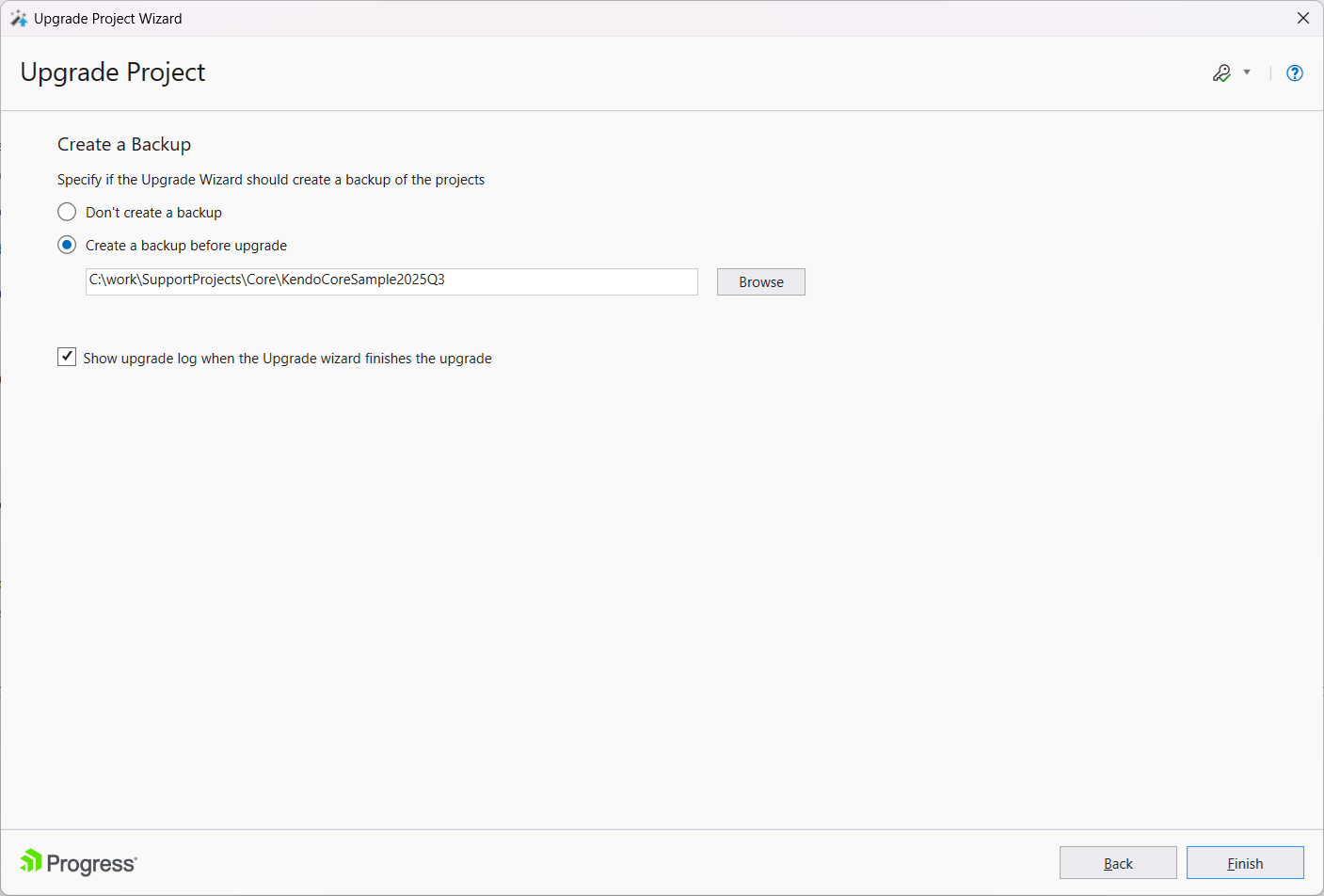
The Create Backup page provides the following options:
- Create a backup before upgarde—Backs up your project before upgrading it. If selected, specify the backup folder in the field below the option.
- Don't create a backup—Upgrades without creating a backup of your application.
- Show upgrade log when the Upgrade wizard finishes the upgrade—Displays the upgrade log after the Upgrade Wizard finishes the upgrade.