
Telerik UI for ASP.NET MVC
What's New 2026 Q2
What's New HistoryArchived release. This page is no longer updated. Check the Latest Release
What's New 2026 Q2
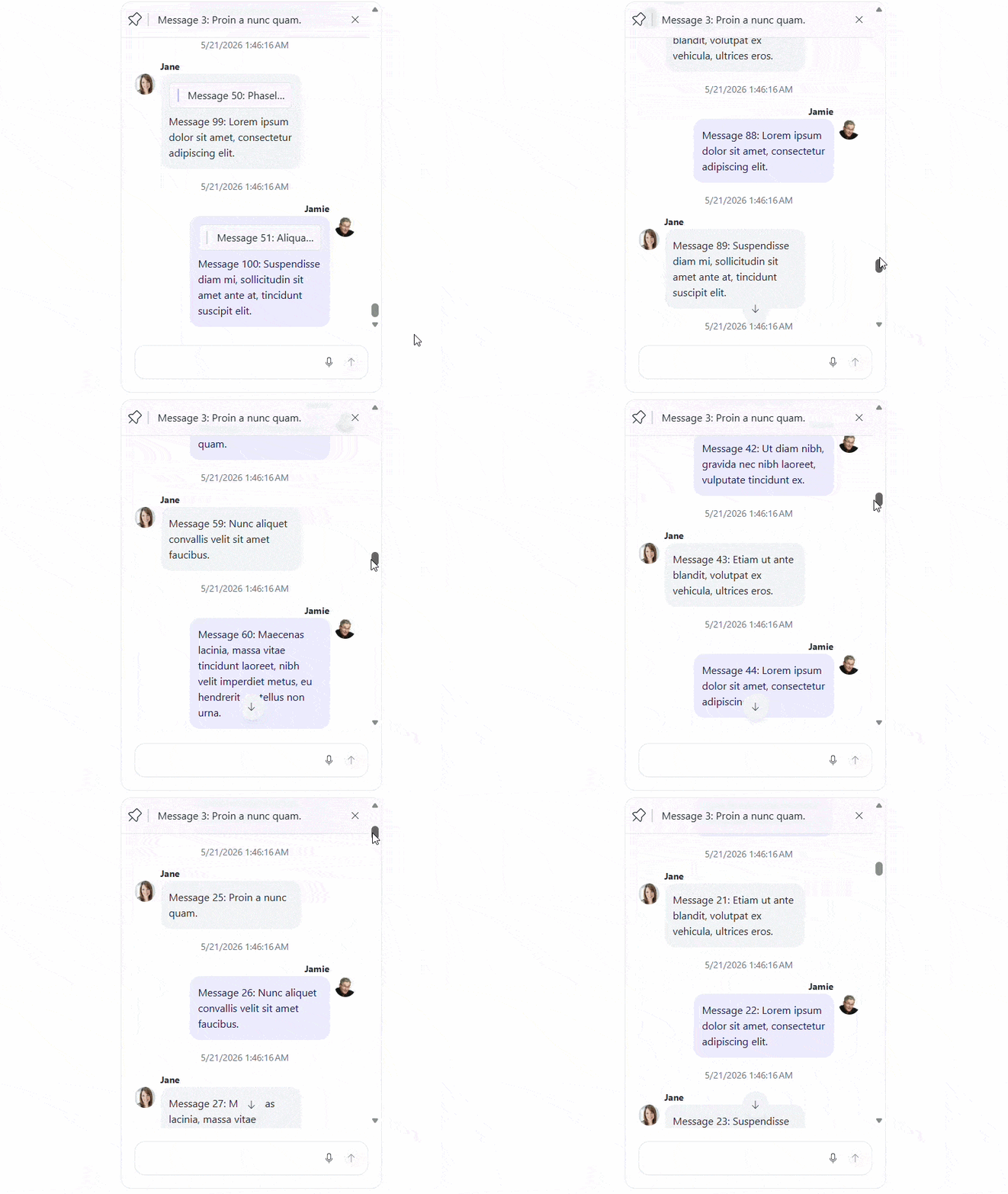
ASP.NET MVC Chat: Suggestions, Auto- & Endless Scrolling, and Templates
Enhance user interaction in the Telerik UI for ASP.NET MVC Chat with built-in suggestions, enabling predefined quick replies for faster communication. The autoScrollThreshold option gives you control over when the Chat automatically scrolls to new messages, improving usability in active conversations.
Endless scrolling allows efficient loading of large message histories on demand, ensuring smooth performance as conversations grow. In addition, templates provide extended customization, giving you full control over message and UI rendering to tailor the Chat experience to your application’s design and requirements.
ASP.NET MVC Chat: Rich Message Rendering with Adornments, Markdown, and Charts
The Telerik UI for ASP.NET MVC Chat expands its message visualization capabilities with support for adornments, Markdown visualization, and charts visualization.
Adornments allow you to enrich messages with additional structured content, while Markdown support enables formatted text rendering directly in messages. The new charts visualization option lets you display data-driven insights inline, making conversations more interactive and informative.
.jpg?sfvrsn=7c903d6b_2 "Chat - Chart visualizations")
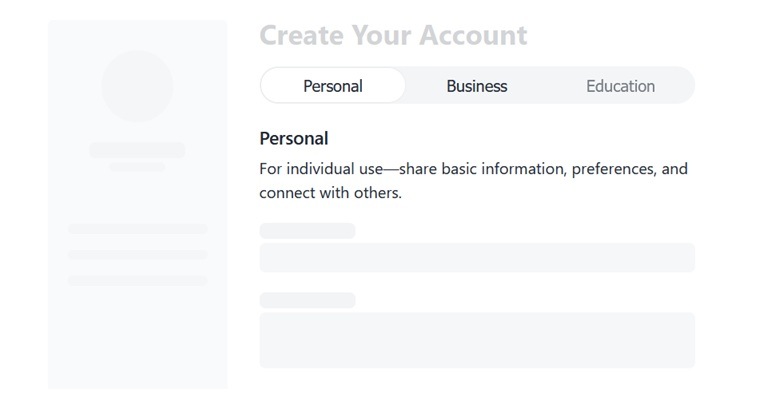
Compact Option Selection with the Telerik UI for ASP.NET MVC Segmented Control
The new Telerik UI for ASP.NET MVC SegmentedControl is a sleek, space-efficient component for fast, mutually exclusive selection between related options. Designed as a modern alternative to radio buttons and tabs, it improves usability by surfacing key choices in a single, intuitive control. With built-in support for icons, customization, accessibility, and responsive behavior, it fits seamlessly into any ASP.NET MVC application.
See the Telerik UI for ASP.NET MVC Segmented Control demo
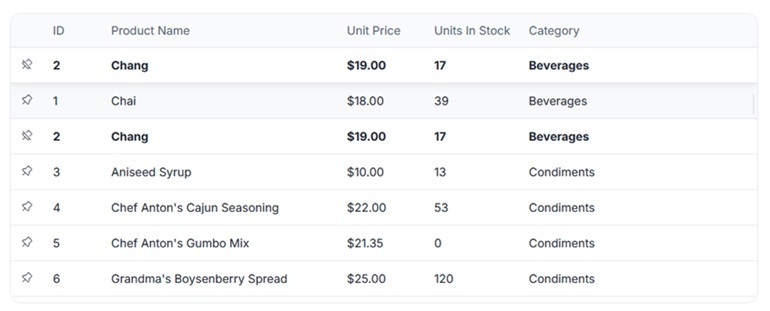
Enhanced ASP.NET MVC Grid Usability with Sticky Groups and Row Pinning
The Telerik UI for ASP.NET MVC Grid introduces enhancements focused on usability and data navigation.
- Sticky Group Headers and Footers: Grouped rows remain clearly identifiable as users scroll through the Grid. This feature always keeps the current group context visible, improving navigation and readability when working with large, grouped datasets.
- Row Pinning: Allow users to fix specific rows at the top or bottom of the component. This is especially useful for keeping important or frequently referenced records in view while interacting with the rest of the data.
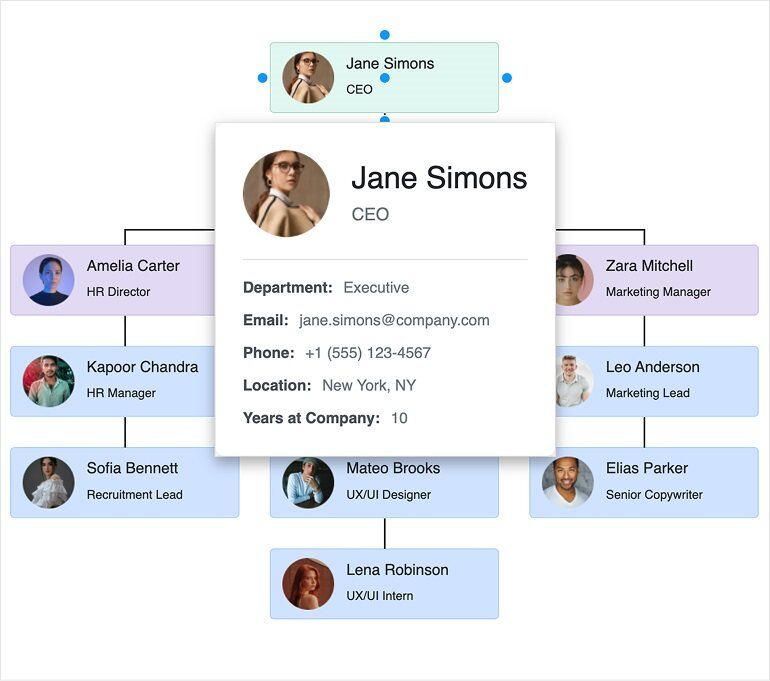
Telerik UI for ASP.NET MVC Diagram: Connections and Tooltips
The Telerik UI for ASP.NET MVC Diagram extends its capabilities with improved connections configuration, allowing you to define and customize links between shapes, including their routing, appearance, and behavior. This provides greater control over how relationships between diagram elements are visualized and managed.
In addition, tooltips can now be configured for diagram shapes and connections, enabling contextual information to be displayed on hover for improved usability and clarity.
The Diagram also supports keyboard navigation, allowing users to interact with the diagram elements using standard keyboard shortcuts for better accessibility.
Integrated AI Chat in Telerik and Kendo UI Documentation
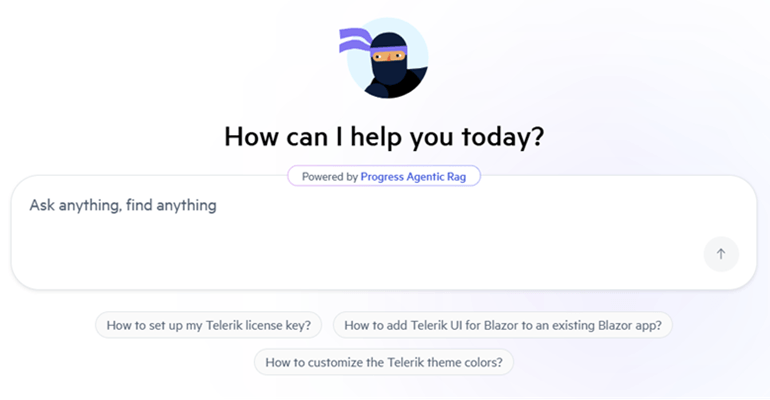
Telerik and Kendo UI documentation pages now support an integrated AI Chat, allowing you to easily ask questions and receive instant, context-aware answers directly within the page. The assistant helps you quickly locate relevant information, understand features, and explore related topics without interrupting your workflow. By combining search and conversational guidance, it streamlines navigation and improves productivity when working with components and APIs.
Build Modern UI with a New Meridian Theme and Updated Icons
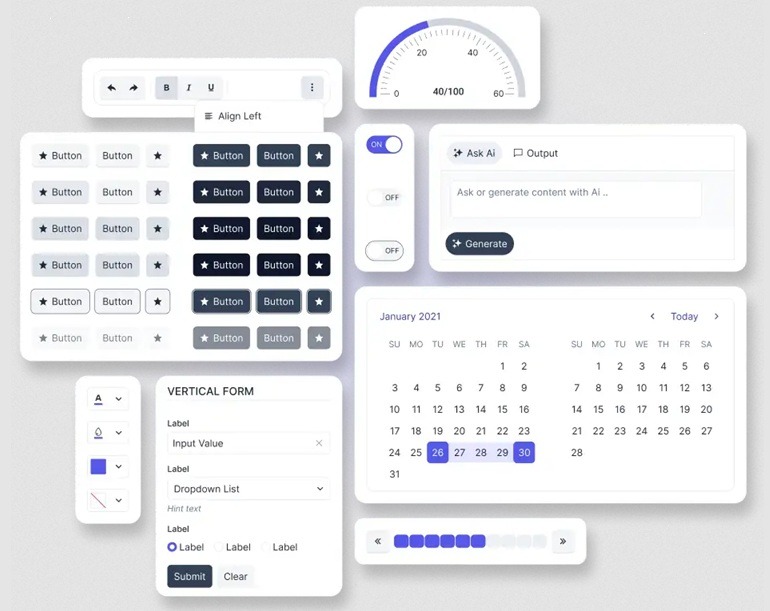
This release brings a refreshed visual foundation by combining the new Meridian theme with an updated and streamlined icons set, helping you create cleaner, more consistent, and modern user interfaces.
The Meridian theme introduces a refined design language with improved colors, spacing, and visual hierarchy, while the updated icons complement it with a more cohesive and flexible set of visuals.
What's New 2026 Q1
ASP.NET MVC PromptBox: Elevated Prompt Input Experience
The new Telerik UI for ASP.NET MVC PromptBox component provides a dedicated input area for composing and sending prompts to AI models. It adapts to different prompt lengths with flexible sizing options and supports file attachments, speech-to-text button and input adornments, making it easy to build rich, conversational AI experiences.
See the Telerik UI for ASP.NET MVC PromptBox demo

ASP.NET MVC SmartPasteButton: Effortless Input Filling
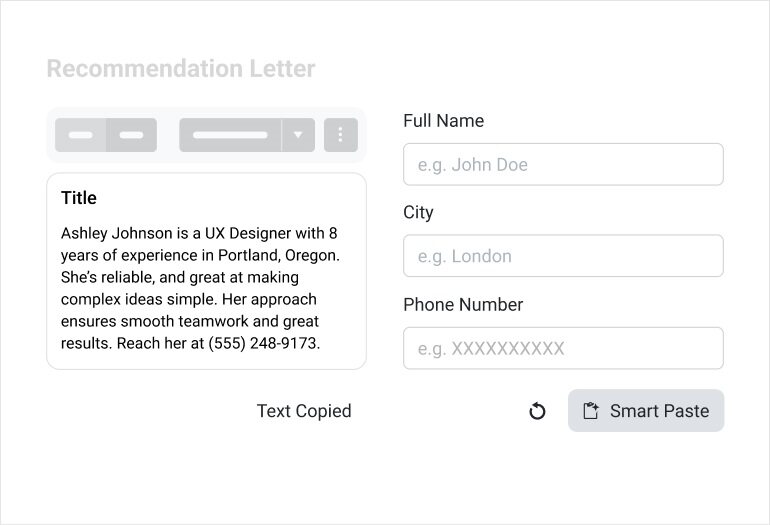
The new Telerik UI for ASP.NET MVC SmartPasteButton lets users paste unstructured text, e.g. an email signature, message, or snippet, and convert it into structured data. The component sends the pasted content to an AI service, interprets the information, and automatically fills in the matching input fields. This eliminates repetitive copy‑and‑paste steps and makes data entry faster, cleaner, and more intuitive.
See the Telerik UI for ASP.NET MVC SmartPasteButton demo
ASP.NET MVC Smart Grid: Semantic Search Built into a SmartBox
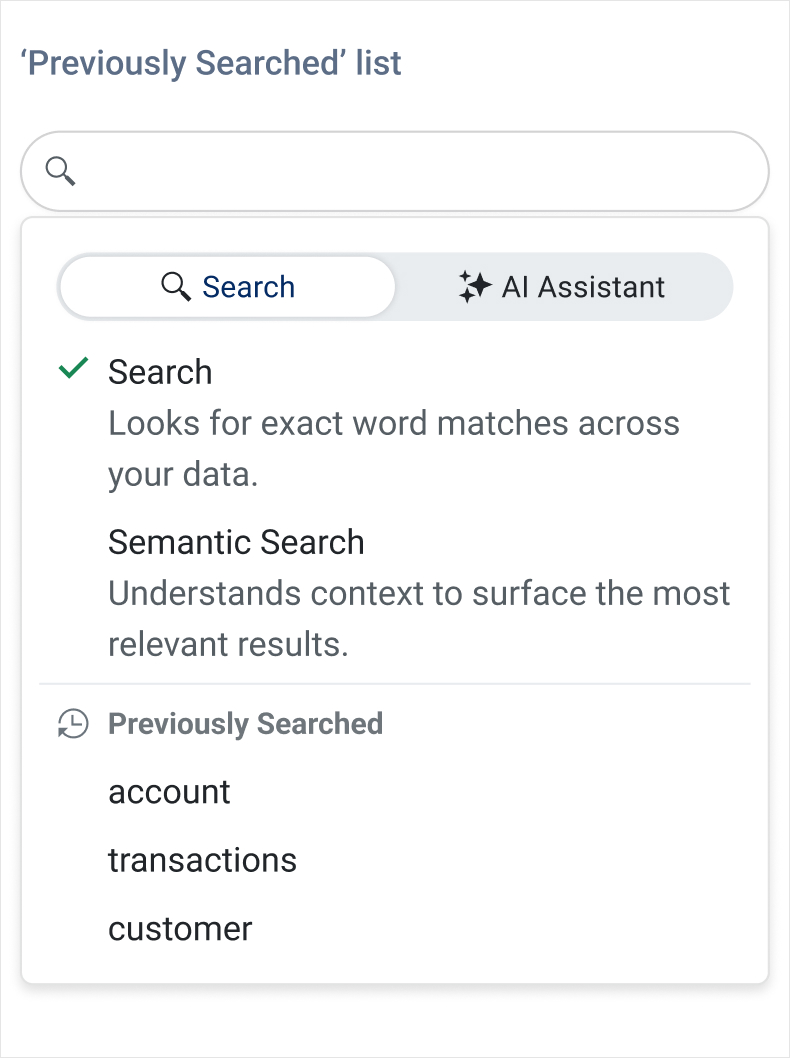
The Telerik UI for ASP.NET MVC DataGrid introduces AI Semantic Search – a meaning‑based way to find what you need, even when keywords don’t match exactly. Instead of relying on exact text, Semantic Search understands intent and context, surfacing the most relevant rows across columns and related fields. It’s ideal for large datasets where users might not know the precise terms or spelling.
Complementing this, the new AI Smart Box provides a single, streamlined place to run Semantic Search and ask AI‑assisted questions. Users can search by meaning, then immediately refine, filter, or ask follow‑up questions within the same interface.
ASP.NET MVC Smart Grid – AI Chat Integration
The Telerik UI for ASP.NET MVC Grid now integrates seamlessly with the ASP.NET MVC AI Chat capabilities, giving users a conversational way to explore and interact with Grid data. Instead of relying on manual filtering and navigation only, users can ask natural‑language questions that the Chat Assistant interprets using the Grid’s schema, context, and current view. This makes data discovery faster, more intuitive, and accessible even to users who are unfamiliar with the underlying structure of the dataset.
See the Telerik UI for ASP.NET MVC Grid-Chat integration demo
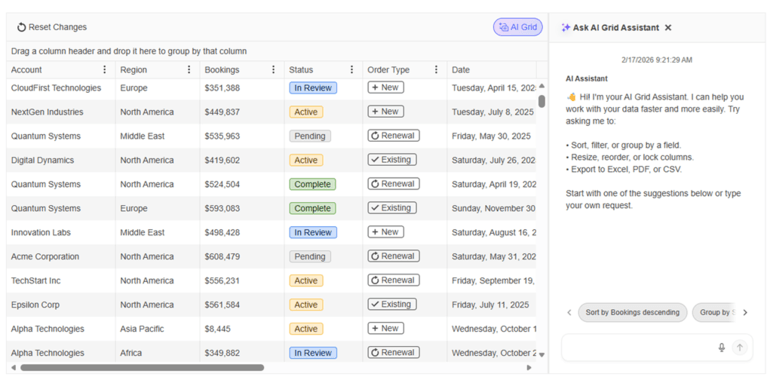
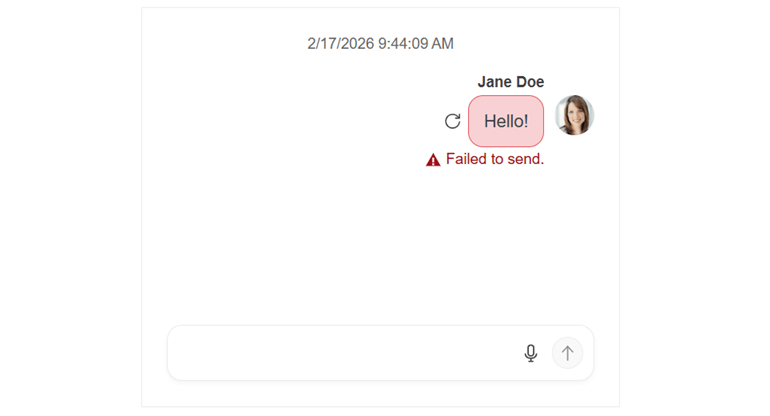
Refined ASP.NET MVC Chat for a Cleaner, More Intuitive UI
The Telerik UI for ASP.NET MVC Chat component receives a series of visual and usability enhancements that make chat conversations clearer, more polished, and easier to follow. Message metadata now aligns cleanly on a single line with status indicators, and the header has been modernized by replacing the AppBar with the Toolbar component for a more consistent look and feel. The Chat also adopts the new PromptBox control for a richer prompt‑input experience, while attachment menus and download buttons have been refined with a smaller visual footprint. Pinned messages now stay sticky for better visibility, and suggestion lists introduce new scroll buttons with gradient styling for smoother browsing.
See the Telerik UI for ASP.NET MVC Chat revamped demo
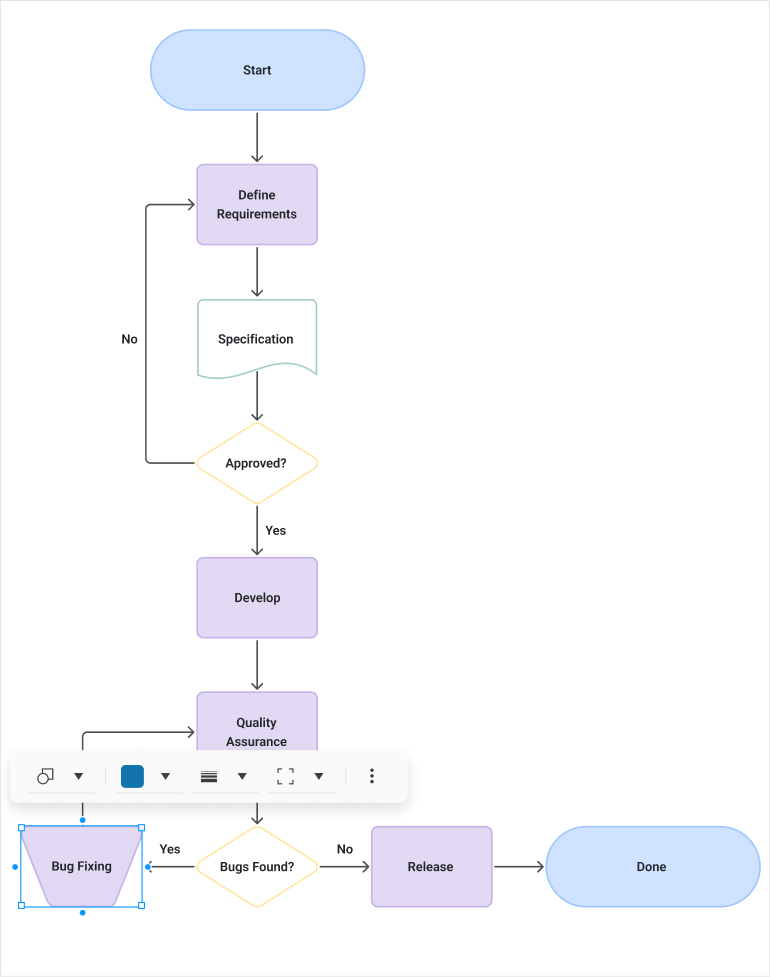
More Precise Diagramming in Telerik UI for ASP.NET MVC
The Diagram now offers more interactive editing experience with connector text, tooltips, and improved connection handling through larger grab points, resizable segments, and better snapping. Users also benefit from dynamic scrollbars, full keyboard navigation, and resizable shapes, making diagram creation smoother and more flexible than ever.
See the Telerik UI for ASP.NET MVC Diagram revamped demo
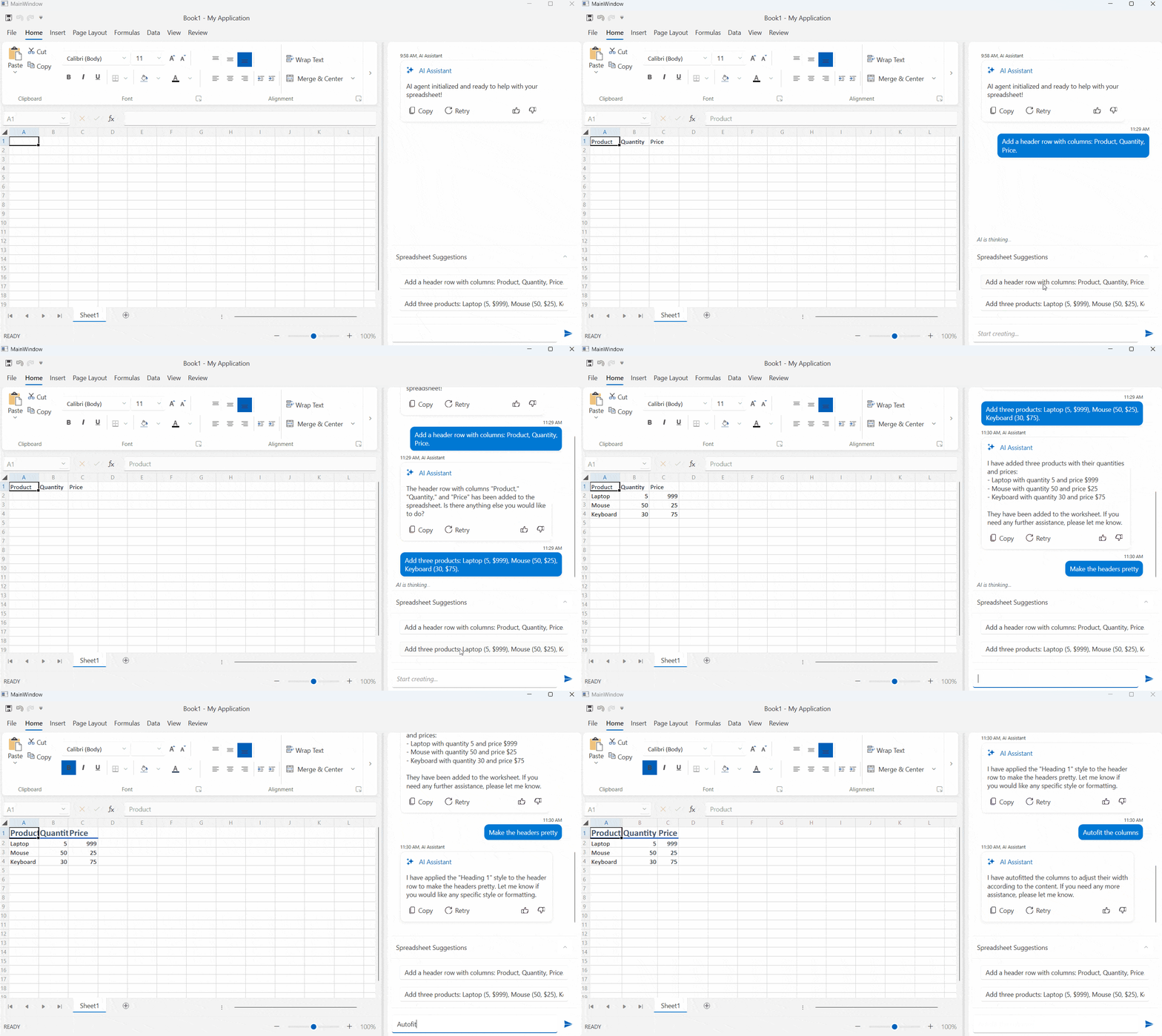
Document Processing Libraries 2026 Q1 Enhancements
- [Preview] Agentic tools: Build intelligent document processing workflows with ease. The DPL Agentic Tools let users extract structured data, edit content, convert formats, generate new Excel or PDF files and perform analysis on Excel documents directly inside your .NET app with no separate services required.
- Core enhancements: New MIME type support for embedded files allows you to explicitly define how attachments like XML, JSON, or CSV payloads are represented inside PDFs, while automatic file‑format detection makes it easier to load documents from byte arrays. Compliance is further improved through EU DSS‑aligned digital signing, ensuring PDFs meet official European Commission validation standards. Additionally, Timestamp Server support in PdfStreamSigner enables trusted, verifiable timestamps for long‑term signature validity.



Next Steps
See UI for ASP.NET MVC in action and check out how much it can do out-of-the-box.
Check out the offers. Purchase an individual suite, or treat yourself to one of our bundles.
Try UI for ASP.NET MVC with dedicated technical support.