Report Preview
Use the Report Preview settings to choose parameter editor types, enable export options, and upload a page-area background image.
Report Preview Settings
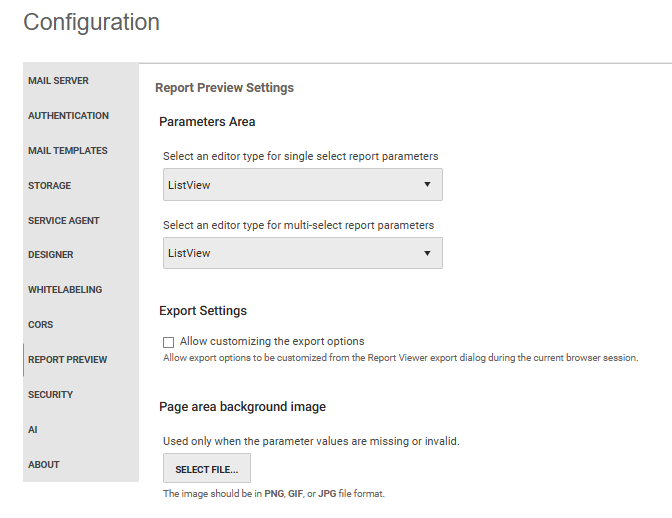
Parameters Area Options
Choose ListView or ComboBox as the editor type for single-select and multi-select report parameters.
- ListView is the default and uses the Kendo UI ListView widget.
- ComboBox uses the Kendo UI ComboBox for single-select parameters and the Kendo UI MultiSelect for multi-select parameters.
Export Settings
The Allow customizing the export options setting is disabled by default.
To enable it, select the checkbox and then select Save Changes. Report Server then includes rendering-extension settings in the document information it sends to the Report Viewer.
Users can configure available settings in the Export Options dialog before they export a report. Their export-option changes apply only during the current browser session and do not change server-side rendering defaults.
When this setting is cleared, Report Server does not send rendering-extension settings to the viewer. Users can still export reports directly, but they cannot customize device settings in the viewer.
Page Area Options
Upload a PNG, GIF, or JPG image to use as a background in the Telerik Report Viewer page area. Report Server displays the image only when parameter values are missing or invalid.