How to Migrate a Telerik UI for WPF Project to .NET 4.6.2 and .NET
Environment
| Product | UI for WPF |
|---|
Description
With the 2024 Q2 release (May 2024), Telerik UI for WPF no longer supports .NET Framework 4.0 and 4.5 and .NET Core 3.1. The minimum supported versions are .NET Framework 4.6.2 and .NET 8.
You need to migrate your project to a supported target framework.
Solution
If you currently use .NET Framework, upgrading to .NET 8 or later is recommended because it provides easier project maintenance and performance improvements.
Migrate from .NET Core 3.1 to .NET 8
There is no API difference between Telerik dlls for these targets, so you only need to change the project target framework and update Telerik references.
-
Download and install the corresponding .NET developer pack (.NET 8 or later).
-
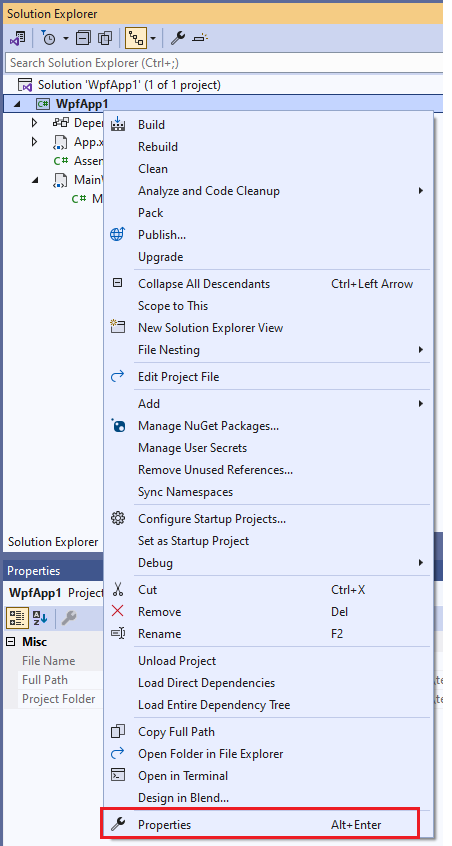
Right-click the WPF project in Visual Studio and select Properties.
-
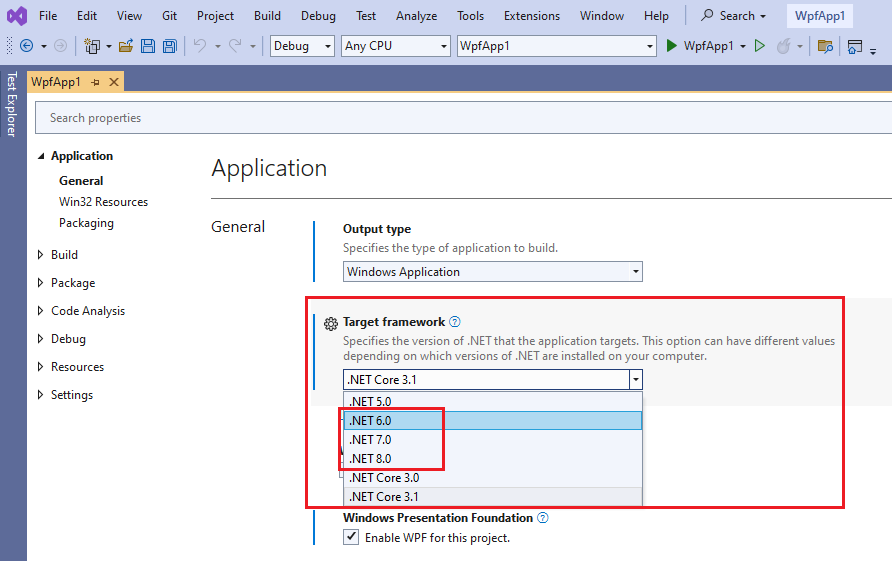
In Target framework, select .NET 8 (or later), then save the project file.
-
Update the referenced Telerik assemblies using your preferred installation approach (we recommend using NuGet).
-
If needed, manually delete the bin and obj folders before rebuilding to ensure Visual Studio cache is cleared.
Migrate from .NET Framework 4.0/4.5 to .NET 8
Create a new .NET 8 (or later) project and include the files from the .NET Framework project. Then install the Telerik .NET assemblies in the new project.
For full guidance, see Migrating to .NET.
Migrate from .NET Framework 4.0/4.5 to .NET Framework 4.6.2
There is no API difference between Telerik dlls for these targets, so you only need to change the project target framework and update Telerik references.
-
Download and install the corresponding .NET Framework developer pack (4.6.2 or later).
-
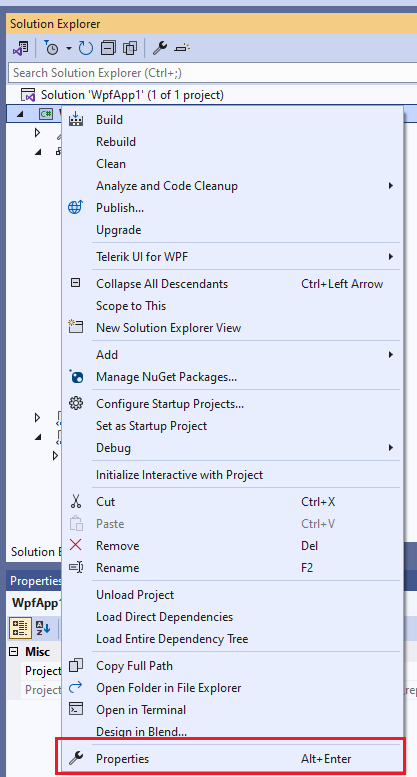
Right-click the WPF project in Visual Studio and select Properties.
-
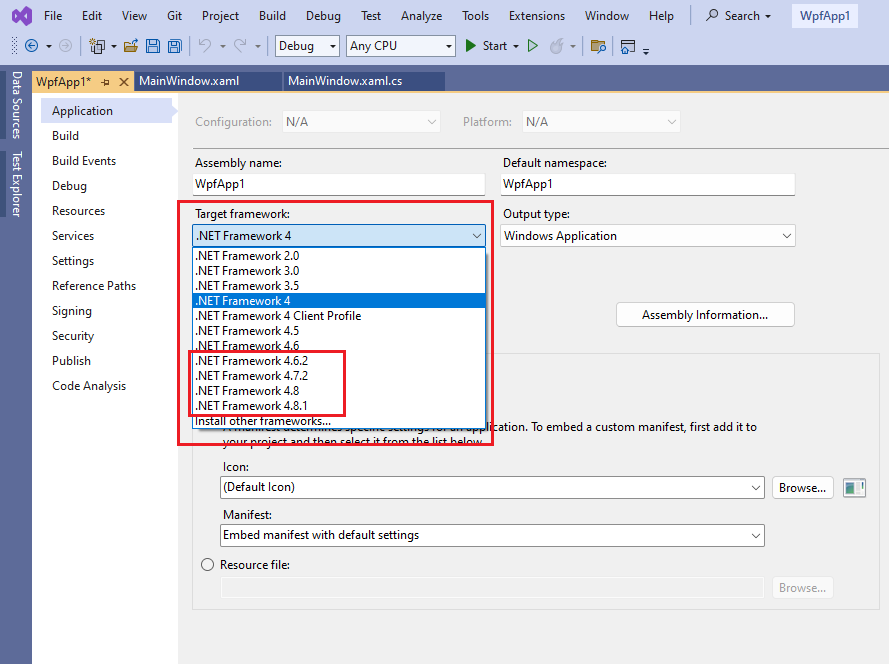
In Target framework, select .NET Framework 4.6.2 (or later), then save the project file.
-
Update the referenced Telerik assemblies using your preferred installation approach (we recommend using NuGet).
-
If needed, manually delete the bin and obj folders before rebuilding to ensure Visual Studio cache is cleared.