Hyperlink Button
RadHyperlinkButton provides the RadButton functionality extending it with Hyperlink capabilities.
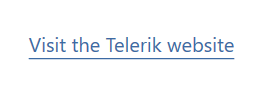
Setting the Content, Uri and the Target
The most common properties for utilizing the control are its NavigateUri and Content properties. The former one is intended to be used for navigating to the needed Uri when RadHyperlinkButton is clicked. The latter one sets the content that will be visualized by the control. Also, the location at which the link to be opened can be set through the TargetName string property.
Example 1: Setting the NavigateUri and Content
<telerik:RadHyperlinkButton NavigateUri="http://www.progress.com" Content="Hyperlink Button" TargetName="_blank"/>RadHyperlinkButton in normal state
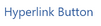
This example shows how a string can be set as a Content of RadHyperlinkButton. The Content can also be set to be an Image, for example. In such setup the link will be opened when the user clicks on the Image.
Visited and Hovered States
The default Foreground for the control when the link is visited can be altered via the VisitedForeground property. Also, RadHyperlinkButton provides information whether the link is visited or not through its IsVisited boolean property.
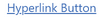
The figure above shows RadHyperlink in its Normal state. When hovered or clicked, the control will be underlined.
RadHyperlinkButton when hovered or clicked
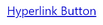
The control will indicate when the link is visited by modifying the text Foreground.
RadHyperlinkButton when the link is visited
Handling Hyperlink Navigation
RadHyperlinkButton raises its HyperlinkClicked event before it launches a link. The event uses RadHyperlinkButtonClickedEventArgs, which derives from HyperlinkClickedEventArgsBase and exposes Url, IsTrustedUrl, and Handled.
By default, the button launches only URLs that pass its pattern and scheme checks. Absolute HTTP, HTTPS, and mailto URLs can be trusted by default when they pass those checks. Other URLs do not launch unless an event handler sets IsTrustedUrl to true. This launch restriction is a behavior change for RadHyperlinkButton.
Set Handled to true to cancel the button's default navigation. The shared HyperlinkManager.HyperlinkClicked event runs after the button event if the button event leaves Handled as false.
Canceling Navigation in the Button Event
Canceling navigation in the button event
private void OnHyperlinkClicked(object sender, RadHyperlinkButtonClickedEventArgs e)
{
    e.Handled = true;
}
Approving a URL with the Shared Event
The shared event lets your application handle links from multiple controls in one place. Its sender identifies the originating control or component. Set IsTrustedUrl to true after your application approves the URL. The following window handler prompts before it allows a URL that is not trusted by default:
Approving an untrusted URL after user confirmation
using System;
using System.Windows;
using Telerik.Windows.Controls;

public partial class MainWindow : Window
{
    public MainWindow()
    {
        InitializeComponent();
        HyperlinkManager.HyperlinkClicked += this.OnHyperlinkClicked;
        this.Closed += this.OnClosed;
    }

    private void OnHyperlinkClicked(object sender, HyperlinkClickedEventArgsBase e)
    {
        if (e.IsTrustedUrl)
        {
            return;
        }

        MessageBoxResult result = MessageBox.Show(
            this,
            $"Open {e.Url}?",
            "Confirm hyperlink",
            MessageBoxButton.YesNo,
            MessageBoxImage.Warning);

        if (result == MessageBoxResult.Yes)
        {
            e.IsTrustedUrl = true;
        }
        else
        {
            e.Handled = true;
        }
    }

    private void OnClosed(object sender, EventArgs e)
    {
        HyperlinkManager.HyperlinkClicked -= this.OnHyperlinkClicked;
    }
}
The window removes its handler when it closes because HyperlinkManager.HyperlinkClicked is static. Unsubscribe whenever the handler owner has a shorter lifetime than the application.
Set
e.IsTrustedUrl = truein either event handler to permit the default launch of a URL that the validator does not trust by default. The shared validator accepts absolute HTTP, HTTPS, and mailto URLs that pass its pattern and scheme checks.