New to Telerik UI for WinForms? Start a free 30-day trial
Applying a Theme to a Control
Updated on Aug 27, 2026
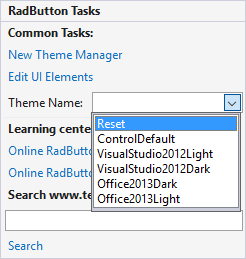
To apply a custom theme from RadThemeManager to a RadControl, first select the control on the form. From the drop-down list in the control ThemeName property, select the theme. The list of themes supplied by RadThemeManager will be merged with the list of predefined themes supplied for the control.
If your theme is saved as a package you can use the approach described here.