New to Telerik UI for WinForms? Start a free 30-day trial
TrackBar Thumb Shapes
Updated on Aug 27, 2026
There are four different trackbar thumb shapes.
The following image shows the TrackBar Thumb Shapes applied to a RadPanel:
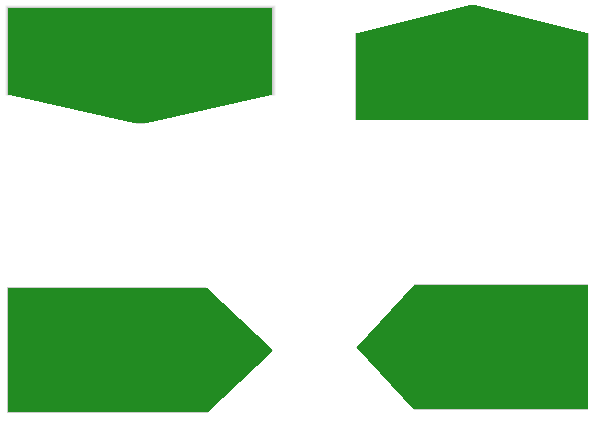
The following code shows how you can create and apply a TrackBarThumb Shapes:
C#
TrackBarDThumbShape trackBarDThumbShape = new TrackBarDThumbShape();
radPanel1.BackColor = Color.ForestGreen;
this.radPanel1.RootElement.Shape = trackBarDThumbShape;
this.radPanel1.RootElement.ApplyShapeToControl = true;

TrackBarUThumbShape trackBarUThumbShape = new TrackBarUThumbShape();
radPanel2.BackColor = Color.ForestGreen;
this.radPanel2.RootElement.Shape = trackBarUThumbShape;
this.radPanel2.RootElement.ApplyShapeToControl = true;

TrackBarRThumbShape trackBarRThumbShape = new TrackBarRThumbShape();
radPanel3.BackColor = Color.ForestGreen;
this.radPanel3.RootElement.Shape = trackBarRThumbShape;
this.radPanel3.RootElement.ApplyShapeToControl = true;

TrackBarLThumbShape trackBarLThumbShape = new TrackBarLThumbShape();
radPanel4.BackColor = Color.ForestGreen;
this.radPanel4.RootElement.Shape = trackBarLThumbShape;
this.radPanel4.RootElement.ApplyShapeToControl = true;