New to Telerik UI for WinForms? Start a free 30-day trial
StartsWith search in RadGridView
Updated on Aug 27, 2026
Environment
| Product Version | Product | Author |
|---|---|---|
| 2019.2.618 | RadGridView for WinForms | Desislava Yordanova |
Description
By default, RadGridView searches for cell values that 'Contain' the search criteria.
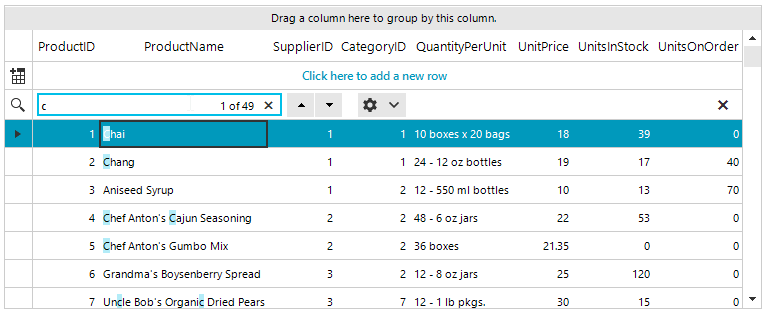
This article demonstrates how to search only for the cells that 'StartsWith' the search criteria.
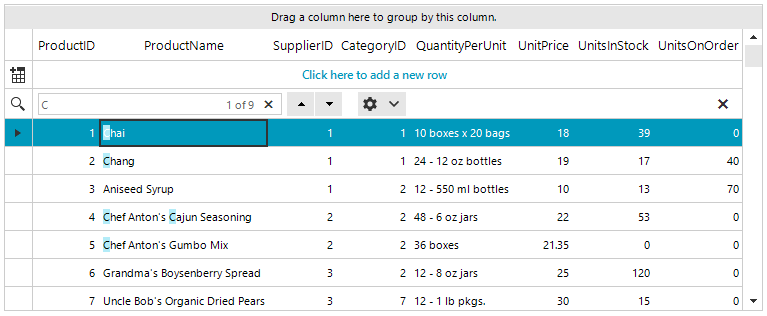
Solution
All you need to do, is to create a custom GridViewSearchRowInfo. Subscribe to the CreateRowInfo event at design time and use the following code snippet:
C#
public RadForm1()
{
    InitializeComponent();

    this.radGridView1.AllowSearchRow = true;

    this.radGridView1.CurrentRowChanging += RadGridView1_CurrentRowChanging;
}

private void RadGridView1_CurrentRowChanging(object sender, CurrentRowChangingEventArgs e)
{
    if (e.NewRow is GridViewSearchRowInfo)
    {
        e.Cancel = true;
    }
}


private void radGridView1_CreateRowInfo(object sender, GridViewCreateRowInfoEventArgs e)
{
    if (e.RowInfo is GridViewSearchRowInfo)
    {
         e.RowInfo = new CustomSearchRow(e.ViewInfo);
    }
}

public class CustomSearchRow : GridViewSearchRowInfo
{
    public CustomSearchRow(GridViewInfo viewInfo) : base(viewInfo)
    {
    }

    protected override bool MatchesSearchCriteria(string searchCriteria, GridViewRowInfo row, GridViewColumn col)
    {
        return (row.Cells[col.Name].Value + "").StartsWith(searchCriteria);
    }
}