New to Telerik UI for WinForms? Start a free 30-day trial
How to Select the Clicked Word in RadSyntaxEditor
Updated over 1 year ago
Environment
| Product Version | Product | Author |
|---|---|---|
| 2020.3.1020 | RadSyntaxEditor for WinForms | Desislava Yordanova |
Description
RadSyntaxEditor provides a convenient way to manage the selection programmatically by using the SyntaxEditorElement.Selection property.
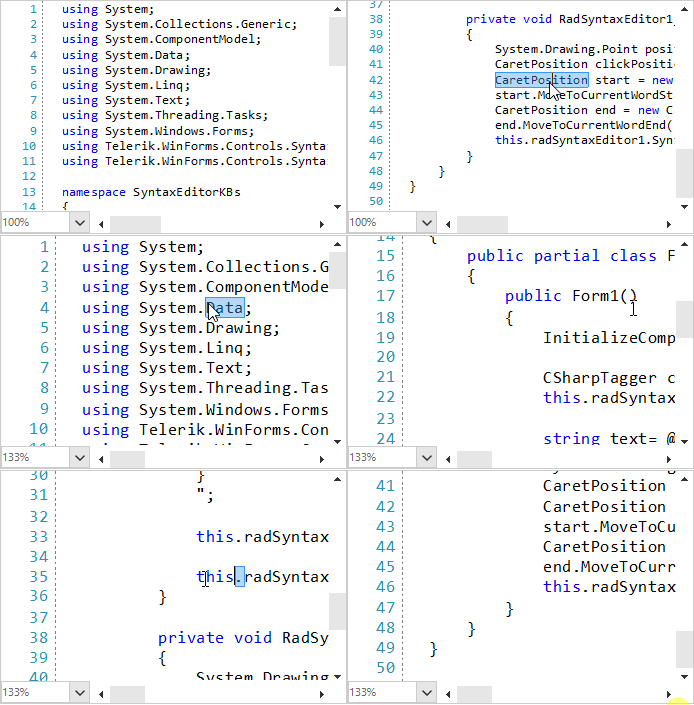
This article demonstrates how to click somewhere in RadSyntaxEditor and select the word under the mouse cursor.
Solution
The solution is achieved in two main parts:
- Subscribe to the RadSyntaxEditor.MouseDown event and detect the CaretPosition by the mouse coordinates.
- Define a start/end range associated to the start/end of the clicked word and select this range. We will use the current CaretPosition and navigate it to the word's start/end.
C#
private void RadSyntaxEditor1_MouseDown(object sender, MouseEventArgs e)
{
    System.Drawing.Point position = this.radSyntaxEditor1.SyntaxEditorElement.EditorPresenter.PointFromControl(e.Location);
    CaretPosition clickPosition = this.radSyntaxEditor1.SyntaxEditorElement.EditorPresenter.GetPositionFromViewPoint(position);
    CaretPosition start = new CaretPosition(clickPosition);
    start.MoveToCurrentWordStart();
    CaretPosition end = new CaretPosition(clickPosition);
    end.MoveToCurrentWordEnd();
    this.radSyntaxEditor1.SyntaxEditorElement.Selection.Select(start, end);
}