New to Telerik UI for WinForms? Start a free 30-day trial
Custom Save Button in RichTextEditorRibbonBar
Updated over 1 year ago
Environment
| Product Version | Product | Author |
|---|---|---|
| 2022.1.222 | RadRichTextEditor for WinForms | Desislava Yordanova |
Description
This article demonstrates a sample approach how to implement custom save logic in RichTextEditorRibbonBar.
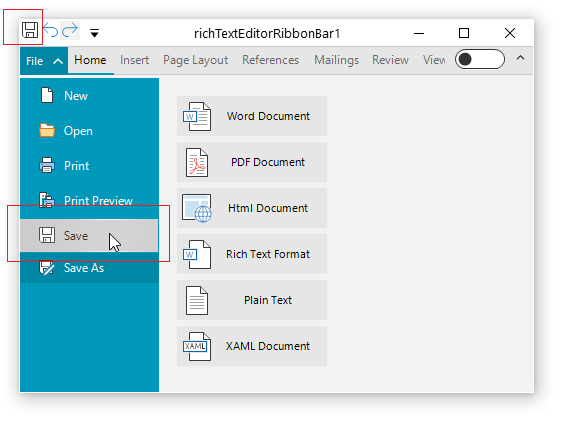
Solution
Create a derivative of the RichTextEditorRibbonBar class and override the ButtonSave_Click and the BackstageButtonSave_Click
C#
        public class MyRichTextEditorRibbonBar : RichTextEditorRibbonBar
        {
            protected override void ButtonSave_Click(object sender, EventArgs e)
            {

                //TODO your custom save logic here

                this.BackstageControl.HidePopup();

                SaveCommand command = new SaveCommand(this.AssociatedRichTextEditor.RichTextBoxElement, this.OpenedFileName);
                this.ExecuteCommand(command);
                this.OpenedFileName = command.FileName;
            }
            protected override void BackstageButtonSave_Click(object sender, EventArgs e)
            {
                //TODO here you can put your custom logic

                if (this.IsDesignMode || this.AssociatedRichTextEditor == null)
                {
                    return;
                }

                SaveCommand command = new SaveCommand(this.AssociatedRichTextEditor.RichTextBoxElement, this.OpenedFileName);
                this.ExecuteCommand(command);
                this.OpenedFileName = command.FileName;
                this.backstageView.Hide();
            }

        }