New to Telerik UI for WinForms? Start a free 30-day trial
Examine the GAC and remove old assemblies
Updated on Aug 27, 2026
| Product Version | Product | Author |
|---|---|---|
| 2019.1.117 (.NET 4.0 or later) | RadControls for WinForms | Dimitar |
Description
You want to examine the GAC in order to check if the Telerik UI for WinForms are installed or perhaps more that one version exists.
Solution
Open the .NET 4.0 GAC folder in the explorer. The GAC is located in the following folder: C:\Windows\Microsoft.NET\assembly\GAC_MSIL. Search for the Telerik assemblies.
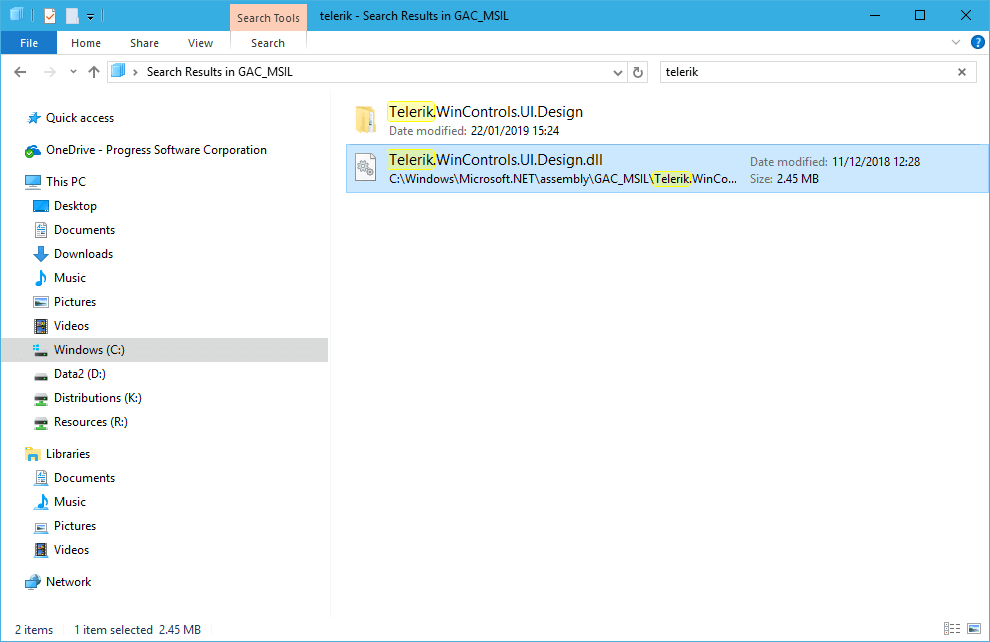
That is all, you can remove the old assemblies directly from the search results.