New to Telerik UI for WinForms? Start a free 30-day trial
How to Drag File Names from RadGridView and Drop Them to Windows Explorer
Updated on Aug 27, 2026
Environment
| Product Version | Product | Author |
|---|---|---|
| 2022.2.510 | RadGridView for WinForms | Desislava Yordanova |
Description
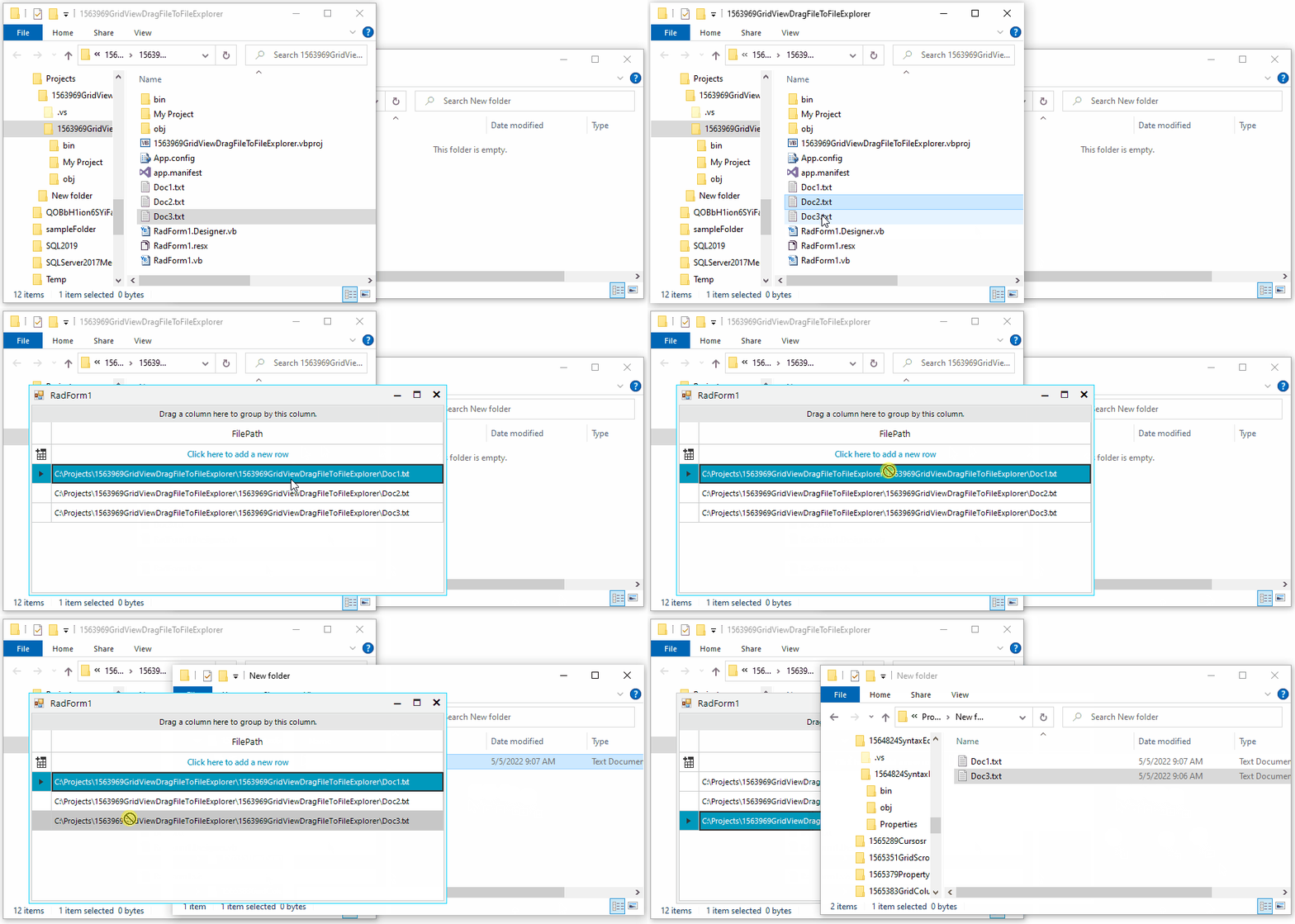
This article demonstrates how to drag a file that is stored as a file path in RadGridView and drop it onto the Windows File Explorer. As a result, the file is copied.
Solution
In order to drag a file, stored in the appropriate way in RadGridView and drop it onto the FileExplorer, it would be necessary to use the standard OLE drag and drop.
If you want to move the file instead of copying it, feel free to use DragDropEffects.Move when starting the drag operation.
C#
public RadForm1()
{
    InitializeComponent();
    this.radGridView1.Columns.Add("FilePath");
    this.radGridView1.AutoSizeColumnsMode = Telerik.WinControls.UI.GridViewAutoSizeColumnsMode.Fill;
    this.radGridView1.Rows.Add(@"C:\Projects\1563969GridViewDragFileToFileExplorer\1563969GridViewDragFileToFileExplorer\Doc1.txt");
    this.radGridView1.Rows.Add(@"C:\Projects\1563969GridViewDragFileToFileExplorer\1563969GridViewDragFileToFileExplorer\Doc2.txt");
    this.radGridView1.Rows.Add(@"C:\Projects\1563969GridViewDragFileToFileExplorer\1563969GridViewDragFileToFileExplorer\Doc3.txt");

    this.radGridView1.MouseDown += radGridView1_MouseDown;
}

private void radGridView1_MouseDown(object sender, MouseEventArgs e)
{
    if (e.Button == MouseButtons.Left && this.radGridView1.CurrentRow != null)
    {
        string filePath = this.radGridView1.CurrentRow.Cells["FilePath"].Value.ToString();
        string[] files = new string[] { filePath };
        this.DoDragDrop(new DataObject(DataFormats.FileDrop, files), DragDropEffects.Copy);
    }
}