New to Telerik UI for WinForms? Start a free 30-day trial
Customize Appointment Backgrounds and Statuses in RadScheduler
Updated on Aug 27, 2026
Environment
| Product Version | Product | Author |
|---|---|---|
| 2019.1.219 | RadScheduler for WinForms | Desislava Yordanova |
Description
RadScheduler offers a predefined list of available statuses and backgrounds for its appointments. They are stored in the Statuses and Backgrounds collections respectively:
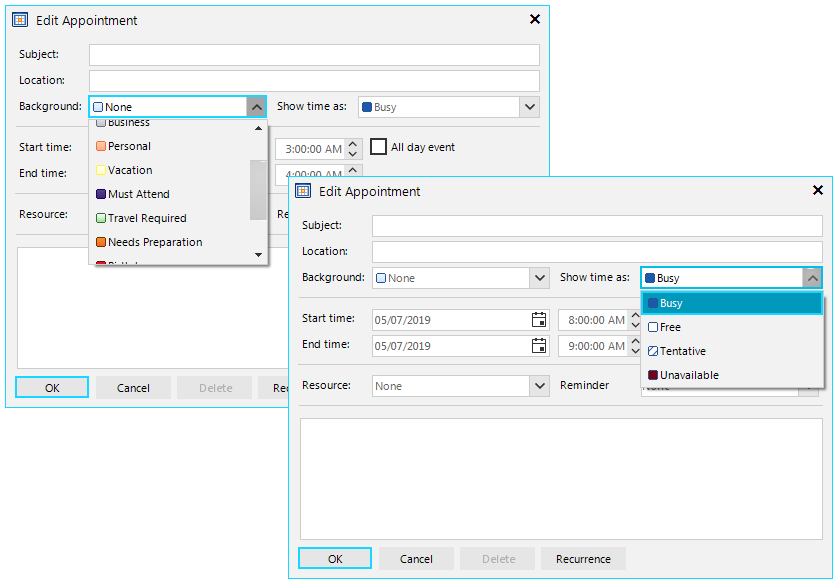
However, if none of the available options is suitable for your specific scenario, you can add your custom status or background.
Solution
Adding a custom status
It is necessary to define a new AppointmentStatusInfo instance and specify the status' ID, display name and colors.
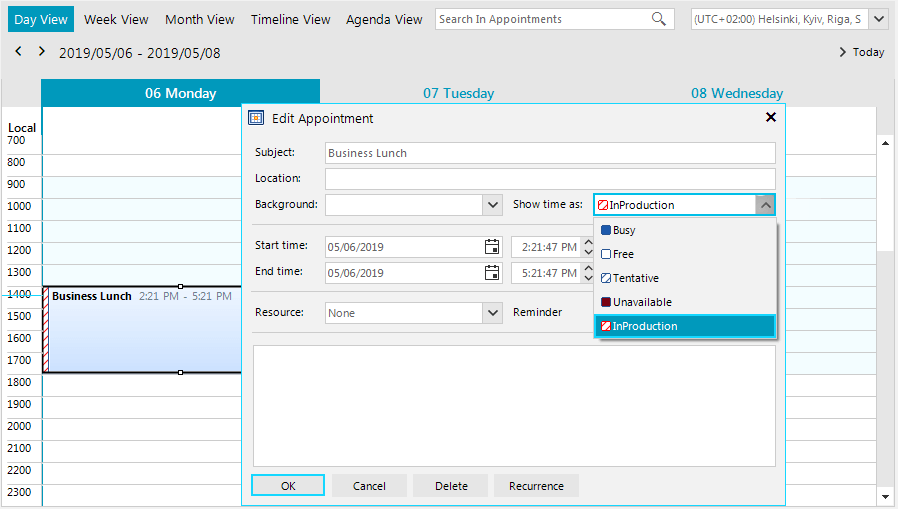
Define a custom AppointmentStatusInfo
C#
AppointmentStatusInfo myStatus = new AppointmentStatusInfo(100, "InProduction", Color.Red, Color.White, AppointmentStatusFillType.Hatch);
this.radScheduler1.Statuses.Add(myStatus);
Appointment myEvent = new Appointment(DateTime.Now, TimeSpan.FromHours(3), "Business Lunch");
myEvent.StatusId = 100;
this.radScheduler1.Appointments.Add(myEvent);
Adding a custom background
It is necessary to define a new AppointmentBackgroundInfo instance and specify the background's ID, display name and colors.
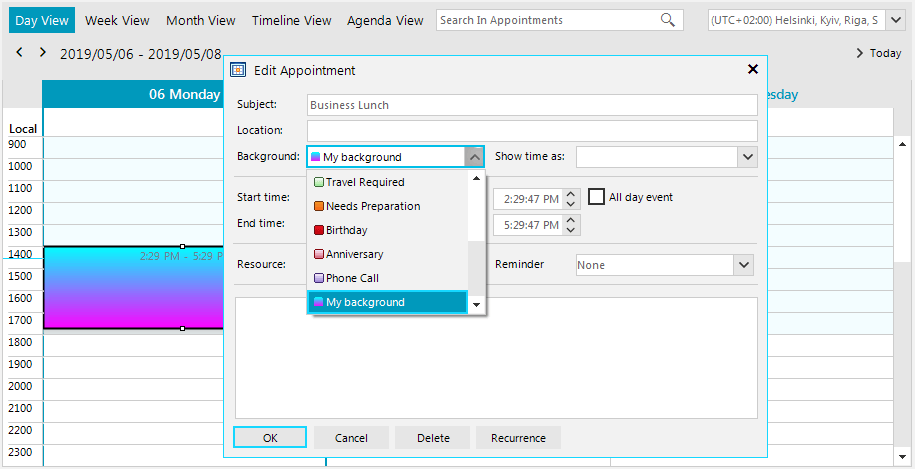
Define a custom AppointmentBackgroundInfo
C#
AppointmentBackgroundInfo myBackground = new AppointmentBackgroundInfo(12, "My background", Color.Cyan, Color.Fuchsia);
this.radScheduler1.Backgrounds.Add(myBackground);
Appointment myEvent = new Appointment(DateTime.Now, TimeSpan.FromHours(3), "Business Lunch");
myEvent.BackgroundId = 12;
this.radScheduler1.Appointments.Add(myEvent);