New to Telerik UI for WinForms? Start a free 30-day trial
How to Add Callout for StepProgressBar
Updated over 1 year ago
Environment
| Product Version | Product | Author |
|---|---|---|
| 2022.1.222 | RadStepProgressBar for WinForms | Desislava Yordanova |
Description
By default, RadStepProgressBar offers tooltips. However, it may be required to display more detailed information for the different steps. This article demonstrates a sample approach to how to achieve it.
Solution
It is appropriate to use a RadCallout for each step. The Getting Started with Callout article demonstrates how to build the callout. Once you are done with the design for the RadCallout, iterate the RadStepProgressBar.Steps and subscribe to the MouseEnter event where the callout is shown.
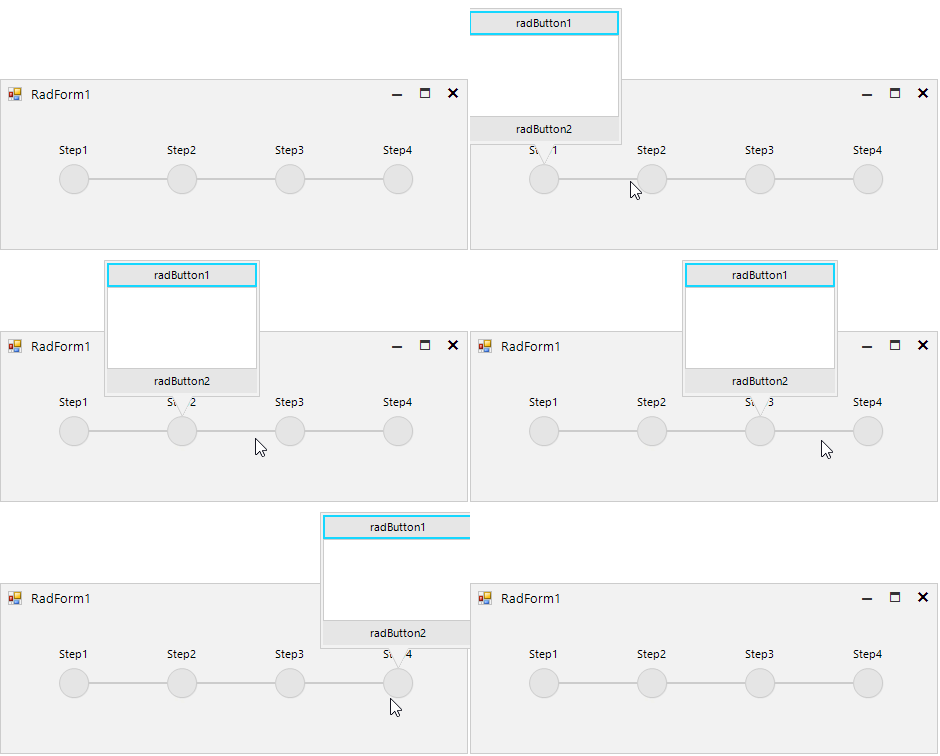
C#
public RadForm1()
{
    InitializeComponent();

    foreach (StepProgressItem item in this.radStepProgressBar1.Steps)
    {
        item.StepIndicator.MouseEnter += StepIndicator_MouseEnter;
    }
}

private void StepIndicator_MouseEnter(object sender, EventArgs e)
{
    if (this.radCallout1.CalloutForm.Visible)
    {
        this.radCallout1.Close();
    }

    this.radCallout1.Show(sender as StepItemIndicatorElement);
}