Telerik Document Processing Libraries and WinForms .NET application
Since the Telerik Document Processing Libraries depend on some types from WPF using any library in a WinForms application requires making changes in the project file. This is not necessary in the .NET framework projects where you can just add the references in Visual Studio.
By default, when creating a WinForms .NET application the Microsoft.WindowsDesktop.App.WindowsForms framework is added. This does not include the required WPF references.
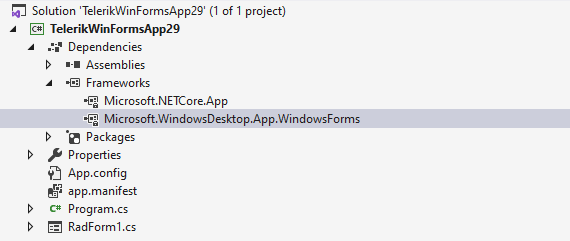
To add the required references, you need to:
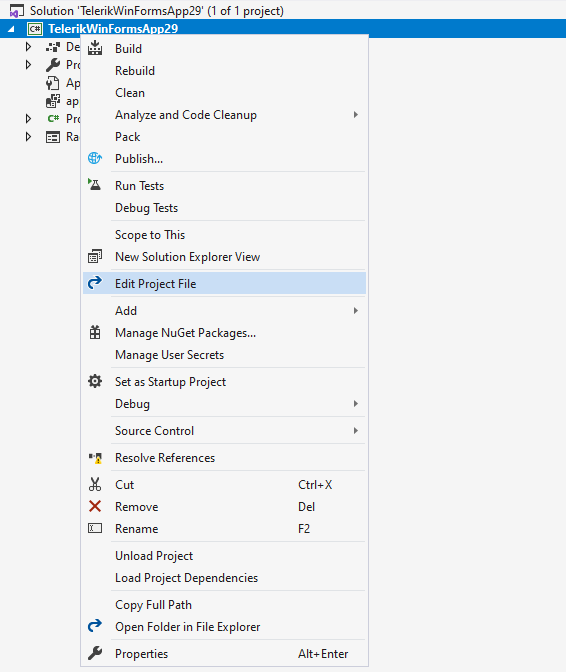
1. Edit the project file:
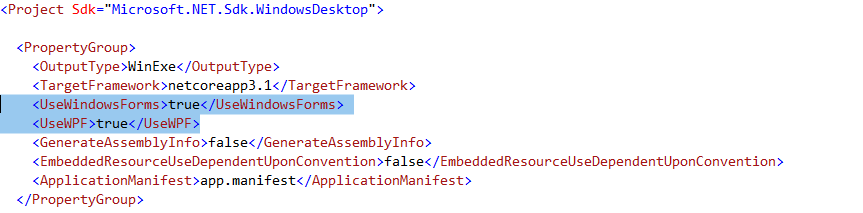
2. Under the UseWindowsForms line, add the UseWPF tag. The file should look like this:
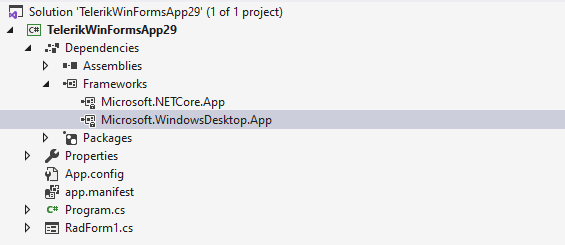
3. Save and reload the file. Now, you should see the Microsoft.WindowsDesktop.App in the frameworks node:
This is all that is required and now you can continue with your application.