New to Telerik UI for WinForms? Start a free 30-day trial
Modes
Updated on Aug 27, 2026
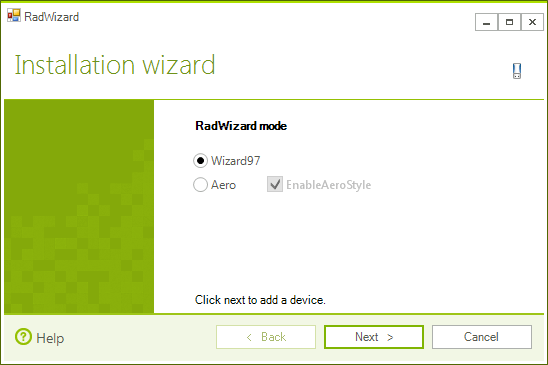
RadWizard supports both Wizard 97 and Wizard Aero specifications. You can set the mode of the control using its Mode property:
Setting modes
C#
this.radWizard1.Mode = WizardMode.Wizard97;Figire 1: WizardMode.Wizard97
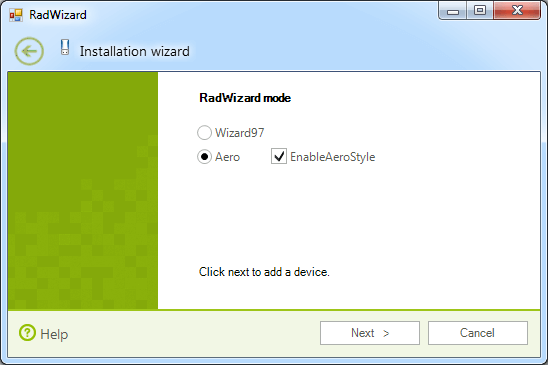
The aero style of WizardMode.Aero can be enabled (for Windows Vista and later versions) or disabled. You can achieve it using the EnableAeroStyle property of RadWizard.
Enabling aero style
C#
this.radWizard1.Mode = WizardMode.Aero;
this.radWizard1.EnableAeroStyle = true;Figure 2: WizardMode.Aero with enabled aero
Disable Aero Style
C#
this.radWizard1.Mode = WizardMode.Aero;
this.radWizard1.EnableAeroStyle = false;Figure 3: WizardMode.Aero with disabled aero
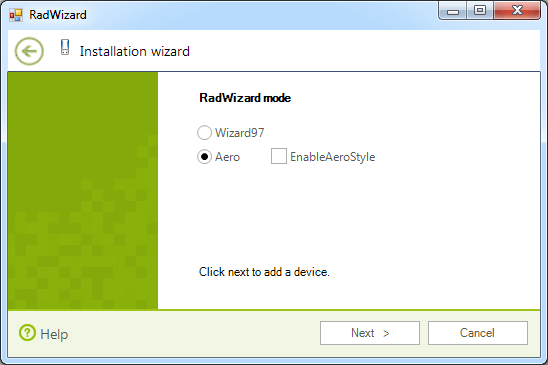
When RadWizard is in Aero mode with disabled Aero style, the appearance of the control is defined by the styles in its theme.