Breadcrumb
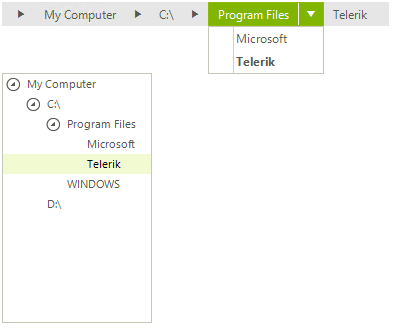
RadBreadCrumb control is specifically designed to help users with RadTreeView navigation. Breadcrumbs are most appropriate when your data has a deep hierarchical structure with many levels. When you select a node in RadTreeView the breadcrumb component will show the path to the node as a sequence of drop down buttons. It will also allow you to navigate in the tree view by selecting specific item.
Figure 1: BreadCrumb Drop-down
Use DefaultTreeView property of RadBreadCrumb to associate the bread crumb with an instance of RadTreeView.
this.radBreadCrumb1.DefaultTreeView = radTreeView1;Selecting Nodes
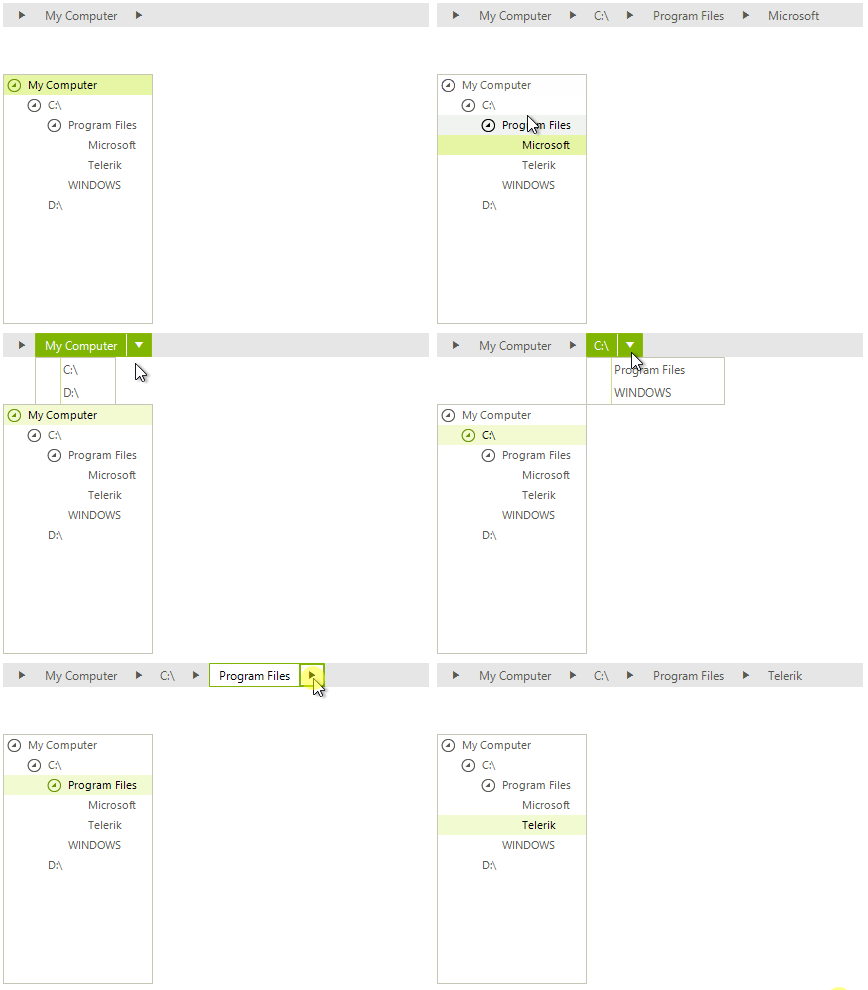
The SelectTreeNodeOnClick property determines whether the nodes in the tree will be selected upon clicking on the action part of the split buttons in the breadcrumb. By default the property is set to false.
Figure 2: Selecting Nodes
this.radBreadCrumb1.SelectTreeNodeOnClick = true;