New to Telerik UI for WinForms? Start a free 30-day trial
Getting Started
Updated over 1 year ago
The RadSchedulerNavigator control is used with a RadScheduler control and represents a navigation tool that makes using the RadScheduler easier.
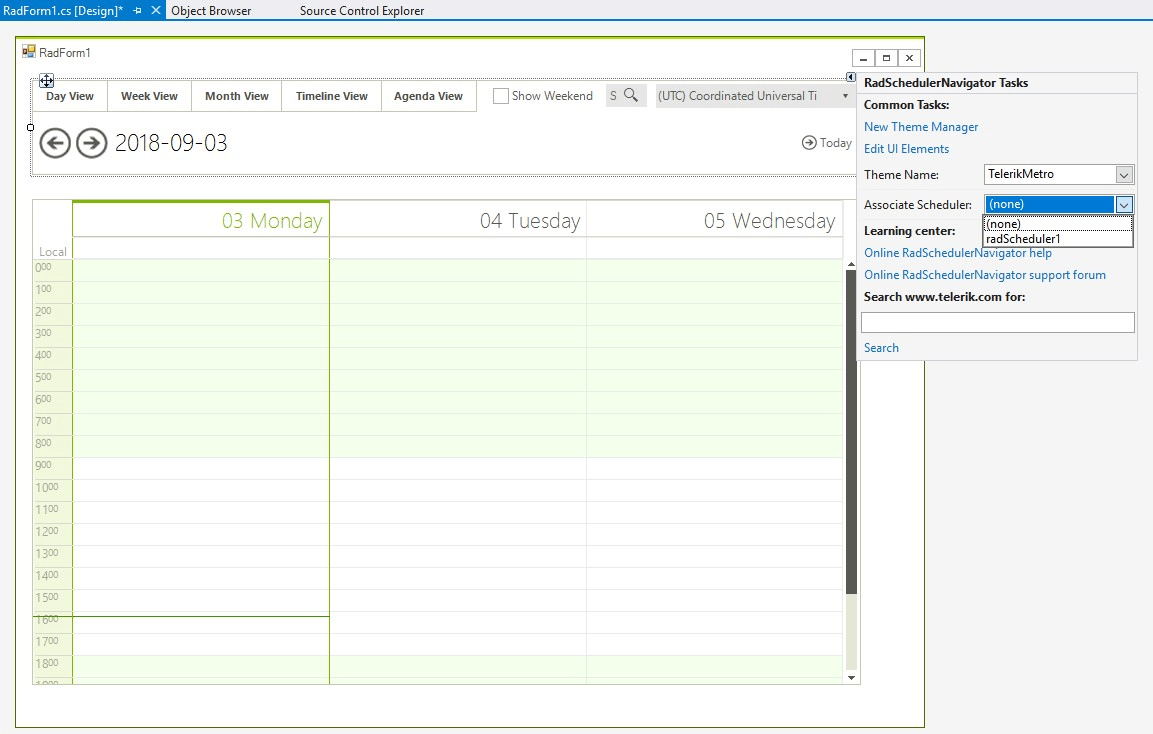
To use the RadSchedulerNavigator control you should add it to your form and also add a RadScheduler control. After that, either by using the Associate Scheduler action in the Smart Tag of the Scheduler Navigator or by using the AssociatedScheduler property in the Property Grid of the Visual Studio Designer, you can bind the RadSchedulerNavigator to a RadScheduler control:
Figure 1: Associating RadScheduler