New to Telerik UI for WinForms? Start a free 30-day trial
Right-to-Left support
Updated on Aug 27, 2026
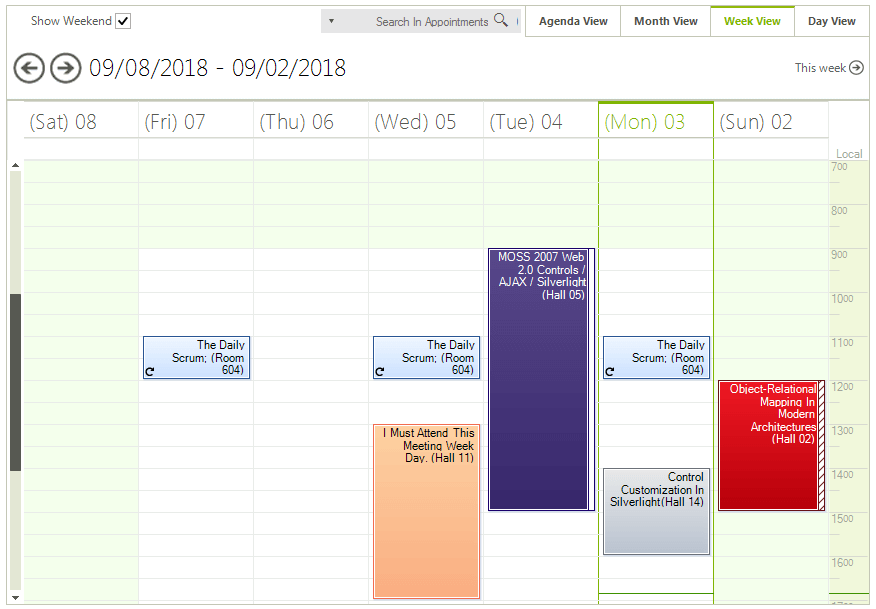
Enabling the RightToLeft mode of RadScheduler is achieved by setting the RightToLeft property to Yes:
Right-to-Left Layout
C#
radScheduler1.RightToLeft = System.Windows.Forms.RightToLeft.Yes;Here is how your scheduler will look like in this mode:
Figure 1: Right-to-Left Layout