Localization
To change the default English localization provider you should use the CurrentProvider static property of the RichTextBoxLocalizationProvider class. For example, you can load the string from a XML file like this:
RichTextBoxLocalizationProvider.CurrentProvider = RichTextBoxLocalizationProvider.FromFile(@"C:\RichTextBoxStrings.xml");
You can download a XML file that contains all the currently used strings from here: Strings file
As of R2 2015 RichTextBoxLocalizationProvider contains all strings related to the RadRichTextEditorRibbonUI as well.
Another approach is to create a custom localization provider class which inherits RichTextBoxLocalizationProvider. In it you should just override the GetLocalizedString method and return the localized string depending on current id.
public class MyRichTextBoxLocalizationProvider : RichTextBoxLocalizationProvider
{
    public override string GetLocalizedString(string id)
    {
        switch (id)
        {
            case "Documents_FindReplaceDialog_FindNext":
                return "Weitersuchen";
            case "Documents_FindReplaceDialog_Header":
                return "Suchen und Ersetzen";
            case "Documents_FindReplaceDialog_Replace":
                return "Ersetzen";
            case "Documents_FindReplaceDialog_ReplaceAll":
                return "Alle ersetzen";
            case "Documents_FindReplaceDialog_ReplaceWith":
                return "Ersetzen durch";
            case "Documents_FindReplaceDialog_TextToFind":
                return "Suchen nach";
            case "Documents_FindReplaceDialog_RestartSearch":
                return "Zeigen unten die Multifunktionsleiste";
            case "Documents_FindReplaceDialog_SearchedTextNotFound":
                return "Der Suchbegriff wurde nicht gefunden";
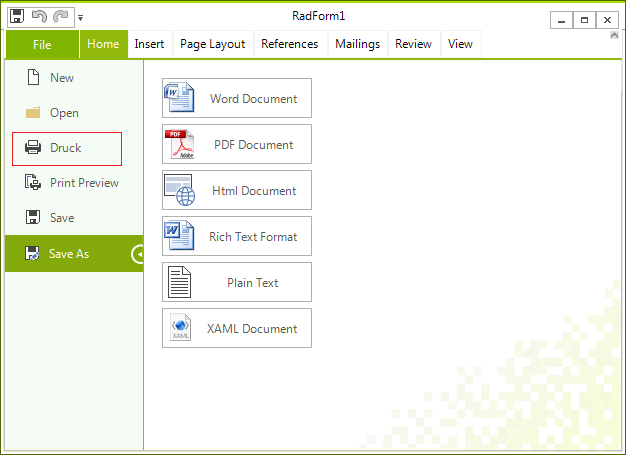
            case "RibbonUI_BackstageButtonPrint":
                return "Druck";
        }

        return base.GetLocalizedString(id);
    }
}
The following code snippet shows how you can use the new class:
RichTextBoxLocalizationProvider.CurrentProvider = new MyRichTextBoxLocalizationProvider();

InitializeComponent();
It is necessary to specify the RichTextBoxLocalizationProvider. CurrentProvider property before initializing the components.
Figure 1: RichTextBoxLocalizationProvider
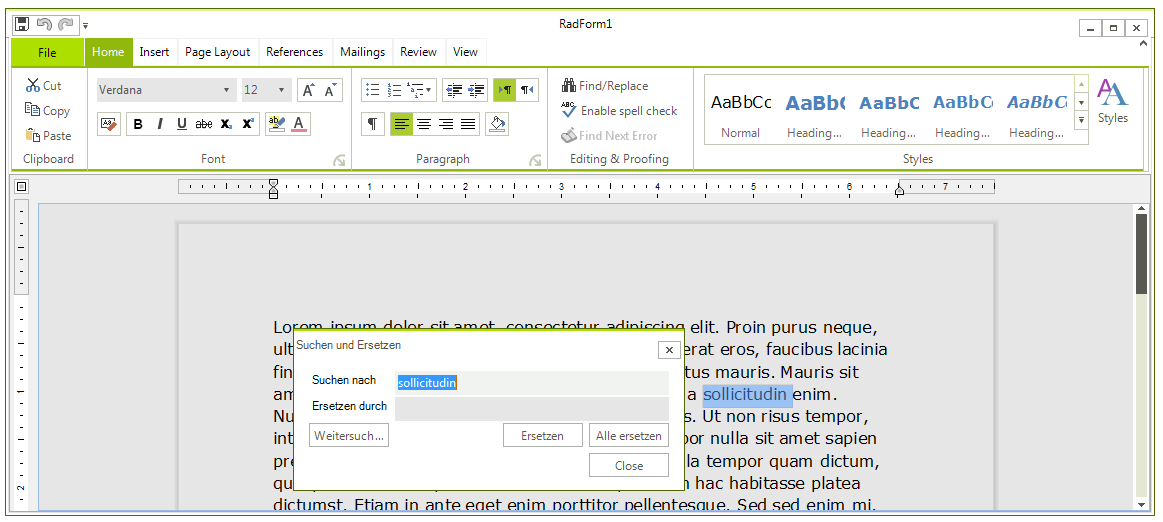
Figure 2: Localize RadRichTextEditorRibbonUI