Internationalization
RadCalendar provides built in internationalization support to build world-ready applications including:
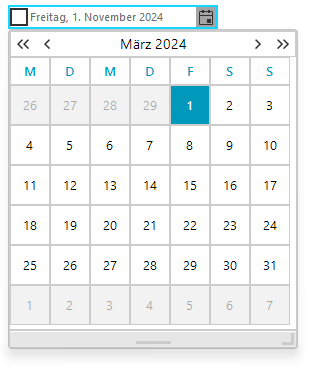
* The Culture property can be set using the drop down list in the Properties Window or set in code. The screenshot below shows the Culture property set to "German(Germany)".
this.radDateOnlyPicker1.Culture = new System.Globalization.CultureInfo("de-DE");
Figure 1: The culture is changed to German.
* Right-to-Left support:
- Right-to-Left = No (default value)
this.radDateOnlyPicker1.RightToLeft = RightToLeft.No;
Figure 2: The right to left support is turned off.

* Right-to-Left = Yes
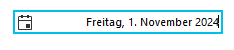
this.radDateOnlyPicker1.RightToLeft = RightToLeft.Yes;
Figure 3: The right to left support is turned on.
* Date Format Pattern: The Format property has valid values of Short, Long, and Custom. The __Custom__enables the CustomFormat property.
The Time option of the DateTimePickerFormat enumeration is not applicable for the RadDateOnlyPicker control. The Time option will be ignored when set to the RadDateOnlyPicker control Format property.
this.radDateOnlyPicker1.Format = DateTimePickerFormat.Custom;
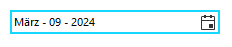
this.radDateOnlyPicker1.CustomFormat = "MMM - dd - yyyy";
Figure 4: Using Custom Format