Item Sizing
ItemHeight
By default, all items in RadDropDownList have equal height, 18px. You can set the ListElement.ItemHeight property in order to specify the desired height for all items.
Figure 1: ItemHeight
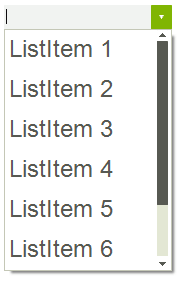
ItemHeight
this.radDropDownList1.DropDownListElement.ListElement.Font = new Font("Arial", 18f);
this.radDropDownList1.ListElement.ItemHeight = 40;
AutoSizeItems
The RadDropDownList.AutoSizeItems property indicates whether items will be sized according to their content.
Figure 2: AutoSizeItems
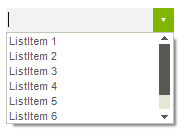
AutoSizeItems
this.radDropDownList1.DropDownListElement.ListElement.Font = new Font("Arial", 8f);
this.radDropDownList1.AutoSizeItems = true;
If this property is set to false the user can set the Height property of each individual RadListDataItem in the Items collection in order to override the automatic sizing.
Figure 3: Custom height for each item
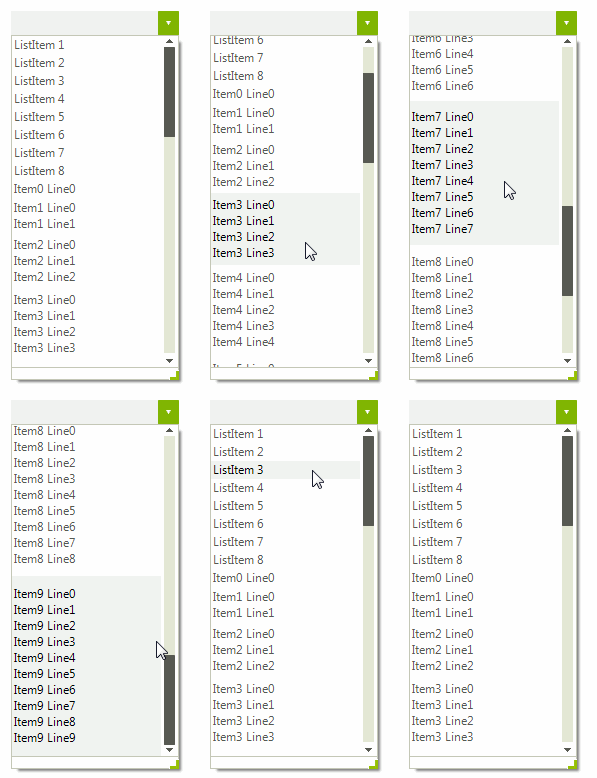
Height
this.radDropDownList1.AutoSizeItems = false;
StringBuilder sb;
for (int i = 0; i < 10; i++)
{
    RadListDataItem item = new RadListDataItem();
    sb = new StringBuilder();
    for (int j = 0; j < i + 1; j++)
    {
        sb.AppendLine("Item" + i + " Line" + j);
    }
    item.Text = sb.ToString();
    item.Height = this.radDropDownList1.ListElement.ItemHeight * (i + 1);
    this.radDropDownList1.Items.Add(item);
}
Sizing auto-complete pop-up items
When the RadDropDownList.AutoCompleteMode property is set to Suggest or SuggestAppend you can customize the height of the auto-complete items by setting the DropDownListElement.AutoCompleteSuggest.DropDownList.ListElement.ItemHeight property:
Figure 4: AutoCompleteSuggest.DropDownList.ListElement.ItemHeight
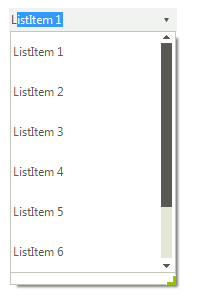
Auto-complete items height
this.radDropDownList1.AutoCompleteMode = AutoCompleteMode.SuggestAppend;
this.radDropDownList1.DropDownListElement.AutoCompleteSuggest.DropDownList.ListElement.ItemHeight = 40;