New to Telerik UI for WinForms? Start a free 30-day trial
Text Tool
Updated on May 7, 2026
The TextTool allows you to enter the edit mode of a RadDiagramItem as soon as you click on it. Furthermore, you can use this tool to draw text shapes. As it isn't active by default, you can use the RadDiagram.ActiveTool property to activate it:
Active Tool
C#
this.radDiagram1.ActiveTool = Telerik.Windows.Diagrams.Core.MouseTool.TextTool;
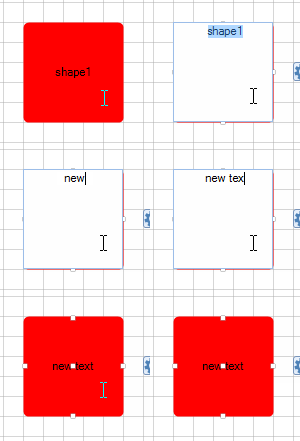
Let's consider we already have a shape in RadDiagram. As soon as you click on the shape, you will enter its edit mode. This way you can easily modify its content.
Figure 1: Edit shape
And what is more, as soon as you activate the TextTool, you can dynamically create a text shape by dragging a rectangle on the diagramming surface:
Figure 2: Create shape