Design Time
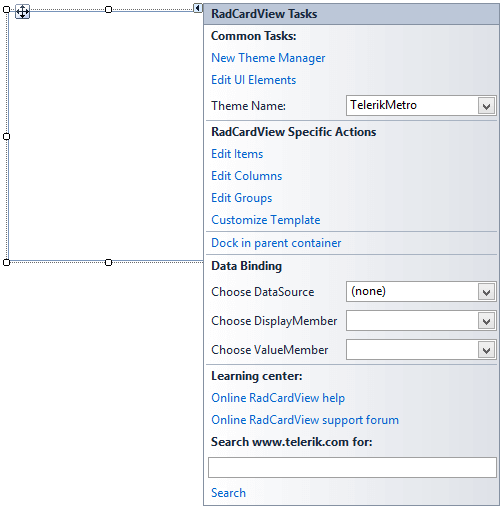
Smart Tag
Figure 1: Smart Tag
-
Common Tasks
-
New Theme Manager: Adds a new RadThemeManager component to the form.
-
Edit UI elements: Opens a dialog that displays the Element Hierarchy Editor. This editor lets you browse all the elements in the control.
-
Theme Name: Select a theme name from the drop down list of themes available for that control. Selecting a theme allows you to change all aspects of the controls visual style at one time.
-
-
RadCardView Specific Actions:
-
Edit Items: When in unbound mode adds or edits CardViewItems
-
Edit Columns: Adds or edits columns
-
Edit Groups: Adds or edits groups
-
Customize Template: Opens the CardTemplate Layout editor
-
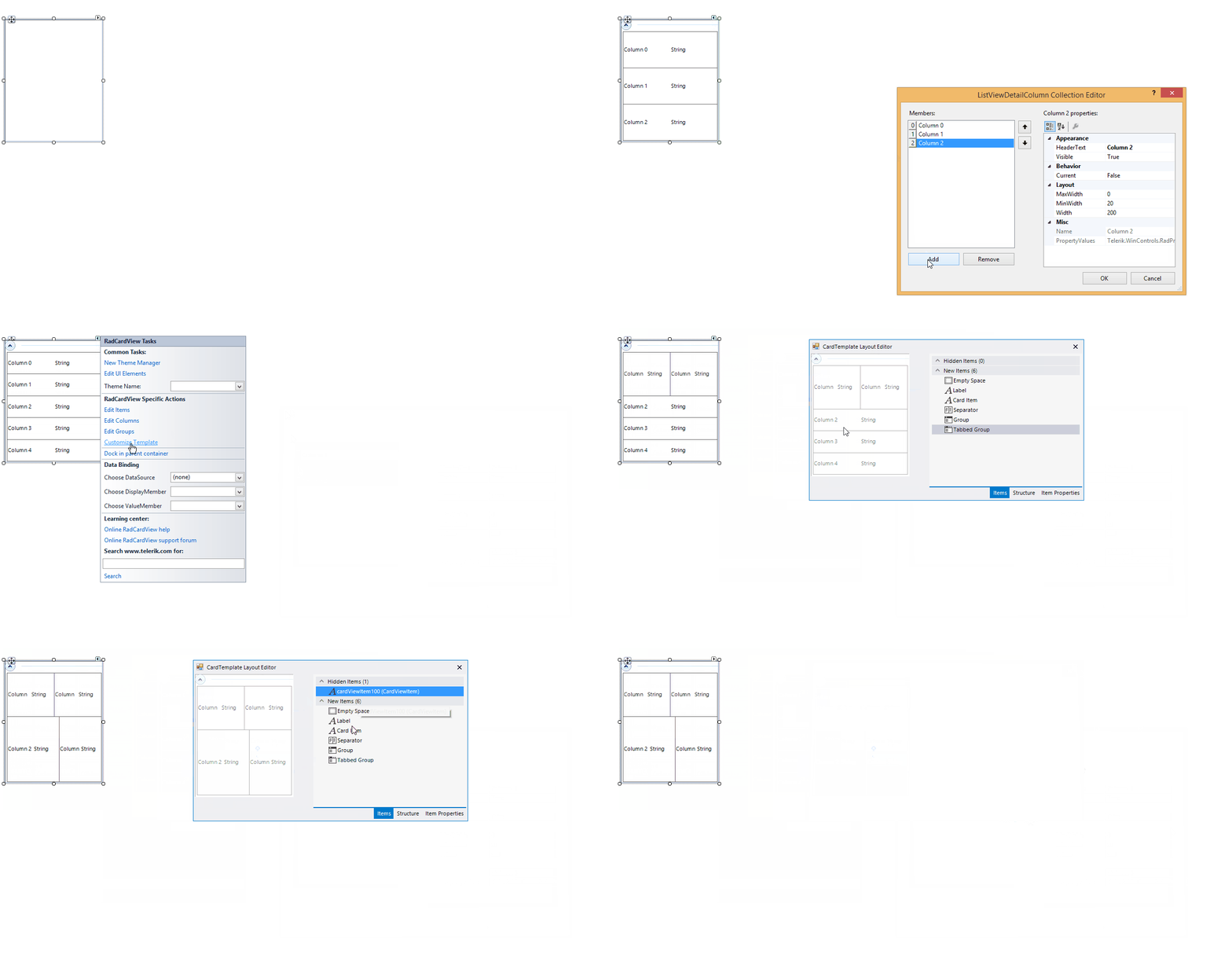
The short video below demonstrates how columns can be set up at design-time and later the layout modified using the Customize Dialog.
Figure 2: Create Layout
-
Data Binding: RadCardView utilizes the standard WinForms data binding mechanism. A complete example is available in Data Binding section.
-
Learning Center: Navigate to the Telerik help, code library projects or support forum.
-
Search: Search the Telerik website for a given string.