New to Telerik UI for WinForms? Start a free 30-day trial
Data Binding
Updated on Aug 27, 2026
RadBreadCumb internally uses an invisible RadTreeView to manage the hierarchical structure if there is not associated tree view via the RadBreadCrumb.DefaultTreeView property. You can access it via the InternalTreeViewElement property of the RadBreadCrumbElement.
When the RadBreadCrumbElement.DefaultTreeViewElement property is set (which means that you have an associated tree view), the InternalTreeViewElement will be ignored.
Define Relations in RadBreadCrumb
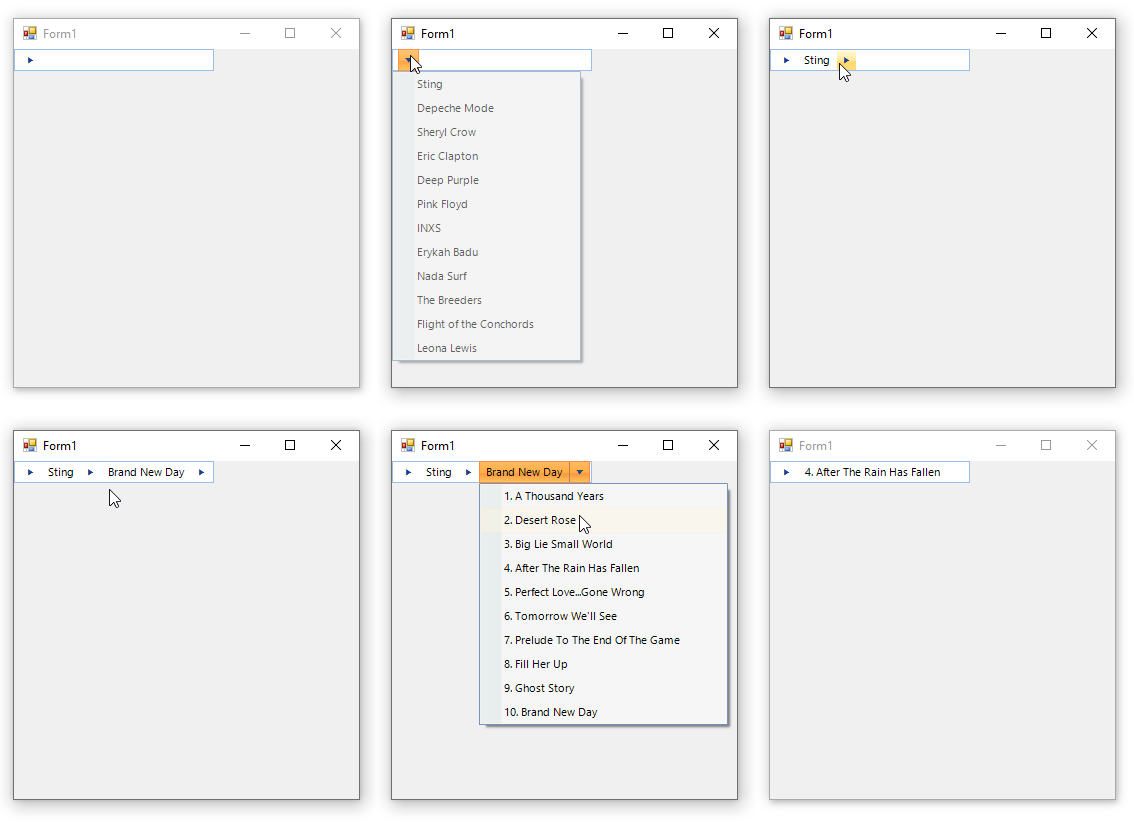
Since RadBreadCrumb internally uses a RadTreeView, you can use the data binding options that RadTreeView offers. The following code snippet demonstrates how to define relations between 3 different data collections and build 3-level hierarchy:
RadBreadCrumb bound to the MusicCollection database
C#
private void SetupRelationBindings()
{
    this.radBreadCrumb1.IsAutoCompleteEnabled = true;
    this.radBreadCrumb1.DataSource = this.artistsBindingSource;
    this.radBreadCrumb1.DisplayMember = "ArtistName";
    this.radBreadCrumb1.ValueMember = "ArtistID";
    this.radBreadCrumb1.RelationBindings.Add(new RelationBinding(this.albumsBindingSource, "AlbumName", "ArtistID", "ArtistID", "AlbumID"));
    this.radBreadCrumb1.RelationBindings.Add(new RelationBinding(this.songsBindingSource, "SongName", "AlbumID", "AlbumID", "SongID"));
}