New to KendoReact? Start a free 30-day trial
How to Download Your KendoReact License Key Using Your Browser
Updated on Feb 9, 2026
Environment
| Product | KendoReact |
| Version | Q1 2025 and later |
Description
How do I manually download my personal license key file for KendoReact from telerik.com using the browser?
Solution
To download your license key file:
- Verify that you have an active commercial or trial license under Your Licenses in your Telerik account.
If you are new to KendoReact, you can sign up for a free trial or purchase a license.
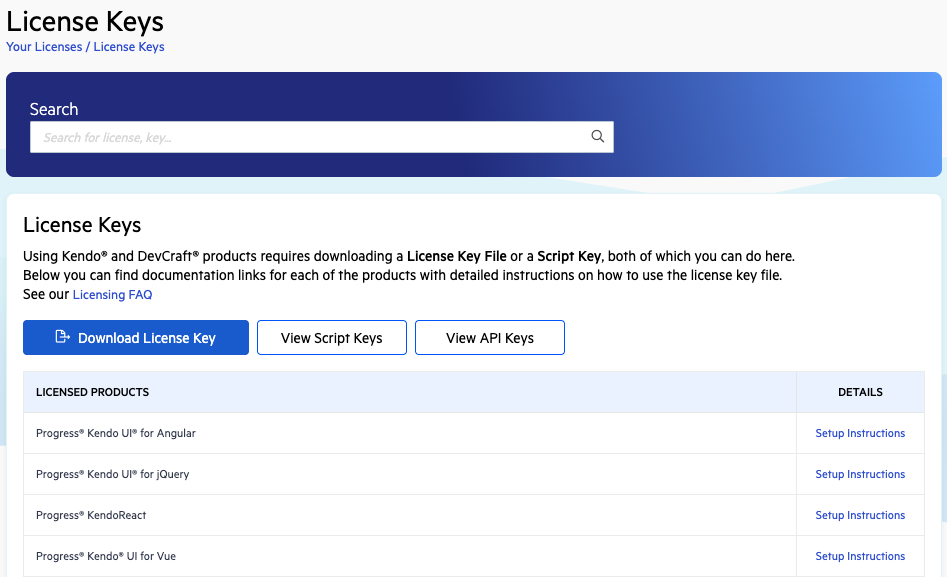
- Go to the License Keys page in your Telerik account.
- Click Download License Key in the License Keys section.
- Activate the KendoReact components by using the downloaded license key file.
Starting with the 2025 Q1 release, the name of the downloaded file changes from
kendo-ui-license.txttotelerik-license.txt. This change is required as all Telerik UI and Kendo UI products now use the same licensing mechanism with a common license key. See the Handling License Key File Name and Environment Variable Name Changes in the 2025 Q1 Release knowledge base article for more details.