Kendo UI for jQuery TreeList Overview
Updated on Sep 8, 2026
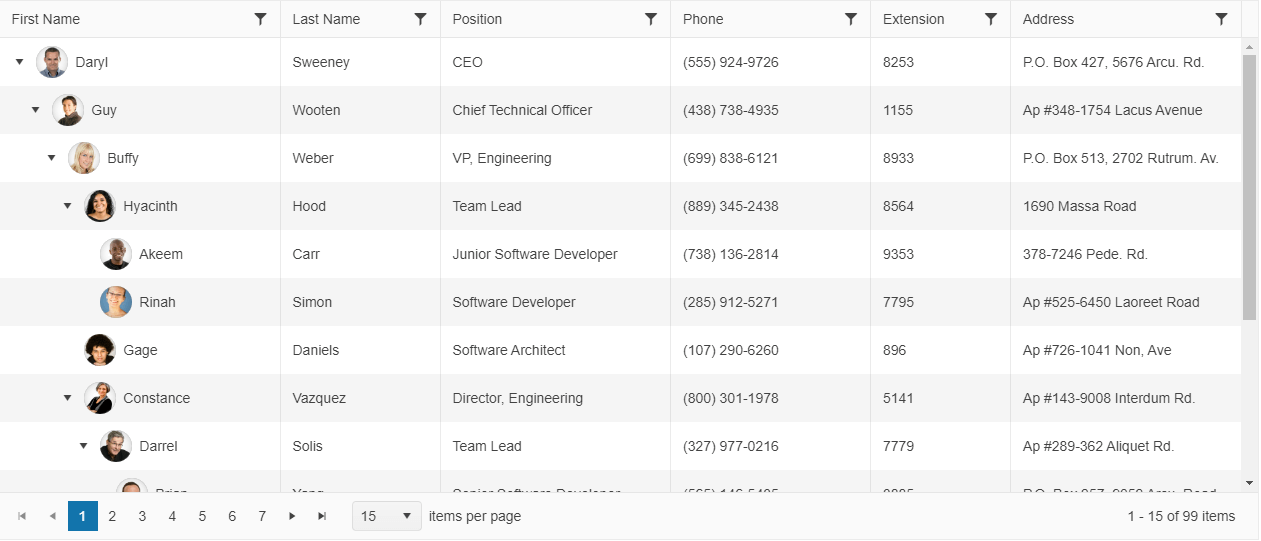
The TreeList enables the display of self-referencing tabular data and supports local and remote hierarchical data scenarios.
 Start Free Trial
Functionality and Features
- Data binding—The TreeList provides options for binding it to local arrays and remote data.
- Editing—You can use the available built-in editing functionality of the TreeList.
- Filtering—The TreeList supports built-in filtering for narrowing large hierarchical datasets.
- Paging—The TreeList component supports client-side paging for large sets of data.
- Scrolling—You can scroll through the TreeList data when using large data sets.
- Row templates—You can customize the rendering of row content with templates.
- Multi-column headers—The TreeList component enables you to render a tree-like structure where one or more columns can be grouped together by a common header.
- Row selection—The TreeList enables you to select rows by clicking on a row or by clicking on a checkbox.
- State persistence—You can store TreeList settings and restore them later for the same user workflow.
- Excel export—The TreeList supports exporting hierarchical data to Excel workbooks.
- PDF export—The TreeList supports exporting hierarchical data to PDF documents.
- Accessibility—The TreeList is accessible by screen readers.
Next Steps
- Getting Started with the Kendo UI TreeList for jQuery
- Basic Usage of the jQuery TreeList (Demo)
- JavaScript API Reference of the TreeList