Connect
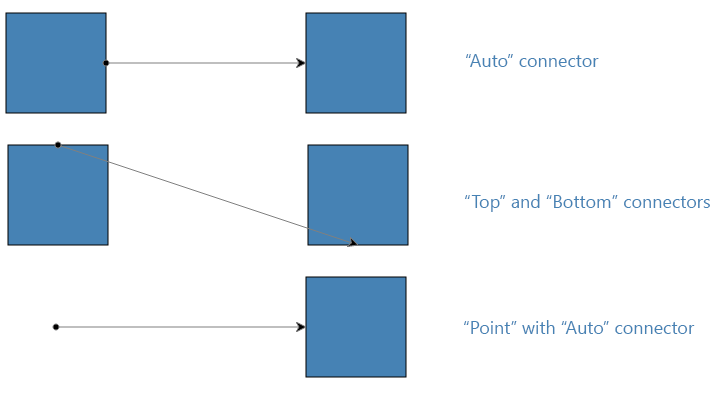
methodsCreates a connection which can be either attached on both ends to a shape, half attached or floating (not attached to any shape). When a connection is (half) attached to a shape it happens through the intermediate Connector object. Connectors are part of a Shape's definition and you can specify the binding of a connection to a shape directly via the shape or via one of its connectors. If you specify a Shape as a connection's endpoint the Auto-connector will be used. This means that the endpoint of the connection will switch to the most convenient (in the sense of shortest path) connector automatically. If you specify a shape's connector as an endpoint for a connection the endpoint will remain attached to that given Connector instance. Finally, if you wish to have a (half) floating connection endpoint you should specify a Point as parameter for the floating end.
The source definition of the connection. This can be a Shape, a Connector or a Point.
The target definition of the connection. This can be a Shape, a Connector or a Point.
The options of the new connection. See connections options.