How to Download Your Kendo UI for Angular License Key Using Your Browser
Environment
| Product | Kendo UI for Angular |
| Version | Q1 2025 and later |
Description
How do I manually download my personal license key file for Kendo UI for Angular from telerik.com using the browser?
Solution
To download your license key file:
-
Verify that you have an active commercial or trial license under Your Licenses in your Telerik account.
If you are new to Kendo UI for Angular, you can sign up for a free trial or purchase a license.
-
Go to the License Keys page in your Telerik account.
-
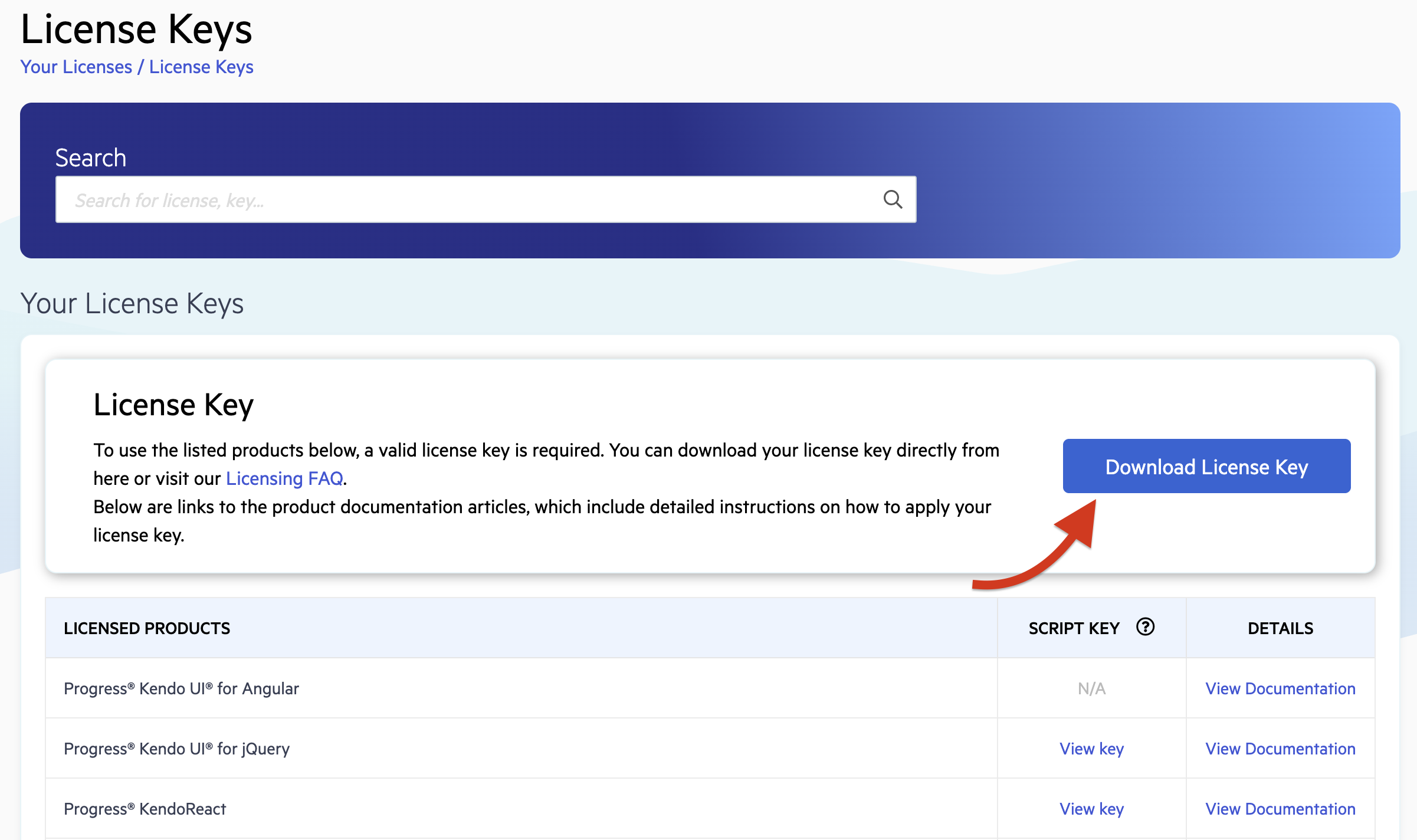
Click Download License Key in the License Key banner.
-
Activate the Kendo UI for Angular components by using the downloaded license key file.
Starting with the 2025 Q1 release, the name of the downloaded file changes from
kendo-ui-license.txttotelerik-license.txt. This change is required as all Telerik UI and Kendo UI products now use the same licensing mechanism with a common license key. See the Handling License Key File Name and Environment Variable Name Changes in the 2025 Q1 Release knowledge base article for more details.