or
1 answer
593 views
How do I change the text of the "Cancel changes" button on a toolbar of a grid?
Regards,
Jan Erik
Regards,
Jan Erik

Iliana Dyankova
Telerik team

answered
on
17 Jan 2013
4 answers
306 views
I am trying to conditionally format a column of booleans to display "Yes" if true and "No" if false. I am following the example here, but it is not working. Regardless of the values in my "IsEnabled" column, it displays the same thing for every column. In the case below, it displays "Yes" for every row in the column even though "IsEnabled" is false. Please advise. Thanks.
columns.Bound(n => n.IsEnabled) .Width(100) .ClientTemplate( "# if (IsEnabled) { #" + "Yes" + "# } else { #" + "No" + "#}#");1 answer
264 views
I want to implement master - details concept in asp.net mvc with kendoui.
Basically I have one mvc view to capture master record info. In the same view I want to add multiple detail records using kendo grid (like invoice).
I have successfully achieved the master entry part but details are not saved. I have checked the controller action method the child entities are not added in the master entity. It always shows as empty list.
I am using EF 5 and MVC 4 with Unit Of Work pattern. I am new to these technologies. I would appreciate if someone help to solve this problem.
Basically I have one mvc view to capture master record info. In the same view I want to add multiple detail records using kendo grid (like invoice).
I have successfully achieved the master entry part but details are not saved. I have checked the controller action method the child entities are not added in the master entity. It always shows as empty list.
I am using EF 5 and MVC 4 with Unit Of Work pattern. I am new to these technologies. I would appreciate if someone help to solve this problem.
Daniel
Telerik team
answered
on
16 Jan 2013
6 answers
263 views
Hello,
We would like to use Aggregates with ListView. We have been able to get it working with Grid but not ListView.
Any help will be greatly appreciated.
Thanks,
Padmaja
We would like to use Aggregates with ListView. We have been able to get it working with Grid but not ListView.
<script type="text/x-kendo-tmpl" id="template"> <div class="product"> <img src="@Url.Content("/")${ImagePath}.jpg" alt="${Name} image" /> <h3>${Name}</h3> <dl> <dt>Price:</dt> <dd>${kendo.toString(Price, "c")}</dd> <dt><input type="button" value="Remove"/></dt> </dl> </div> <div> <h3>Total price: ?????</h3> </div></script>@(Html.Kendo().ListView<SixthCoffee.Web.ViewModels.CartItem>() .Name("CartList") .TagName("div") .ClientTemplateId("template") .DataSource(dataSource => { dataSource.Read(read => read.Action("AjaxCartGrid_Read", "MenuSurface")); dataSource.Aggregates(aggregates => { aggregates.Add(s => s.TotalPrice).Sum(); }); }) )Thanks,
Padmaja
Nikolay Rusev
Telerik team
answered
on
16 Jan 2013
6 answers
441 views
Hi,
I'm having this problem that only happens in a particular situation. If I have a grid with only one row and I try to delete it, there is a javascript error here.
0x800a138f - Microsoft JScript runtime error: Unable to get value of the property 'closest': object is null or undefined
When there is more than one row on the grid, deletes work perfectly fine. I believe it might have to do with the grid trying to set focus to the closest row available...when there are no rows available at all. This is what I'm using to generate the grid. Thanks in advance.
I'm having this problem that only happens in a particular situation. If I have a grid with only one row and I try to delete it, there is a javascript error here.
l._current.closest("table")[0].focus()
Unhandled exception at line 16, column 31418 in http://localhost/zzz/Scripts/kendo/2012.3.1114/kendo.web.min.js0x800a138f - Microsoft JScript runtime error: Unable to get value of the property 'closest': object is null or undefined
When there is more than one row on the grid, deletes work perfectly fine. I believe it might have to do with the grid trying to set focus to the closest row available...when there are no rows available at all. This is what I'm using to generate the grid. Thanks in advance.
@(Html.Kendo().Grid<MyNamespace.MyModel>()
      .Name("myGrid")
      .Columns(columns =>
      {
          columns.Bound(c => c.Name);
          columns.Command(c =>
          {
               c.Edit();
               c.Destroy();
          });
      })
      .ToolBar(toolbar => {
            toolbar.Create();
        })
      .Sortable()
      .Selectable()
      .Reorderable(r => r.Columns(true))
      .Resizable(r => r.Columns(true))
      .Navigatable()
      .Filterable()
      .Scrollable(scroll => scroll.Height(500))
      .Editable(editable => editable.Mode(GridEditMode.InLine))
      .DataSource(dataSource => dataSource
        .Ajax()
        .Read(read => read
                    .Type(HttpVerbs.Get)
                    .Url(Url.RouteUrl("DefaultApi", new { httproute = "", controller = "mycontroller" }))
             )
        .Create(create => create
                    .Type(HttpVerbs.Post)
                    .Url(Url.RouteUrl("DefaultApi", new { httproute = "", controller = "mycontroller" }))
             )
        .Update(update => update
                    .Type(HttpVerbs.Put)
                    .Url(Url.RouteUrl("DefaultApi", new { httproute = "", controller = "mycontroller" }))
             )
        .Destroy(destroy => destroy
                    .Type(HttpVerbs.Delete)
                    .Url(Url.RouteUrl("DefaultApi", new { httproute = "", controller = "mycontroller" }))
             )
        .Model(m => {
                    m.Id(c => c.Id);
                    }
               )
        .ServerOperation(false))
)

UPDATE: Since it was apparently just trying to find a row to focus, I added a check to see if the object was null. I wrapped
the call like this.
 function(){if(l._current)l._current.closest("table")[0].focus();}


Seems to be working now for both a single row on the grid or multiple rows. Hope this gets fixed in a future release.
OmarOrnelas
Top achievements
 Rank 1
Rank 1
answered
on
15 Jan 2013
1 answer
495 views
I want to show progress bar or disable save button in the toolbar while batch update. How do I do that ?
I am using KendoUI MVC grid.
I am using KendoUI MVC grid.
Vladimir Iliev
Telerik team
answered
on
15 Jan 2013
2 answers
158 views
I have a telerik grid on a page with a custom Edit button for each row. On click of the Edit button a Telerik Window opens which contains a partial view. When I run it looks like this (the window opens to full size - size specified when created client side - and all content is visible):
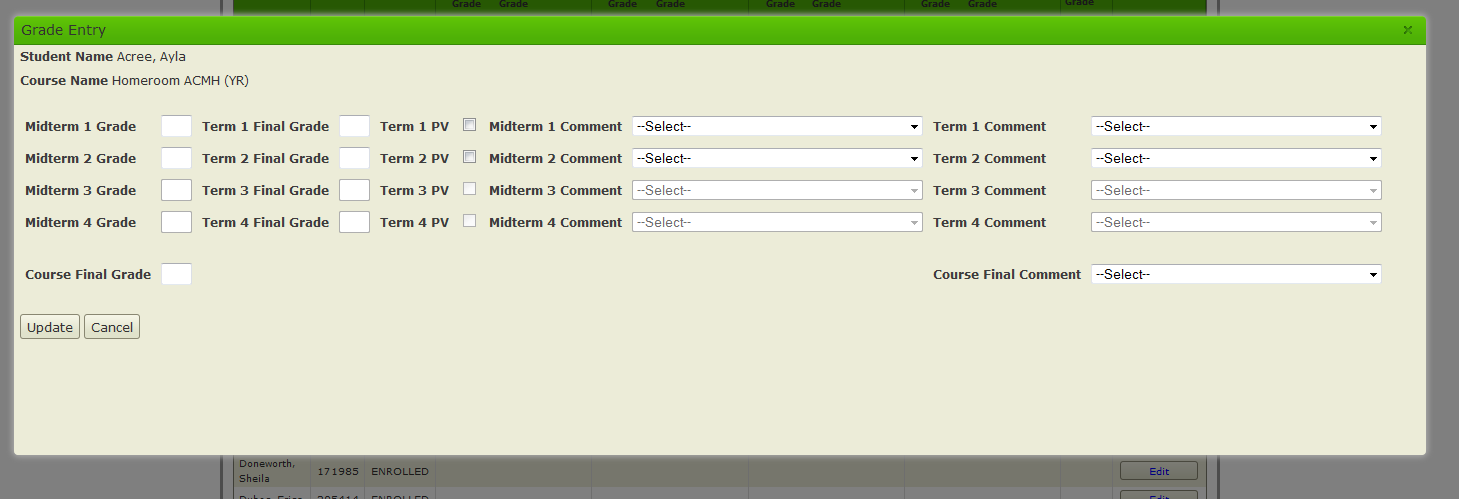
However another user gets this (the modal is shrunk down so that all content is not visible and seems to be forced to fit within the width of the body set on the parent page). I've enabled scrolling on the modal and the user doesn't see scrollbars and it still looks like below):
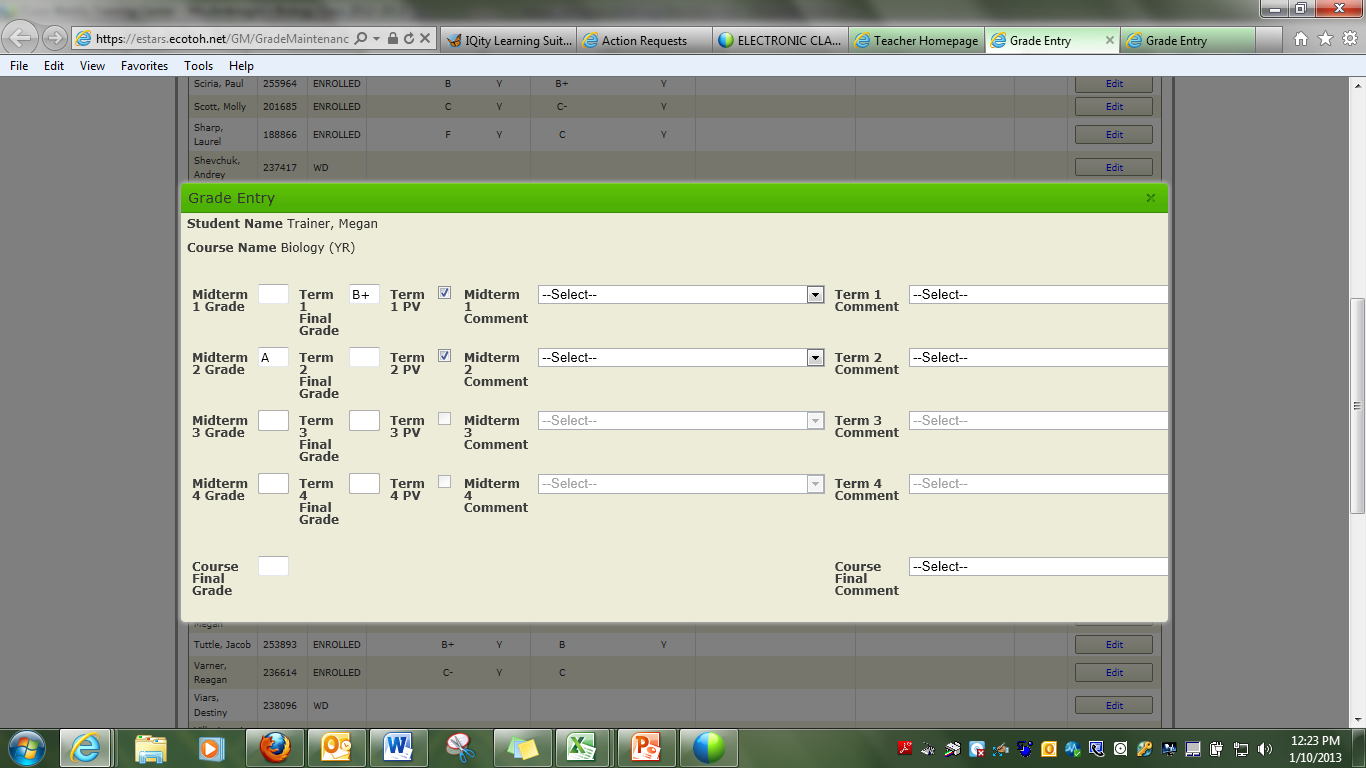
We're using the same browser (IE 9) and same resolution. What could cause the Telerik window to shrink?
However another user gets this (the modal is shrunk down so that all content is not visible and seems to be forced to fit within the width of the body set on the parent page). I've enabled scrolling on the modal and the user doesn't see scrollbars and it still looks like below):
We're using the same browser (IE 9) and same resolution. What could cause the Telerik window to shrink?

Dimo
Telerik team
answered
on
15 Jan 2013
2 answers
240 views
Hello,
is it possible to "select" the node which is currently selected? Right now the select-event doesn't trigger if the node is already selected. I need it to be triggered each time the user clicks on a node.
Thanks!
is it possible to "select" the node which is currently selected? Right now the select-event doesn't trigger if the node is already selected. I need it to be triggered each time the user clicks on a node.
Thanks!
BigzampanoXXl
Top achievements
Rank 1
Rank 1
answered
on
15 Jan 2013
1 answer
197 views
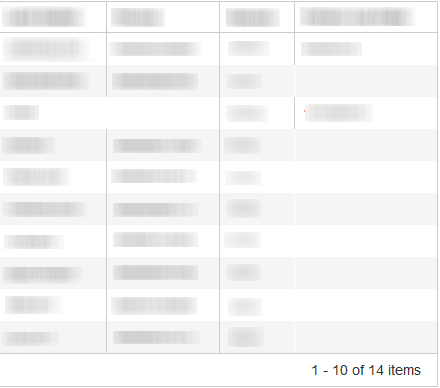
When I view the Kendo Grid in Compatibility mode, if a cell is blank, there are grid lines missing - from the grid. Is there a way to fix this?
Dimo
Telerik team
answered
on
14 Jan 2013
1 answer
125 views
Hi
in my ASP .NET MVC application I need to insert images inside the x-axis labels of a Bar Chart. Is it possible? If possible could you please share how to implement.
Thanks
Murthy
in my ASP .NET MVC application I need to insert images inside the x-axis labels of a Bar Chart. Is it possible? If possible could you please share how to implement.
Thanks
Murthy
Hristo Germanov
Telerik team
answered
on
14 Jan 2013












