or
1 answer
275 views
Instead of using SelectedValue and a predefined column as DataKeyName, how can I get the other selected values in the other columns like;
bHasChildren = IIf(RadGrid1.SelectedValues("HasChild").ToString() = "Y", True, False)
SelectedValues("HasChild") does not work here...
"HasChild" is another column and I would like to get the cell in the intersection of this column and the row, when one clicks the row.
Thanks,
Ervin
bHasChildren = IIf(RadGrid1.SelectedValues("HasChild").ToString() = "Y", True, False)
SelectedValues("HasChild") does not work here...
"HasChild" is another column and I would like to get the cell in the intersection of this column and the row, when one clicks the row.
Thanks,
Ervin

1 answer
154 views
Hi,
im using radDock Ajax control. I ve done the saving of radDock state in database. Now i want to store radDock custom settings in db, like page size of listing of particular radDock and time of interval for refreashing radDock. I want custom command (that is done). on clicking custom command an input page will open and user can select setting like page size 10, refreash interval 5 min. on pressing ok the setting for particulat radDock will save in db and on post backs AND REOPENING next time same setting will apply to them.
is there any wayto do so, or i can just do manually like create table for available docks, and save setting for each dock against userid. and save and reload it.
thanks
im using radDock Ajax control. I ve done the saving of radDock state in database. Now i want to store radDock custom settings in db, like page size of listing of particular radDock and time of interval for refreashing radDock. I want custom command (that is done). on clicking custom command an input page will open and user can select setting like page size 10, refreash interval 5 min. on pressing ok the setting for particulat radDock will save in db and on post backs AND REOPENING next time same setting will apply to them.
is there any wayto do so, or i can just do manually like create table for available docks, and save setting for each dock against userid. and save and reload it.
thanks

Dobromir
Telerik team

answered
on
22 Jun 2011
1 answer
110 views
All,
Forgive me for my ignorance here, but I have exhausted all other avenues. Hopefully someone can point me in the right direction.
I am trying to write jQuery that will allow me to access a RadMenu object from client-side and call the disable function on that object. The issue is, I'm writing the code to be generic. Given that, I'll only know the name of the containing <div>, not the actual RadMenu ID. Can this be accomplished, or am I barking up the wrong tree? Below is the code that I am currently attempting to use, but firebug shows an error of "$("[id$=" + target + "]").find('[id$="rmMenu"]').disable is not a function". The "target" is the string representing the div id before asp.net gets hold of it and prepends the id with the asp.net identifier string.
Thanks in advance...
Forgive me for my ignorance here, but I have exhausted all other avenues. Hopefully someone can point me in the right direction.
I am trying to write jQuery that will allow me to access a RadMenu object from client-side and call the disable function on that object. The issue is, I'm writing the code to be generic. Given that, I'll only know the name of the containing <div>, not the actual RadMenu ID. Can this be accomplished, or am I barking up the wrong tree? Below is the code that I am currently attempting to use, but firebug shows an error of "$("[id$=" + target + "]").find('[id$="rmMenu"]').disable is not a function". The "target" is the string representing the div id before asp.net gets hold of it and prepends the id with the asp.net identifier string.
Thanks in advance...
$("[id$=" + target + "]").find('[id$="rmMenu"]').disable();
Plamen
Telerik team
answered
on
22 Jun 2011
1 answer
1.6K+ views
I have a RadComboBox embedded on the 'EditFormSettings - FormTemplate' When the user clicks the 'Edit' on the row of information in the data-grid, I would like the RadComboBox to select the existing 'State' that is already selected for the user. I have text-boxes on the same location and I pre-set the values using: Text='<%# Bind("strFirstName") %>' How can I do the same thing for the RadComboBox?
Thanks!
Thanks!

4 answers
102 views
The Image Manager load and load too long.
My current RadEditor using is:

I also using Fiddler to investigate:

I appreciate if you can help me this problem.
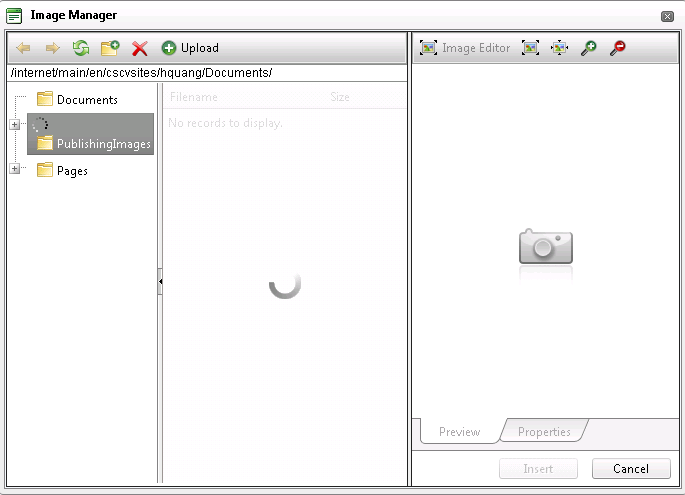
My current RadEditor using is:
I also using Fiddler to investigate:
I appreciate if you can help me this problem.
Hung
Top achievements
 Rank 1
Rank 1
answered
on
22 Jun 2011
0 answers
133 views
Hello ,
I am using version 2008.01.0619.20 Telerik.Web.UI and would like to use HSB pallettemode on it.
But the only mode I see available is Web Pallette.
How can I use HSB with my present version.
Regards,
-Virendra
Sorry : I looked at the upcoming version and found out that It came in 2009 Version.
Thanks.
I am using version 2008.01.0619.20 Telerik.Web.UI and would like to use HSB pallettemode on it.
But the only mode I see available is Web Pallette.
How can I use HSB with my present version.
Regards,
-Virendra
Sorry : I looked at the upcoming version and found out that It came in 2009 Version.
Thanks.

Virendra Shinde
Top achievements
Rank 1
Rank 1
asked
on
21 Jun 2011
1 answer
132 views
Hi,
I have successfully created a page with a grid with all the functionality I needed. Works properly on the dev machine (tried from several other machines as well), but when I published it (to GoDaddy) it lost some of the functionality.
I have successfully created a page with a grid with all the functionality I needed. Works properly on the dev machine (tried from several other machines as well), but when I published it (to GoDaddy) it lost some of the functionality.
- To start with, it lost some formatting of it's header: the column titles are misaligned compared to the actual columns. See screenshots dev.png and published.png.
- When I click on the edit button (the grid is configured for in line editing of a single numerical value) it enters edit mode, but the numeric editor doesn't have any of the functionality, i.e. increasing/decreasing its value with the arrow keys or validation (the small triangular warning icon when a non-numeric value is entered)
- Also, when clicking update, it doesn't update the value (probably it doesn't fire the Updated event, although I cannot check it)
All this looks pretty strange to me. I am fairly new to Telerik controls, so I may have missed something...
Any idea?
Thank you!
viktor

Viktor Takacs
Top achievements
 Rank 2
Rank 2
answered
on
21 Jun 2011
1 answer
146 views
Greetings,
I have a problem with a radgrid that overflows its container when I put it inside a multipageview. It is inside a user control, in a master page setting.
1. If I remove the code for the tabstrip and pageview, and include the user control alone, it works perfectly.
2. If I include the tabstrip and pageview in the page, and, if I put the user control with the grid before or after the tabstrip and pageview, it works perfectly. The only time the grid overflows is when I include its user control inside the page view.
3. I have tried using the css style "clear:both" in just about every possible place and it does not work at all.
4. I have tried pulling out the ajaxmanagerproxy and it still overflows.
I apologize if this issue has been solved before but a search did not turn up anything. Any help would be greatly appreciated.
Thanks!
The code for the master page is below:
<%@ Master Language="C#" AutoEventWireup="true" CodeBehind="WebAdmin.master.cs" Inherits="WebAdmin.WebApp.WebAdmin" %>
<%@ Register Assembly="Telerik.Web.UI" Namespace="Telerik.Web.UI" TagPrefix="telerik" %>
<!DOCTYPE html PUBLIC "-//W3C//DTD XHTML 1.0 Transitional//EN" "http://www.w3.org/TR/xhtml1/DTD/xhtml1-transitional.dtd">
<html xmlns="http://www.w3.org/1999/xhtml">
<head id="Head1" runat="server">
<title>WebAdmin Management System</title>
<link href="/styles/webadmin.css" rel="Stylesheet" type="text/css" />
<link href="/styles/usalstylekit.css" rel="Stylesheet" type="text/css" />
<script type="text/javascript" src="/scripts/jquery.js"></script>
<script type="text/javascript" src="/scripts/jquerydefaultvalue.js"></script>
<script type="text/javascript" src="/scripts/jquerycorner.js"></script>
<script type="text/javascript" src="/scripts/pagescripts.js"></script>
<asp:ContentPlaceHolder ID="head" runat="server">
</asp:ContentPlaceHolder>
</head>
<body>
<div id="wrapper">
<form id="form1" runat="server">
<div id="headerBackground">
<div id="headerBackgroundFrame">
<div id="header">
<h1 id="logo">
<a href="Default.aspx" tabindex="-1">
<img alt="WebAdmin Logo" src='<%= ResolveClientUrl("images/WebAdmin_logo.gif") %>' style="width: 224px; height: 61px;
border: 0;" /></a></h1>
<div id="systemStatus">
Welcome User:
<asp:Label ID="lblCurrentUsername" runat="server" Text="n/a"></asp:Label><br />
<asp:Label ID="lblCurrentDateTime" runat="server" Text="n/a"></asp:Label>
</div>
</div>
</div>
</div>
<div id="contentColumnMainBackground">
<div id="contentColumnMain">
<div id="topNavigation">
<asp:ContentPlaceHolder ID="tabstrip" runat="server">
</asp:ContentPlaceHolder>
<div>
<ul id="topNav">
<li runat="server" id="liHomeTab"><a tabindex="-1" href='<%= ResolveClientUrl("Default.aspx") %>'>Home</a></li>
<li runat="server" id="liCustomerServiceTab"><a tabindex="-1" href='<%= ResolveClientUrl("CustomerService.aspx") %>'>Customer Service</a></li>
<li runat="server" id="liAgentLicensingTab"><a tabindex="-1" href='<%= ResolveClientUrl("AgentLicensing.aspx") %>'>Producers</a></li>
<li runat="server" id="liAgenciesTab"><a tabindex="-1" href='<%= ResolveClientUrl("Agencies.aspx") %>'>Agencies</a></li>
<li runat="server" id="liAquaManagementTab"><a tabindex="-1" href='<%= ResolveClientUrl("AquaManagement.aspx") %>'>AQUA</a></li>
<li runat="server" id="liStrategicPartnersTab"><a tabindex="-1" href='<%= ResolveClientUrl("Partners.aspx") %>'>Partners</a></li>
<li runat="server" id="liBoardMembersTab" visible="false"><a tabindex="-1" href='<%= ResolveClientUrl("BoardMembers.aspx") %>'>Board</a></li>
<li runat="server" id="liSystemTab"><a tabindex="-1" href='<%= ResolveClientUrl("AdminSystem.aspx") %>'>System</a></li>
<li runat="server" id="liACHAndPayments"><a tabindex="-1" href='<%= ResolveClientUrl("ACHAndPayments.aspx") %>'>Billing</a></li>
<li runat="server" id="liReportsTab"><a tabindex="-1" href='<%= ResolveClientUrl("Reports.aspx") %>'>Reports</a></li>
</ul>
<ul id="secondaryNav" runat="server">
<li runat="server" id="liTransactionLog">
<a tabindex="-1" href='<%= ResolveClientUrl("transactionlog.aspx") %>'>Transaction Log</a>
</li>
<li runat="server" id="liPerformanceReport">
<a tabindex="-1" href='<%= ResolveClientUrl("PerformanceReport.aspx") %>'>Performance Report</a>
</li>
<li runat="server" id="liWebStats">
<a tabindex="-1" href='<%= ResolveClientUrl("WebStatistics.aspx") %>'>Web Statistics</a>
</li>
<li runat="server" id="liBusinessReports">
<a tabindex="-1" href='<%= ResolveClientUrl("BusinessReports.aspx") %>'>Business Reports</a>
</li>
<li runat="server" id="liBillingReports">
<a tabindex="-1" href='<%= ResolveClientUrl("BillingReports.aspx") %>'>Billing Reports</a>
</li>
<li runat="server" id="liReportsHome" style="list-style-type:none;">
<a tabindex="-1" href='<%= ResolveClientUrl("Reports.aspx") %>'><< Back to Reports</a>
</li>
<li runat="server" id="liBack" style="list-style-type:none;">
<a tabindex="-1" href="javascript:history.go(-1)"><< Back</a>
</li>
</ul>
</div>
</div>
<asp:ContentPlaceHolder ID="mainContent" runat="server">
<p>
</p>
<p>
</p>
<p>
</p>
</asp:ContentPlaceHolder>
</div>
</div>
<div id="footer">
USAbleLife.com Web Admin - This system is for authorized LSV users only!<br />
Having trouble? For all support, please contact your friendy <a href="MailTo:WebTeam@usablelife.com?subject=WebAdmin Issue Report">
LSV Web Team</a></div>
<telerik:RadScriptManager ID="RadScriptManager1" Runat="server">
</telerik:RadScriptManager>
<telerik:RadAjaxManager ID="RadAjaxManager1" runat="server">
</telerik:RadAjaxManager>
</form>
</div>
</body>
</html>
And the markup for the page that has the user control:
<%@ Page Language="C#" MasterPageFile="~/WebAdmin.master" AutoEventWireup="true" CodeBehind="AdminSystem.aspx.cs" Inherits="WebAdmin.WebApp.AdminSystem" %>
<%@ Register Assembly="Telerik.Web.UI" Namespace="Telerik.Web.UI" TagPrefix="telerik" %>
<%@ Register TagPrefix="lsv" TagName="ViewInactiveUser" Src="~/UserControls/uc_ViewInactiveUsers.ascx" %>
<%@ Register TagPrefix="lsv" TagName="ViewAllUserActivity" Src="~/UserControls/uc_ViewAllUserActivity.ascx" %>
<%@ Register TagPrefix="lsv" TagName="RoleWhiteList" Src="~/UserControls/uc_RolesWhiteList.ascx" %>
<%@ Register TagPrefix="lsv" TagName="UserBlackList" Src="~/UserControls/uc_BlackListUser.ascx" %>
<%@ Register TagPrefix="lsv" TagName="EmailTemplate" Src="~/UserControls/uc_EmailTemplateManager.ascx" %>
<%@ Register TagPrefix="lsv" TagName="ViewDeactivatedUser" Src="~/UserControls/uc_ViewDeactivatedUsers.ascx" %>
<asp:Content ID="Content3" ContentPlaceHolderID="mainContent" runat="server">
<telerik:RadScriptBlock runat="server">
<script type="text/javascript">
var tabCookieName = "myCookieName";
function onClientTabSelected(sender, args) {
//Persist selected tab text
var tabText = args.get_tab().get_text();
//Save text to a cookie using JavaScript
saveTabIndex(tabText);
}
function saveTabIndex(tabText) {
//Call JS function to save cookie name, tab text,
//and days before cookie should expire
setCookie(tabCookieName, tabText, 1);
}
//Cookie operation helper function
//Save the value to a cookie and set expiration date
function setCookie(c_name, value, expiredays) {
var exdate = new Date();
exdate.setDate(exdate.getDate() + expiredays);
document.cookie = c_name + "=" + escape(value) +
((expiredays == null) ? "" : ";expires=" + exdate.toGMTString());
}
//Variable to hold reference to tabstrip
var tabstrip;
function onClientTabLoad(sender) {
//Get reference to tabstrip
tabstrip = sender;
}
function loadTabIndex(tabstrip) {
//If tabstrip reference isn't null
if (tabstrip != null) {
//Get cookie value
var tabText = getCookie(tabCookieName);
//If text from the cookie exists
if (tabText != "" || tabText != null) {
//Set tabstrip selected index
var tab = tabstrip.findTabByText(tabText);
//Get tab object
if (tab != null) {
tab.select(); //Select tab
}
}
}
}
//Cookie helper function
//Gets a cookie based on supplied name and returns value
//as a string
function getCookie(c_name) {
try {
if (document.cookie.length > 0) {
c_start = document.cookie.indexOf(c_name + "=");
if (c_start != -1) {
c_start = c_start + c_name.length + 1;
c_end = document.cookie.indexOf(";", c_start);
if (c_end == -1) c_end = document.cookie.length;
return unescape(document.cookie.substring(c_start, c_end));
}
}
} catch (err) { }
//If there is an error or no cookie
//return an empty string
return "";
}
//pageLoad automatically called by ASPNET AJAX when page ready
function pageLoad() {
//Must do tab strip select here so that
//multipage is initialized and updated
loadTabIndex(tabstrip);
}
</script>
</telerik:RadScriptBlock>
<telerik:RadAjaxLoadingPanel ID="RadAjaxLoadingPanel1" runat="server" Skin="Web20">
</telerik:RadAjaxLoadingPanel>
<telerik:RadAjaxLoadingPanel ID="RadAjaxLoadingPanel2" runat="server" Skin="Web20">
</telerik:RadAjaxLoadingPanel>
<telerik:radajaxmanagerproxy ID="RadAjaxManagerProxy3" runat="server">
<AjaxSettings>
<telerik:AjaxSetting AjaxControlID="RadTabStrip1">
<UpdatedControls>
<telerik:AjaxUpdatedControl ControlID="RadTabStrip1"/>
<telerik:AjaxUpdatedControl ControlID="RadMultiPage1" LoadingPanelID="RadAjaxLoadingPanel1"/>
</UpdatedControls>
</telerik:AjaxSetting>
<telerik:AjaxSetting AjaxControlID="gridInactiveUsers">
<UpdatedControls>
<telerik:AjaxUpdatedControl ControlID="gridInactiveUsers"/>
<telerik:AjaxUpdatedControl ControlID="RadMultiPage1" LoadingPanelID="RadAjaxLoadingPanel2" />
</UpdatedControls>
</telerik:AjaxSetting>
<telerik:AjaxSetting AjaxControlID="gridViewAllActivity">
<UpdatedControls>
<telerik:AjaxUpdatedControl ControlID="gridViewAllActivity"/>
<telerik:AjaxUpdatedControl ControlID="RadMultiPage1" LoadingPanelID="RadAjaxLoadingPanel2" />
</UpdatedControls>
</telerik:AjaxSetting>
<telerik:AjaxSetting AjaxControlID="gridDeactivatedUsers">
<UpdatedControls>
<telerik:AjaxUpdatedControl ControlID="gridDeactivatedUsers"/>
<telerik:AjaxUpdatedControl ControlID="RadMultiPage1" LoadingPanelID="RadAjaxLoadingPanel2" />
</UpdatedControls>
</telerik:AjaxSetting>
<telerik:AjaxSetting AjaxControlID="divRolesControl">
<UpdatedControls>
<telerik:AjaxUpdatedControl ControlID="divRolesControl"/>
<telerik:AjaxUpdatedControl ControlID="RadMultiPage1" LoadingPanelID="RadAjaxLoadingPanel2" />
</UpdatedControls>
</telerik:AjaxSetting>
<telerik:AjaxSetting AjaxControlID="divBlacklistRolesControl">
<UpdatedControls>
<telerik:AjaxUpdatedControl ControlID="divBlacklistRolesControl"/>
<telerik:AjaxUpdatedControl ControlID="RadMultiPage1" LoadingPanelID="RadAjaxLoadingPanel2" />
</UpdatedControls>
</telerik:AjaxSetting>
<telerik:AjaxSetting AjaxControlID="divEmailTemplates">
<UpdatedControls>
<telerik:AjaxUpdatedControl ControlID="divEmailTemplates"/>
<telerik:AjaxUpdatedControl ControlID="RadMultiPage1" LoadingPanelID="RadAjaxLoadingPanel2" />
</UpdatedControls>
</telerik:AjaxSetting>
<telerik:AjaxSetting AjaxControlID="lblMessage">
<UpdatedControls>
<telerik:AjaxUpdatedControl ControlID="radPanelEmail"/>
</UpdatedControls>
</telerik:AjaxSetting>
<telerik:AjaxSetting AjaxControlID="btnSelectUser">
<UpdatedControls>
<telerik:AjaxUpdatedControl ControlID="RadMultiPage1" LoadingPanelID="RadAjaxLoadingPanel2" />
</UpdatedControls>
</telerik:AjaxSetting>
<telerik:AjaxSetting AjaxControlID="gridUserSessions">
<UpdatedControls>
<telerik:AjaxUpdatedControl ControlID="RadMultiPage1" LoadingPanelID="RadAjaxLoadingPanel2" />
</UpdatedControls>
</telerik:AjaxSetting>
<telerik:AjaxSetting AjaxControlID="btnShowEntity">
<UpdatedControls>
<telerik:AjaxUpdatedControl ControlID="RadMultiPage1" LoadingPanelID="RadAjaxLoadingPanel2" />
</UpdatedControls>
</telerik:AjaxSetting>
<telerik:AjaxSetting AjaxControlID="ddUserList">
<UpdatedControls>
<telerik:AjaxUpdatedControl ControlID="RadMultiPage1" LoadingPanelID="RadAjaxLoadingPanel2" />
</UpdatedControls>
</telerik:AjaxSetting>
<telerik:AjaxSetting AjaxControlID="btnHideEntityValueFieldset">
<UpdatedControls>
<telerik:AjaxUpdatedControl ControlID="RadMultiPage1" LoadingPanelID="RadAjaxLoadingPanel2" />
</UpdatedControls>
</telerik:AjaxSetting>
</AjaxSettings>
</telerik:radajaxmanagerproxy>
<telerik:RadTabStrip ID="RadTabStrip1" OnClientLoad="onClientTabLoad"
OnClientTabSelected="onClientTabSelected" AutoPostBack="True" runat="server"
Skin="Office2007" MultiPageID="RadMultiPage1">
<Tabs>
<telerik:RadTab Text="Security" runat="server">
<Tabs>
<telerik:RadTab PageViewID="RadPageView1" runat="server" Text="Roles to Expire (white list)"></telerik:RadTab>
<telerik:RadTab PageViewID="RadPageView2" runat="server" Text="Ignored Users (black list)"></telerik:RadTab>
<telerik:RadTab PageViewID="RadPageView3" runat="server" Text="Inactive Accounts"></telerik:RadTab>
<telerik:RadTab PageViewID="RadPageView4" runat="server" Text="Deactivated Accounts"></telerik:RadTab>
<telerik:RadTab PageViewID="RadPageView5" runat="server" Text="Add/Edit Accounts (Roles)"></telerik:RadTab>
<telerik:RadTab PageViewID="RadPageView6" runat="server" Text="View All User Activity"></telerik:RadTab>
</Tabs>
</telerik:RadTab>
<telerik:RadTab Text="Reports">
<Tabs>
<telerik:RadTab PageViewID="RadPageView7" runat="server" Text="Visitors"></telerik:RadTab>
<telerik:RadTab PageViewID="RadPageView8" runat="server" Text="Page Hits"></telerik:RadTab>
</Tabs>
</telerik:RadTab>
<telerik:RadTab Text="Resources">
<Tabs>
<telerik:RadTab PageViewID="RadPageView9" runat="server" Text="Email Messages"></telerik:RadTab>
<telerik:RadTab PageViewID="RadPageView10" runat="server" Text="String Resources"></telerik:RadTab>
<telerik:RadTab PageViewID="RadPageView11" runat="server" Text="Newsletter Templates"></telerik:RadTab>
</Tabs>
</telerik:RadTab>
<telerik:RadTab Text="Mailing Lists">
<Tabs>
<telerik:RadTab PageViewID="RadPageView12" runat="server" Text="Send Newsletter"></telerik:RadTab>
<telerik:RadTab PageViewID="RadPageView13" runat="server" Text="Manage Subscribers"></telerik:RadTab>
<telerik:RadTab PageViewID="RadPageView14" runat="server" Text="Past Newsletters"></telerik:RadTab>
</Tabs>
</telerik:RadTab>
</Tabs>
</telerik:RadTabStrip>
<telerik:RadMultiPage ID="RadMultiPage1" runat="server">
<telerik:RadPageView ID="RadPageView1" runat="server" Width="100%" Height="462px">
<lsv:RoleWhiteList ID="lsvRolesWhitelist" runat="server" Visible="true" />
</telerik:RadPageView>
<telerik:RadPageView ID="RadPageView2" runat="server" Width="100%" Height="462px">
<lsv:UserBlackList ID="lsvUserBlackList" runat="server" Visible="true" />
</telerik:RadPageView>
<telerik:RadPageView ID="RadPageView3" runat="server" Width="100%" Height="462px">
<div style="width: 100%; line-height: 1.8em;">
<lsv:ViewInactiveUser Visible="true" ID="lsvInactiveUser" runat="server" />
</div>
</telerik:RadPageView>
<telerik:RadPageView ID="RadPageView4" runat="server" Width="100%" Height="462px">
<lsv:ViewDeactivatedUser ID="lsvViewDeactivatedUsers" runat="server" />
</telerik:RadPageView>
<telerik:RadPageView ID="RadPageView5" runat="server" Width="100%" Height="462px">
Coming soon...
</telerik:RadPageView>
<telerik:RadPageView ID="RadPageView6" runat="server" Width="100%" Height="462px">
<lsv:ViewAllUserActivity Visible="true" ID="lsvViewAllUserActivity" runat="server" />
</telerik:RadPageView>
<telerik:RadPageView ID="RadPageView7" runat="server" Width="100%" Height="462px">
Coming soon...
</telerik:RadPageView>
<telerik:RadPageView ID="RadPageView8" runat="server" Width="100%" Height="462px">
Coming soon...
</telerik:RadPageView>
<telerik:RadPageView ID="RadPageView9" runat="server" Width="100%" Height="462px">
<lsv:EmailTemplate ID="lsvEmailTemplate" runat="server" Visible="true" />
</telerik:RadPageView>
<telerik:RadPageView ID="RadPageView10" runat="server" Width="100%" Height="462px">
Coming soon...
</telerik:RadPageView>
<telerik:RadPageView ID="RadPageView11" runat="server" Width="100%" Height="462px">
Coming soon...
</telerik:RadPageView>
<telerik:RadPageView ID="RadPageView12" runat="server" Width="100%" Height="462px">
Coming soon...
</telerik:RadPageView>
<telerik:RadPageView ID="RadPageView13" runat="server" Width="100%" Height="462px">
Coming soon...
</telerik:RadPageView>
<telerik:RadPageView ID="RadPageView14" runat="server" Width="100%" Height="462px">
Coming soon...
</telerik:RadPageView>
</telerik:RadMultiPage>
</asp:Content>
<asp:Content ID="Content4" runat="server" ContentPlaceHolderID="head">
</asp:Content>
I have a problem with a radgrid that overflows its container when I put it inside a multipageview. It is inside a user control, in a master page setting.
1. If I remove the code for the tabstrip and pageview, and include the user control alone, it works perfectly.
2. If I include the tabstrip and pageview in the page, and, if I put the user control with the grid before or after the tabstrip and pageview, it works perfectly. The only time the grid overflows is when I include its user control inside the page view.
3. I have tried using the css style "clear:both" in just about every possible place and it does not work at all.
4. I have tried pulling out the ajaxmanagerproxy and it still overflows.
I apologize if this issue has been solved before but a search did not turn up anything. Any help would be greatly appreciated.
Thanks!
The code for the master page is below:
<%@ Master Language="C#" AutoEventWireup="true" CodeBehind="WebAdmin.master.cs" Inherits="WebAdmin.WebApp.WebAdmin" %>
<%@ Register Assembly="Telerik.Web.UI" Namespace="Telerik.Web.UI" TagPrefix="telerik" %>
<!DOCTYPE html PUBLIC "-//W3C//DTD XHTML 1.0 Transitional//EN" "http://www.w3.org/TR/xhtml1/DTD/xhtml1-transitional.dtd">
<html xmlns="http://www.w3.org/1999/xhtml">
<head id="Head1" runat="server">
<title>WebAdmin Management System</title>
<link href="/styles/webadmin.css" rel="Stylesheet" type="text/css" />
<link href="/styles/usalstylekit.css" rel="Stylesheet" type="text/css" />
<script type="text/javascript" src="/scripts/jquery.js"></script>
<script type="text/javascript" src="/scripts/jquerydefaultvalue.js"></script>
<script type="text/javascript" src="/scripts/jquerycorner.js"></script>
<script type="text/javascript" src="/scripts/pagescripts.js"></script>
<asp:ContentPlaceHolder ID="head" runat="server">
</asp:ContentPlaceHolder>
</head>
<body>
<div id="wrapper">
<form id="form1" runat="server">
<div id="headerBackground">
<div id="headerBackgroundFrame">
<div id="header">
<h1 id="logo">
<a href="Default.aspx" tabindex="-1">
<img alt="WebAdmin Logo" src='<%= ResolveClientUrl("images/WebAdmin_logo.gif") %>' style="width: 224px; height: 61px;
border: 0;" /></a></h1>
<div id="systemStatus">
Welcome User:
<asp:Label ID="lblCurrentUsername" runat="server" Text="n/a"></asp:Label><br />
<asp:Label ID="lblCurrentDateTime" runat="server" Text="n/a"></asp:Label>
</div>
</div>
</div>
</div>
<div id="contentColumnMainBackground">
<div id="contentColumnMain">
<div id="topNavigation">
<asp:ContentPlaceHolder ID="tabstrip" runat="server">
</asp:ContentPlaceHolder>
<div>
<ul id="topNav">
<li runat="server" id="liHomeTab"><a tabindex="-1" href='<%= ResolveClientUrl("Default.aspx") %>'>Home</a></li>
<li runat="server" id="liCustomerServiceTab"><a tabindex="-1" href='<%= ResolveClientUrl("CustomerService.aspx") %>'>Customer Service</a></li>
<li runat="server" id="liAgentLicensingTab"><a tabindex="-1" href='<%= ResolveClientUrl("AgentLicensing.aspx") %>'>Producers</a></li>
<li runat="server" id="liAgenciesTab"><a tabindex="-1" href='<%= ResolveClientUrl("Agencies.aspx") %>'>Agencies</a></li>
<li runat="server" id="liAquaManagementTab"><a tabindex="-1" href='<%= ResolveClientUrl("AquaManagement.aspx") %>'>AQUA</a></li>
<li runat="server" id="liStrategicPartnersTab"><a tabindex="-1" href='<%= ResolveClientUrl("Partners.aspx") %>'>Partners</a></li>
<li runat="server" id="liBoardMembersTab" visible="false"><a tabindex="-1" href='<%= ResolveClientUrl("BoardMembers.aspx") %>'>Board</a></li>
<li runat="server" id="liSystemTab"><a tabindex="-1" href='<%= ResolveClientUrl("AdminSystem.aspx") %>'>System</a></li>
<li runat="server" id="liACHAndPayments"><a tabindex="-1" href='<%= ResolveClientUrl("ACHAndPayments.aspx") %>'>Billing</a></li>
<li runat="server" id="liReportsTab"><a tabindex="-1" href='<%= ResolveClientUrl("Reports.aspx") %>'>Reports</a></li>
</ul>
<ul id="secondaryNav" runat="server">
<li runat="server" id="liTransactionLog">
<a tabindex="-1" href='<%= ResolveClientUrl("transactionlog.aspx") %>'>Transaction Log</a>
</li>
<li runat="server" id="liPerformanceReport">
<a tabindex="-1" href='<%= ResolveClientUrl("PerformanceReport.aspx") %>'>Performance Report</a>
</li>
<li runat="server" id="liWebStats">
<a tabindex="-1" href='<%= ResolveClientUrl("WebStatistics.aspx") %>'>Web Statistics</a>
</li>
<li runat="server" id="liBusinessReports">
<a tabindex="-1" href='<%= ResolveClientUrl("BusinessReports.aspx") %>'>Business Reports</a>
</li>
<li runat="server" id="liBillingReports">
<a tabindex="-1" href='<%= ResolveClientUrl("BillingReports.aspx") %>'>Billing Reports</a>
</li>
<li runat="server" id="liReportsHome" style="list-style-type:none;">
<a tabindex="-1" href='<%= ResolveClientUrl("Reports.aspx") %>'><< Back to Reports</a>
</li>
<li runat="server" id="liBack" style="list-style-type:none;">
<a tabindex="-1" href="javascript:history.go(-1)"><< Back</a>
</li>
</ul>
</div>
</div>
<asp:ContentPlaceHolder ID="mainContent" runat="server">
<p>
</p>
<p>
</p>
<p>
</p>
</asp:ContentPlaceHolder>
</div>
</div>
<div id="footer">
USAbleLife.com Web Admin - This system is for authorized LSV users only!<br />
Having trouble? For all support, please contact your friendy <a href="MailTo:WebTeam@usablelife.com?subject=WebAdmin Issue Report">
LSV Web Team</a></div>
<telerik:RadScriptManager ID="RadScriptManager1" Runat="server">
</telerik:RadScriptManager>
<telerik:RadAjaxManager ID="RadAjaxManager1" runat="server">
</telerik:RadAjaxManager>
</form>
</div>
</body>
</html>
And the markup for the page that has the user control:
<%@ Page Language="C#" MasterPageFile="~/WebAdmin.master" AutoEventWireup="true" CodeBehind="AdminSystem.aspx.cs" Inherits="WebAdmin.WebApp.AdminSystem" %>
<%@ Register Assembly="Telerik.Web.UI" Namespace="Telerik.Web.UI" TagPrefix="telerik" %>
<%@ Register TagPrefix="lsv" TagName="ViewInactiveUser" Src="~/UserControls/uc_ViewInactiveUsers.ascx" %>
<%@ Register TagPrefix="lsv" TagName="ViewAllUserActivity" Src="~/UserControls/uc_ViewAllUserActivity.ascx" %>
<%@ Register TagPrefix="lsv" TagName="RoleWhiteList" Src="~/UserControls/uc_RolesWhiteList.ascx" %>
<%@ Register TagPrefix="lsv" TagName="UserBlackList" Src="~/UserControls/uc_BlackListUser.ascx" %>
<%@ Register TagPrefix="lsv" TagName="EmailTemplate" Src="~/UserControls/uc_EmailTemplateManager.ascx" %>
<%@ Register TagPrefix="lsv" TagName="ViewDeactivatedUser" Src="~/UserControls/uc_ViewDeactivatedUsers.ascx" %>
<asp:Content ID="Content3" ContentPlaceHolderID="mainContent" runat="server">
<telerik:RadScriptBlock runat="server">
<script type="text/javascript">
var tabCookieName = "myCookieName";
function onClientTabSelected(sender, args) {
//Persist selected tab text
var tabText = args.get_tab().get_text();
//Save text to a cookie using JavaScript
saveTabIndex(tabText);
}
function saveTabIndex(tabText) {
//Call JS function to save cookie name, tab text,
//and days before cookie should expire
setCookie(tabCookieName, tabText, 1);
}
//Cookie operation helper function
//Save the value to a cookie and set expiration date
function setCookie(c_name, value, expiredays) {
var exdate = new Date();
exdate.setDate(exdate.getDate() + expiredays);
document.cookie = c_name + "=" + escape(value) +
((expiredays == null) ? "" : ";expires=" + exdate.toGMTString());
}
//Variable to hold reference to tabstrip
var tabstrip;
function onClientTabLoad(sender) {
//Get reference to tabstrip
tabstrip = sender;
}
function loadTabIndex(tabstrip) {
//If tabstrip reference isn't null
if (tabstrip != null) {
//Get cookie value
var tabText = getCookie(tabCookieName);
//If text from the cookie exists
if (tabText != "" || tabText != null) {
//Set tabstrip selected index
var tab = tabstrip.findTabByText(tabText);
//Get tab object
if (tab != null) {
tab.select(); //Select tab
}
}
}
}
//Cookie helper function
//Gets a cookie based on supplied name and returns value
//as a string
function getCookie(c_name) {
try {
if (document.cookie.length > 0) {
c_start = document.cookie.indexOf(c_name + "=");
if (c_start != -1) {
c_start = c_start + c_name.length + 1;
c_end = document.cookie.indexOf(";", c_start);
if (c_end == -1) c_end = document.cookie.length;
return unescape(document.cookie.substring(c_start, c_end));
}
}
} catch (err) { }
//If there is an error or no cookie
//return an empty string
return "";
}
//pageLoad automatically called by ASPNET AJAX when page ready
function pageLoad() {
//Must do tab strip select here so that
//multipage is initialized and updated
loadTabIndex(tabstrip);
}
</script>
</telerik:RadScriptBlock>
<telerik:RadAjaxLoadingPanel ID="RadAjaxLoadingPanel1" runat="server" Skin="Web20">
</telerik:RadAjaxLoadingPanel>
<telerik:RadAjaxLoadingPanel ID="RadAjaxLoadingPanel2" runat="server" Skin="Web20">
</telerik:RadAjaxLoadingPanel>
<telerik:radajaxmanagerproxy ID="RadAjaxManagerProxy3" runat="server">
<AjaxSettings>
<telerik:AjaxSetting AjaxControlID="RadTabStrip1">
<UpdatedControls>
<telerik:AjaxUpdatedControl ControlID="RadTabStrip1"/>
<telerik:AjaxUpdatedControl ControlID="RadMultiPage1" LoadingPanelID="RadAjaxLoadingPanel1"/>
</UpdatedControls>
</telerik:AjaxSetting>
<telerik:AjaxSetting AjaxControlID="gridInactiveUsers">
<UpdatedControls>
<telerik:AjaxUpdatedControl ControlID="gridInactiveUsers"/>
<telerik:AjaxUpdatedControl ControlID="RadMultiPage1" LoadingPanelID="RadAjaxLoadingPanel2" />
</UpdatedControls>
</telerik:AjaxSetting>
<telerik:AjaxSetting AjaxControlID="gridViewAllActivity">
<UpdatedControls>
<telerik:AjaxUpdatedControl ControlID="gridViewAllActivity"/>
<telerik:AjaxUpdatedControl ControlID="RadMultiPage1" LoadingPanelID="RadAjaxLoadingPanel2" />
</UpdatedControls>
</telerik:AjaxSetting>
<telerik:AjaxSetting AjaxControlID="gridDeactivatedUsers">
<UpdatedControls>
<telerik:AjaxUpdatedControl ControlID="gridDeactivatedUsers"/>
<telerik:AjaxUpdatedControl ControlID="RadMultiPage1" LoadingPanelID="RadAjaxLoadingPanel2" />
</UpdatedControls>
</telerik:AjaxSetting>
<telerik:AjaxSetting AjaxControlID="divRolesControl">
<UpdatedControls>
<telerik:AjaxUpdatedControl ControlID="divRolesControl"/>
<telerik:AjaxUpdatedControl ControlID="RadMultiPage1" LoadingPanelID="RadAjaxLoadingPanel2" />
</UpdatedControls>
</telerik:AjaxSetting>
<telerik:AjaxSetting AjaxControlID="divBlacklistRolesControl">
<UpdatedControls>
<telerik:AjaxUpdatedControl ControlID="divBlacklistRolesControl"/>
<telerik:AjaxUpdatedControl ControlID="RadMultiPage1" LoadingPanelID="RadAjaxLoadingPanel2" />
</UpdatedControls>
</telerik:AjaxSetting>
<telerik:AjaxSetting AjaxControlID="divEmailTemplates">
<UpdatedControls>
<telerik:AjaxUpdatedControl ControlID="divEmailTemplates"/>
<telerik:AjaxUpdatedControl ControlID="RadMultiPage1" LoadingPanelID="RadAjaxLoadingPanel2" />
</UpdatedControls>
</telerik:AjaxSetting>
<telerik:AjaxSetting AjaxControlID="lblMessage">
<UpdatedControls>
<telerik:AjaxUpdatedControl ControlID="radPanelEmail"/>
</UpdatedControls>
</telerik:AjaxSetting>
<telerik:AjaxSetting AjaxControlID="btnSelectUser">
<UpdatedControls>
<telerik:AjaxUpdatedControl ControlID="RadMultiPage1" LoadingPanelID="RadAjaxLoadingPanel2" />
</UpdatedControls>
</telerik:AjaxSetting>
<telerik:AjaxSetting AjaxControlID="gridUserSessions">
<UpdatedControls>
<telerik:AjaxUpdatedControl ControlID="RadMultiPage1" LoadingPanelID="RadAjaxLoadingPanel2" />
</UpdatedControls>
</telerik:AjaxSetting>
<telerik:AjaxSetting AjaxControlID="btnShowEntity">
<UpdatedControls>
<telerik:AjaxUpdatedControl ControlID="RadMultiPage1" LoadingPanelID="RadAjaxLoadingPanel2" />
</UpdatedControls>
</telerik:AjaxSetting>
<telerik:AjaxSetting AjaxControlID="ddUserList">
<UpdatedControls>
<telerik:AjaxUpdatedControl ControlID="RadMultiPage1" LoadingPanelID="RadAjaxLoadingPanel2" />
</UpdatedControls>
</telerik:AjaxSetting>
<telerik:AjaxSetting AjaxControlID="btnHideEntityValueFieldset">
<UpdatedControls>
<telerik:AjaxUpdatedControl ControlID="RadMultiPage1" LoadingPanelID="RadAjaxLoadingPanel2" />
</UpdatedControls>
</telerik:AjaxSetting>
</AjaxSettings>
</telerik:radajaxmanagerproxy>
<telerik:RadTabStrip ID="RadTabStrip1" OnClientLoad="onClientTabLoad"
OnClientTabSelected="onClientTabSelected" AutoPostBack="True" runat="server"
Skin="Office2007" MultiPageID="RadMultiPage1">
<Tabs>
<telerik:RadTab Text="Security" runat="server">
<Tabs>
<telerik:RadTab PageViewID="RadPageView1" runat="server" Text="Roles to Expire (white list)"></telerik:RadTab>
<telerik:RadTab PageViewID="RadPageView2" runat="server" Text="Ignored Users (black list)"></telerik:RadTab>
<telerik:RadTab PageViewID="RadPageView3" runat="server" Text="Inactive Accounts"></telerik:RadTab>
<telerik:RadTab PageViewID="RadPageView4" runat="server" Text="Deactivated Accounts"></telerik:RadTab>
<telerik:RadTab PageViewID="RadPageView5" runat="server" Text="Add/Edit Accounts (Roles)"></telerik:RadTab>
<telerik:RadTab PageViewID="RadPageView6" runat="server" Text="View All User Activity"></telerik:RadTab>
</Tabs>
</telerik:RadTab>
<telerik:RadTab Text="Reports">
<Tabs>
<telerik:RadTab PageViewID="RadPageView7" runat="server" Text="Visitors"></telerik:RadTab>
<telerik:RadTab PageViewID="RadPageView8" runat="server" Text="Page Hits"></telerik:RadTab>
</Tabs>
</telerik:RadTab>
<telerik:RadTab Text="Resources">
<Tabs>
<telerik:RadTab PageViewID="RadPageView9" runat="server" Text="Email Messages"></telerik:RadTab>
<telerik:RadTab PageViewID="RadPageView10" runat="server" Text="String Resources"></telerik:RadTab>
<telerik:RadTab PageViewID="RadPageView11" runat="server" Text="Newsletter Templates"></telerik:RadTab>
</Tabs>
</telerik:RadTab>
<telerik:RadTab Text="Mailing Lists">
<Tabs>
<telerik:RadTab PageViewID="RadPageView12" runat="server" Text="Send Newsletter"></telerik:RadTab>
<telerik:RadTab PageViewID="RadPageView13" runat="server" Text="Manage Subscribers"></telerik:RadTab>
<telerik:RadTab PageViewID="RadPageView14" runat="server" Text="Past Newsletters"></telerik:RadTab>
</Tabs>
</telerik:RadTab>
</Tabs>
</telerik:RadTabStrip>
<telerik:RadMultiPage ID="RadMultiPage1" runat="server">
<telerik:RadPageView ID="RadPageView1" runat="server" Width="100%" Height="462px">
<lsv:RoleWhiteList ID="lsvRolesWhitelist" runat="server" Visible="true" />
</telerik:RadPageView>
<telerik:RadPageView ID="RadPageView2" runat="server" Width="100%" Height="462px">
<lsv:UserBlackList ID="lsvUserBlackList" runat="server" Visible="true" />
</telerik:RadPageView>
<telerik:RadPageView ID="RadPageView3" runat="server" Width="100%" Height="462px">
<div style="width: 100%; line-height: 1.8em;">
<lsv:ViewInactiveUser Visible="true" ID="lsvInactiveUser" runat="server" />
</div>
</telerik:RadPageView>
<telerik:RadPageView ID="RadPageView4" runat="server" Width="100%" Height="462px">
<lsv:ViewDeactivatedUser ID="lsvViewDeactivatedUsers" runat="server" />
</telerik:RadPageView>
<telerik:RadPageView ID="RadPageView5" runat="server" Width="100%" Height="462px">
Coming soon...
</telerik:RadPageView>
<telerik:RadPageView ID="RadPageView6" runat="server" Width="100%" Height="462px">
<lsv:ViewAllUserActivity Visible="true" ID="lsvViewAllUserActivity" runat="server" />
</telerik:RadPageView>
<telerik:RadPageView ID="RadPageView7" runat="server" Width="100%" Height="462px">
Coming soon...
</telerik:RadPageView>
<telerik:RadPageView ID="RadPageView8" runat="server" Width="100%" Height="462px">
Coming soon...
</telerik:RadPageView>
<telerik:RadPageView ID="RadPageView9" runat="server" Width="100%" Height="462px">
<lsv:EmailTemplate ID="lsvEmailTemplate" runat="server" Visible="true" />
</telerik:RadPageView>
<telerik:RadPageView ID="RadPageView10" runat="server" Width="100%" Height="462px">
Coming soon...
</telerik:RadPageView>
<telerik:RadPageView ID="RadPageView11" runat="server" Width="100%" Height="462px">
Coming soon...
</telerik:RadPageView>
<telerik:RadPageView ID="RadPageView12" runat="server" Width="100%" Height="462px">
Coming soon...
</telerik:RadPageView>
<telerik:RadPageView ID="RadPageView13" runat="server" Width="100%" Height="462px">
Coming soon...
</telerik:RadPageView>
<telerik:RadPageView ID="RadPageView14" runat="server" Width="100%" Height="462px">
Coming soon...
</telerik:RadPageView>
</telerik:RadMultiPage>
</asp:Content>
<asp:Content ID="Content4" runat="server" ContentPlaceHolderID="head">
</asp:Content>
2 answers
205 views
I have an odd scenerio that is happening:
I have a RADGrid on a page. The DetailTable/GridTableView has two GridTemplateColumns that each contains a CheckBox object (unbound). The desired behavior is that CheckBox chkRuleEdition is always initially disabled. When CheckBox chkSelect is checked, I enable chkRuleEdition, when I uncheck chkSelect, then is uncheck and disable chkRuleEdition. I have this working fine, except....
When I have a row where chkRuleEdition is enabled and checked, when I expand a different parent row, the chkRuleEdition always reverts back to it's initial enabled/disabled state, in this case, being disabled. I seem to have no ability to change this state in the ItemCreated event of the RADGrid, aside from the initial state when the grid is first loaded. Coping relevant code below (I apologize, but "Format Code Block" is not working for me.)
RadGrid:
I have a RADGrid on a page. The DetailTable/GridTableView has two GridTemplateColumns that each contains a CheckBox object (unbound). The desired behavior is that CheckBox chkRuleEdition is always initially disabled. When CheckBox chkSelect is checked, I enable chkRuleEdition, when I uncheck chkSelect, then is uncheck and disable chkRuleEdition. I have this working fine, except....
When I have a row where chkRuleEdition is enabled and checked, when I expand a different parent row, the chkRuleEdition always reverts back to it's initial enabled/disabled state, in this case, being disabled. I seem to have no ability to change this state in the ItemCreated event of the RADGrid, aside from the initial state when the grid is first loaded. Coping relevant code below (I apologize, but "Format Code Block" is not working for me.)
RadGrid:
<telerik:RadGrid runat="server" ID="rgStudentExtractRequest"
AutoGenerateColumns="false" AllowSorting="false" AllowPaging="false" OnItemCreated="rgStudentExtractRequest_ItemCreated"
Width="780px">
<PagerStyle Mode="NumericPages" />
<MasterTableView DataKeyNames="AcademicYear" AllowMultiColumnSorting="True" HierarchyLoadMode="ServerBind"
GroupLoadMode="Server">
<DetailTables>
<telerik:GridTableView DataKeyNames="AcademicYear" Width="100%" AllowSorting="false" >
<ParentTableRelation>
<telerik:GridRelationFields DetailKeyField="AcademicYear" MasterKeyField="AcademicYear" />
</ParentTableRelation>
<Columns>
<telerik:GridBoundColumn DataField="Subject" SortExpression="Subject" HeaderText="Subject" Display="true" />
<telerik:GridBoundColumn UniqueName="SubjectCd" DataField="SubjectCd" Display="false" />
<telerik:GridTemplateColumn UniqueName="clmSelect" HeaderText="Full" Display="true" HeaderStyle-HorizontalAlign="Center" ItemStyle-HorizontalAlign="Center" >
<ItemTemplate >
<asp:CheckBox ID="chkSelect" runat="server" />
</ItemTemplate>
</telerik:GridTemplateColumn>
<telerik:GridTemplateColumn UniqueName="clmRuleEdition" HeaderText="Rule Edition" Display="true" HeaderStyle-HorizontalAlign="Center" ItemStyle-HorizontalAlign="Center" >
<ItemTemplate >
<asp:CheckBox ID="chkRuleEdition" runat="server" Enabled="true" />
</ItemTemplate>
</telerik:GridTemplateColumn>
</Columns>
</telerik:GridTableView>
</DetailTables>
<Columns>
<telerik:GridBoundColumn DataField="AcademicYear" SortExpression="AcademicYear" HeaderText="" Display="true" />
</Columns>
</MasterTableView>
</telerik:RadGrid>
Script (Event set up in code behind):
function clicked_chkSelect(chkbox, itemId) {
var tableView = $find(itemId.split("__")[0]);
tableView.get_dataItems();
var row = $find(itemId);
var chkFull = chkbox;
var chkRuleEdition = row.findElement("chkRuleEdition");
if (chkFull.checked == false) {
chkRuleEdition.checked =
false;
chkRuleEdition.disabled =
true;
}
else {
chkRuleEdition.disabled =
false;
chkRuleEdition.parentElement.removeAttribute(
"disabled");
}
}
ItemCreated Event (This only seems to set up the Grid on Load, not when the expanded process happens, even though I can trap in Debugger):
Protected Sub rgStudentExtractRequest_ItemCreated(ByVal sender As Object, ByVal e As Telerik.Web.UI.GridItemEventArgs)
Try
If e.Item.GetType Is GetType(GridDataItem) Then
Dim item As GridDataItem = CType(e.Item, GridDataItem)
'if this item is from a detail table
If (item.OwnerTableView IsNot rgStudentExtractRequest.MasterTableView) Then
Dim chkSelect As CheckBox = CType(item.FindControl("chkSelect"), CheckBox)
Dim chkRuleEdition As CheckBox = CType(item.FindControl("chkRuleEdition"), CheckBox)
'pass the ClientID of the row itself. We can extract the detail table ID from it
If chkSelect IsNot Nothing Then
chkSelect.Attributes.Add(
"onclick", "clicked_chkSelect(this,'" + item.ClientID + "')")
End If
If chkRuleEdition IsNot Nothing andalso chkSelect isnot Nothing andalso chkSelect.Checked = False Then
chkRuleEdition.Enabled =
False
ElseIf chkRuleEdition IsNot Nothing Then
chkRuleEdition.Enabled =
True
End If
End If
End If
Catch ex As Exception
MessageWindowLogWithError(, ,
Message.Icon.Err, ex, , PageName, System.Reflection.MethodBase.GetCurrentMethod.Name)
End Try
End Sub
3 answers
182 views
Hello,
I have a small problem where items in a listbox are not visible after it has been populated. The setup is very simple in that I have the RadAjaxManager and a RadAjaxLoadingPanel. The RadAjaxManager is setup where I have a button as the AjaxControlID and the UpdateControl is the listbox. When I click the button, which does a call to active directory to get a list of users and then populate those users in the listbox, the loadingpanel shows as expected over the listbox. However, when the operation is complete and the loading panel is gone, the listbox appears empty with no items. If I cause a post back from some other action, the items that should have appeared in the listbox will suddenly show up. Without the AjaxManager and LoadingPanel, clicking the button will cause a normal postback and the listbox will properly display the items that were added to it. Following is my html and the code for populating the box.
Thanks,
Ron
I have a small problem where items in a listbox are not visible after it has been populated. The setup is very simple in that I have the RadAjaxManager and a RadAjaxLoadingPanel. The RadAjaxManager is setup where I have a button as the AjaxControlID and the UpdateControl is the listbox. When I click the button, which does a call to active directory to get a list of users and then populate those users in the listbox, the loadingpanel shows as expected over the listbox. However, when the operation is complete and the loading panel is gone, the listbox appears empty with no items. If I cause a post back from some other action, the items that should have appeared in the listbox will suddenly show up. Without the AjaxManager and LoadingPanel, clicking the button will cause a normal postback and the listbox will properly display the items that were added to it. Following is my html and the code for populating the box.
<%@ Page Title="" Language="VB" MasterPageFile="~/site.master" AutoEventWireup="false" CodeFile="securitymanagement.aspx.vb" Inherits="pages_securitymanagement" %> <asp:Content ID="HeaderContent" ContentPlaceHolderID="SiteHeadContent" Runat="Server"> </asp:Content> <asp:Content ID="BodyContent" ContentPlaceHolderID="SiteBodyContent" Runat="Server"> <telerik:RadAjaxManager ID="RadAjaxManager" runat="server"> <AjaxSettings> <telerik:AjaxSetting AjaxControlID="SearchForObject"> <UpdatedControls> <telerik:AjaxUpdatedControl ControlID="ObjectList" LoadingPanelID="RadAjaxLoadingPanel" /> </UpdatedControls> </telerik:AjaxSetting> </AjaxSettings> </telerik:RadAjaxManager> <telerik:RadAjaxLoadingPanel ID="RadAjaxLoadingPanel" Runat="server" /> <telerik:RadSplitter runat="Server" ID="SiteParent" Width="100%" BorderSize="0" BorderStyle="None" PanesBorderSize="0" Height="100%" Orientation="Vertical" VisibleDuringInit="false"> <telerik:RadPane ID="LeftPane" runat="server" Width="300px" Scrolling="None"> <div class="padding20"> <h4>Security Tasks</h4> <div class="padding10top"> <asp:RadioButtonList ID="SecurityTasks" runat="server" AutoPostBack="true"> <asp:ListItem Text="Role Management" Value="0" Selected="True" /> <asp:ListItem Text="Membership Managment" Value="1" /> </asp:RadioButtonList> </div> </div> </telerik:RadPane> <telerik:RadPane ID="RightPane" runat="server" Scrolling="Both" Height="100%" CssClass="panefix"> <div class="padding20"> <telerik:RadMultiPage ID="MultiPage" SelectedIndex="0" RenderSelectedPageOnly="true" runat="server"> <telerik:RadPageView ID="RolesPage" runat="server"> <h4>Role Management</h4> <div class="padding10top"> <div class="floatleft"> <asp:Panel ID="CurrentRolesGroup" runat="server" GroupingText="Current Roles"> <div class="padding10"> <div> <telerik:RadListBox ID="RolesList" runat="server" Height="300px" AutoPostBack="true" Width="255px" DataSourceID="RoleManagementDataSource" DataKeyField="RoleName" DataSortField="RoleName" DataTextField="RoleName" DataValueField="RoleName" /> </div> <div class="padding10top"><telerik:RadButton ID="RemoveRole" Text="Remove" runat="server" Width="100px" /></div> </div> </asp:Panel> </div> <div class="floatleft padding20left"> <asp:Panel ID="RolePermissionsGroup" runat="server" GroupingText="Role Permissions"> <div class="padding10"> <div> <telerik:RadListBox ID="RolePermissions" runat="server" Height="300px" Width="255px" CheckBoxes="true" DataSourceID="PermissionsDataSource" DataKeyField="permission_id" DataTextField="name" DataValueField="permission_id" Enabled="false" /> </div> <div class="padding10top"><telerik:RadButton ID="ApplyPerms" Text="Apply" runat="server" Width="100px" /></div> </div> </asp:Panel> </div> <div class="floatleft clear"> <asp:Panel ID="NewRoleGroup" runat="server" GroupingText="Role Permissions"> <div class="padding10"> <div><telerik:RadTextBox ID="NewRole" runat="server" Width="250px" /></div> <div class="padding10top"><telerik:RadButton ID="AddRole" Text="Add" runat="server" Width="100px" /></div> </div> </asp:Panel> </div> </div> </telerik:RadPageView> <telerik:RadPageView ID="MembershipPage" runat="server"> <h4>Membership Management</h4> <div class="padding10top"> <div class="floatleft"> <asp:Panel ID="RoleMembersGroup" runat="server" GroupingText="Current Roles"> <div class="padding10"> <div>Select Role:</div> <div> <asp:DropDownList ID="SelectRole" runat="server" DataSourceID="RoleManagementDataSource" DataTextField="RoleName" DataValueField="RoleName" AutoPostBack="true" Width="250px" /> </div> <div class="padding10top"> <telerik:RadListBox ID="MembersList" runat="server" Height="300px" Width="255px" DataSourceID="MembersDataSource" DataKeyField="UserName" DataTextField="UserName" DataValueField="UserName" /> </div> <div class="padding10top"><telerik:RadButton ID="RemoveMember" Text="Remove" runat="server" Width="100px" /></div> </div> </asp:Panel> </div> <div class="floatleft padding20left"> <asp:Panel ID="SearchMembersGroup" runat="server" GroupingText="Role Permissions"> <div class="padding10"> <div>Search User or Group:</div> <div><telerik:RadTextBox ID="ObjectToSearch" runat="server" Width="350px" /></div> <div class="padding10top"> <telerik:RadListBox ID="ObjectList" runat="server" Height="300px" Width="355px" Sort="Ascending" /> </div> <div class="padding10top"> <telerik:RadButton ID="SearchForObject" Text="Search" runat="server" Width="100px" /> <telerik:RadButton ID="AddObject" Text="Add" runat="server" Width="100px" /> </div> </div> </asp:Panel> </div> </div> </telerik:RadPageView> </telerik:RadMultiPage> </div> </telerik:RadPane> </telerik:RadSplitter> <asp:SqlDataSource ID="RoleManagementDataSource" runat="server" ConnectionString="<%$ ConnectionStrings:aspcfg_db %>" SelectCommand="aspnet_Roles_GetAllRoles" SelectCommandType="StoredProcedure"> <SelectParameters> <asp:Parameter Name="ApplicationName" DefaultValue="MAC" Type="String" /> </SelectParameters> </asp:SqlDataSource> <asp:SqlDataSource ID="PermissionsDataSource" runat="server" ConnectionString="<%$ ConnectionStrings:mac_db %>" SelectCommand="Permissions_GetAllPermissions" SelectCommandType="StoredProcedure"> </asp:SqlDataSource> <asp:SqlDataSource ID="MembersDataSource" runat="server" ConnectionString="<%$ ConnectionStrings:aspcfg_db %>" SelectCommand="aspnet_UsersInRoles_GetUsersInRoles" SelectCommandType="StoredProcedure"> <SelectParameters> <asp:ControlParameter ControlID="SelectRole" Name="RoleName" PropertyName="SelectedValue" Type="String" /> <asp:Parameter Name="ApplicationName" DefaultValue="MAC" Type="String" /> </SelectParameters> </asp:SqlDataSource> </asp:Content> Protected Sub SearchForObject_Click(ByVal sender As Object, ByVal e As System.EventArgs) _ Handles SearchForObject.Click If Not ObjectToSearch.Text = String.Empty Then ObjectList.Items.Clear() Dim searchedObjects As SearchResultCollection = SearchForUsersGroups(ObjectToSearch.Text) For Each oneObject As SearchResult In searchedObjects Dim item As RadListBoxItem If oneObject.Properties.Contains("displayName") Then item = New RadListBoxItem( _ oneObject.Properties("displayName")(0).ToString, _ oneObject.Properties("distinguishedName")(0).ToString) Else item = New RadListBoxItem( _ oneObject.Properties("name")(0).ToString, _ oneObject.Properties("distinguishedName")(0).ToString) End If ObjectList.Items.Add(item) Next ObjectList.SortItems() End IfEnd SubThanks,
Ron
Dimitar Terziev
Telerik team
answered
on
21 Jun 2011







