Setting Up a Proxy
Updated on Jan 14, 2026
The Progress Control Panel requires a working internet connection. If you need to set up proxy to connect to the internet, go to the Options menu.
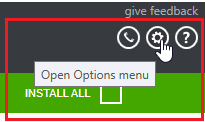
In the Options dialog, the default proxy settings are displayed in the PROXY SETTINGS section. By default, the installer uses the system proxy settings.
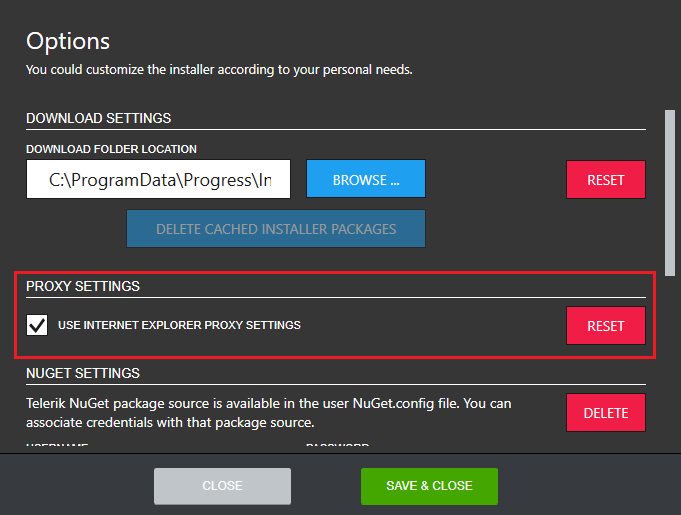
To set up a custom proxy, uncheck the USE INTERNET EXPLORER PROXY SETTINGS checkbox and add the proxy settings manually. The PROXY ADDRESS and PORT fields are required.
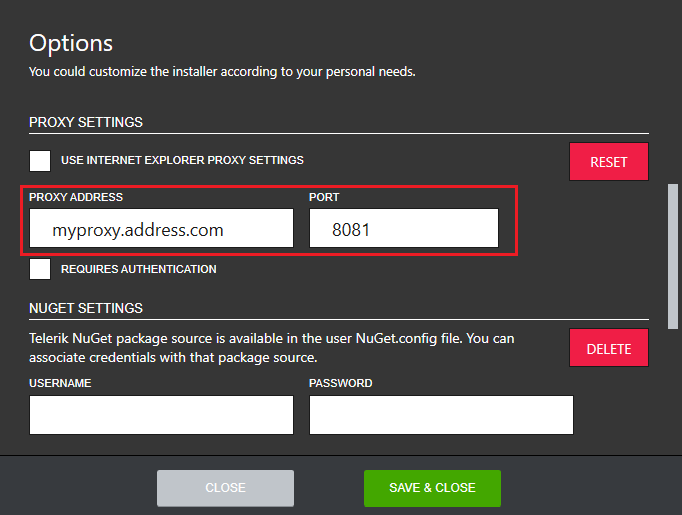
If the proxy server requires authentication, select the REQUIRES AUTHENTICATION checkbox then enter the credentials (the USERNAME field is required).
To restore the default proxy settings, select RESET.