Installation and Updates
The Progress Control Panel serves as a dashboard application that lets you manage the Telerik products installed on your Windows machine. The first step to using the application is downloading it.
Downloading and Installing the Control Panel
-
Go to your Telerik account. If you don't have a Telerik account yet, you need to create one.
-
Select Download Control Panel.
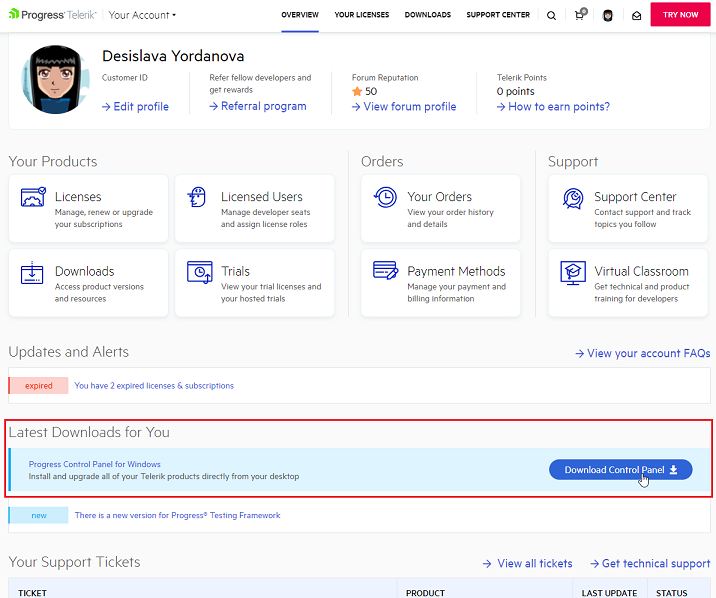
-
Open the file to install and run the Control Panel application.
Installing and Updating Telerik Products
-
Log in—The Control Panel requires you to log in through the Telerik login page, where you can use an existing account or create a new one. If your account has Single Sign-On (SSO) enabled, you can also authenticate with the identity provider (IdP) of your organization.
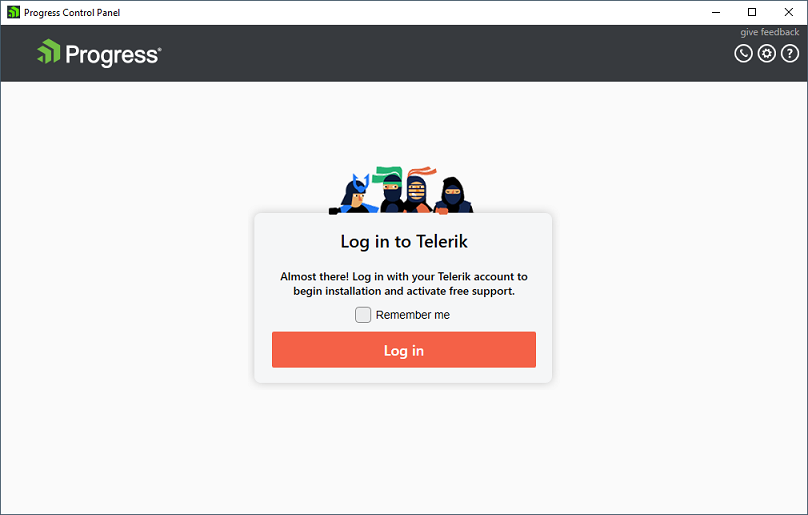
-
Select what to install—All products that you have a license for have a PURCHASED label.
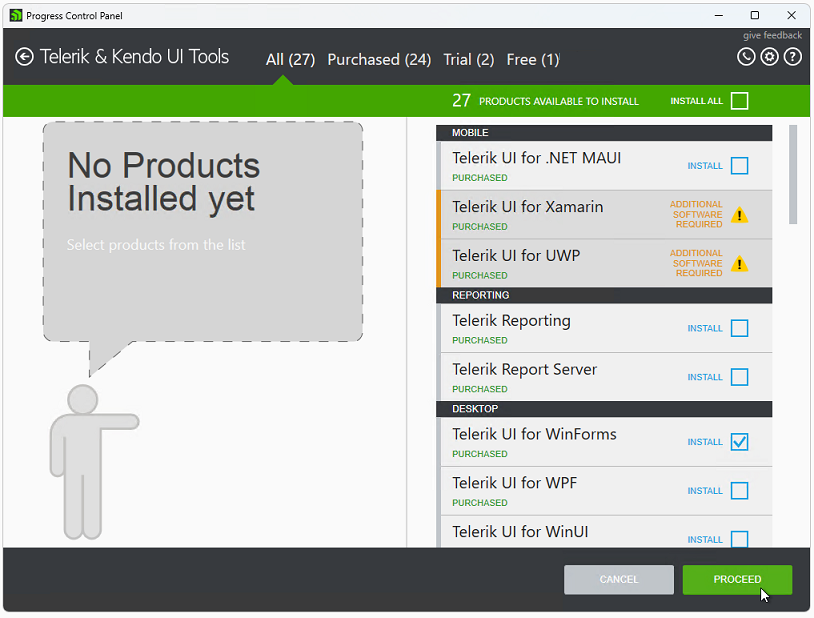
-
Configure the installation and select PROCEED.