An Introductory Walk-through of the Progress Agentic RAG Dashboard

Summarize with AI:
With Progress Agentic RAG, you can index appropriate data to provide an LLM more relevant, accurate information. And you can do this in a no-code interface. Let’s explore the dashboard together!
Large language models (LLMs) can only rely on the data they were trained on. Still, organizations often need AI assistants that can answer questions about specific or internal documentation that isn’t publicly available. Retrieval-augmented generation (RAG) addresses this by fetching relevant documents from a knowledge base and using them to enrich an LLM’s response.
For more information on RAG and how it works, refer to our previous articles on the topic: Understanding RAG (Retrieval-Augmented Generation) and What Are Embeddings?.
Let’s look at how to put this into practice with Progress Agentic RAG. While Agentic RAG is often used as an API-driven platform designed for developers, it also provides a powerful no-code interface. This allows users to create Knowledge Boxes, index data and deploy RAG-enabled search engines without writing a single line of code.
In this article, we’ll use Progress Agentic RAG to index a real document (the Progress Software Q3 2025 Earnings Report) and demonstrate how the platform retrieves accurate, source-cited answers to natural language questions.
Home
When you first log into Progress Agentic RAG, you land on the Home dashboard for a Knowledge Box. A Knowledge Box is a searchable knowledge base, a container for all the documents and data we want to query.
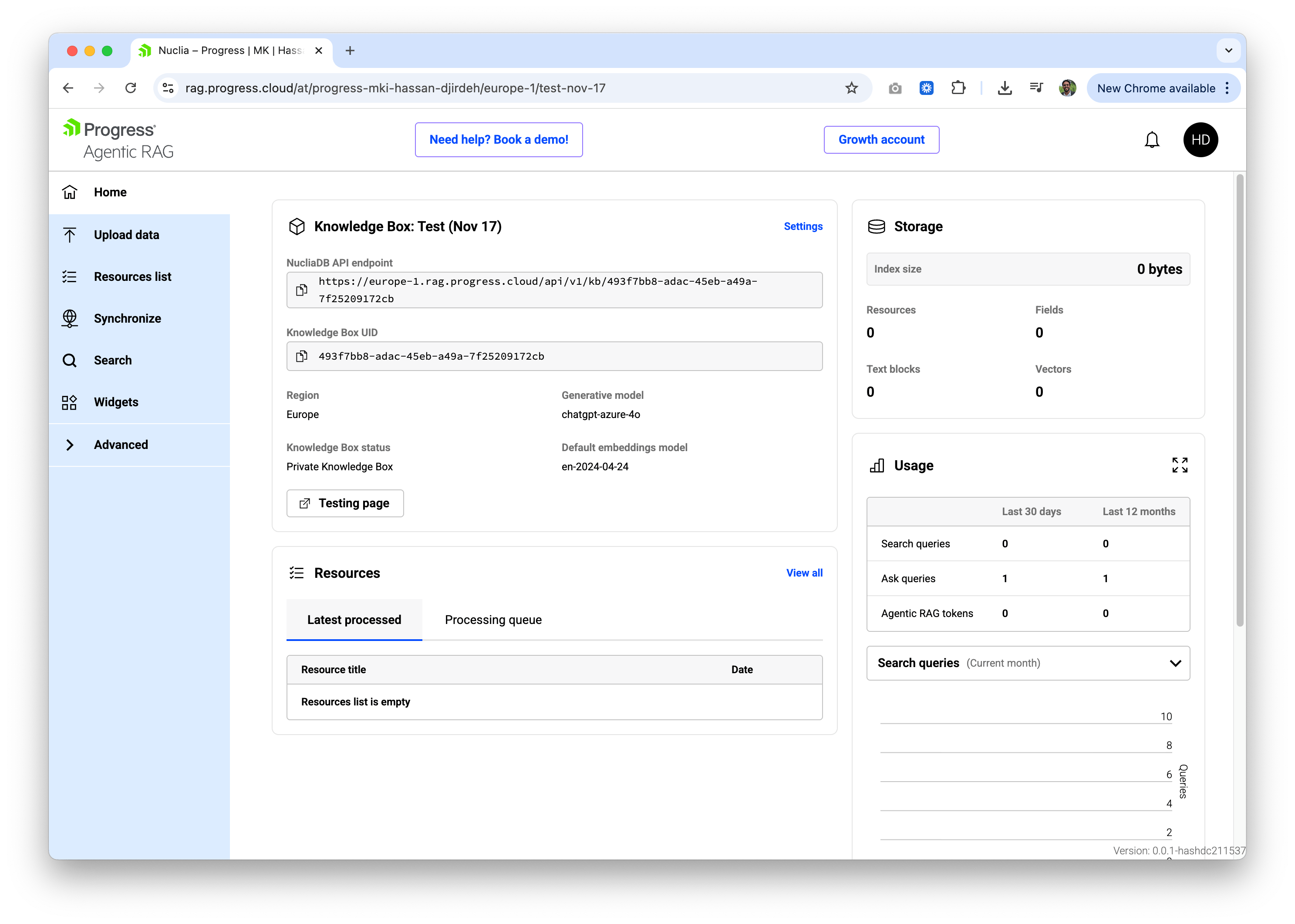
The dashboard provides a quick overview of our Knowledge Box:
- Storage: Shows the index size, number of resources, text blocks and vectors.
- Usage: Displays search queries and ask queries over the last 30 days and 12 months.
- Resources: Lists recently processed files with quick access to view all resources.
The left navigation bar gives us access to the core features: Upload data, Resources list, Synchronize, Search, Widgets and Advanced settings. For this walk-through, we’ll focus on uploading data and searching.
Upload Data
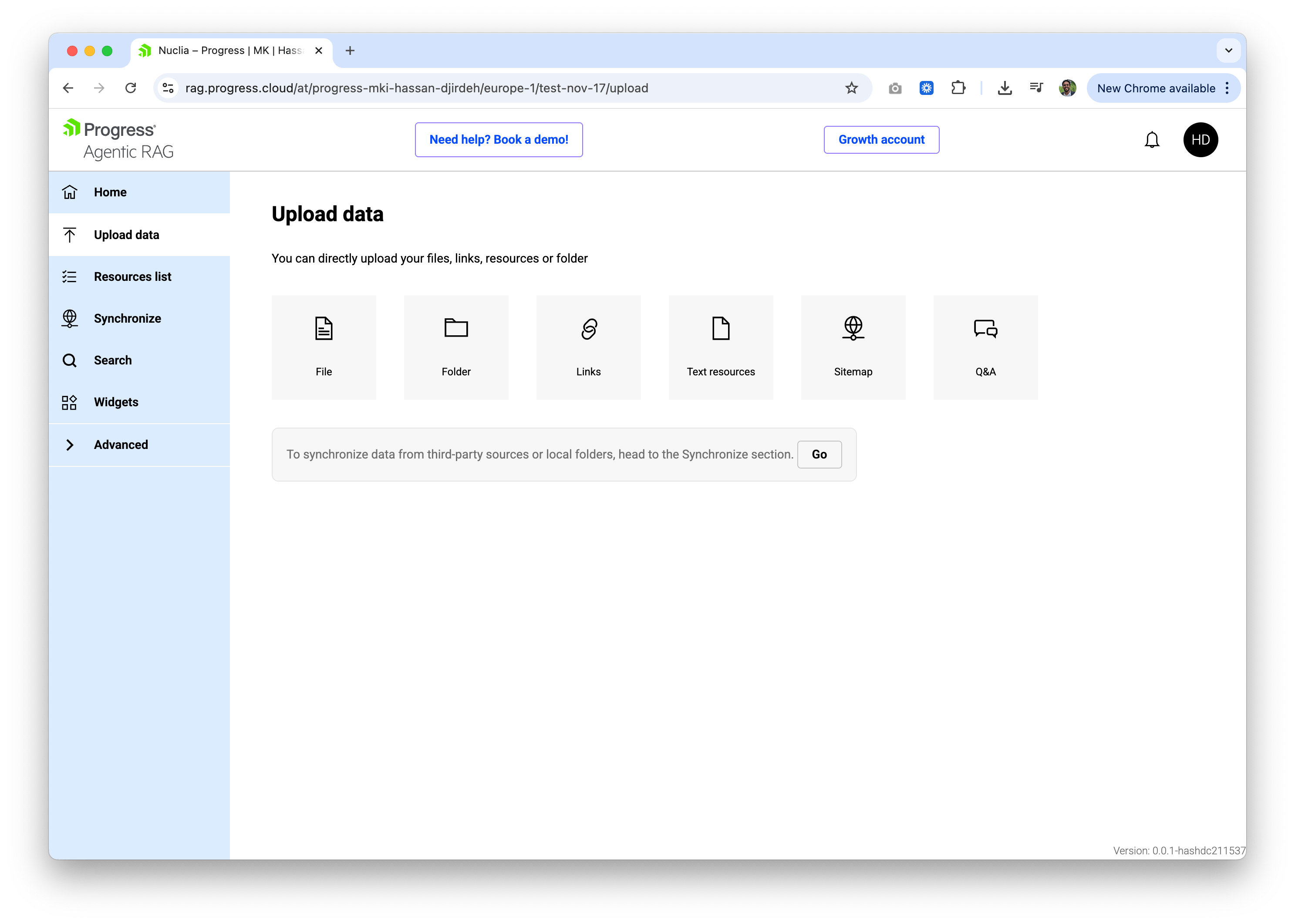
When we click on Upload data in the left navigation bar, we’ll see several options for adding content to our Knowledge Box. These include:
- File: Upload individual files (PDFs, Word docs, Excel, PowerPoint, text files and more).
- Folder: Upload an entire folder of documents at once.
- Links: Add web pages by URL.
- Text resources: Paste raw text directly.
- Sitemap: Crawl and index an entire website via its sitemap.
- Q&A: Add question-answer pairs manually.
For this article, we’ll upload a single PDF: the Progress Software Q3 2025 Earnings Report.
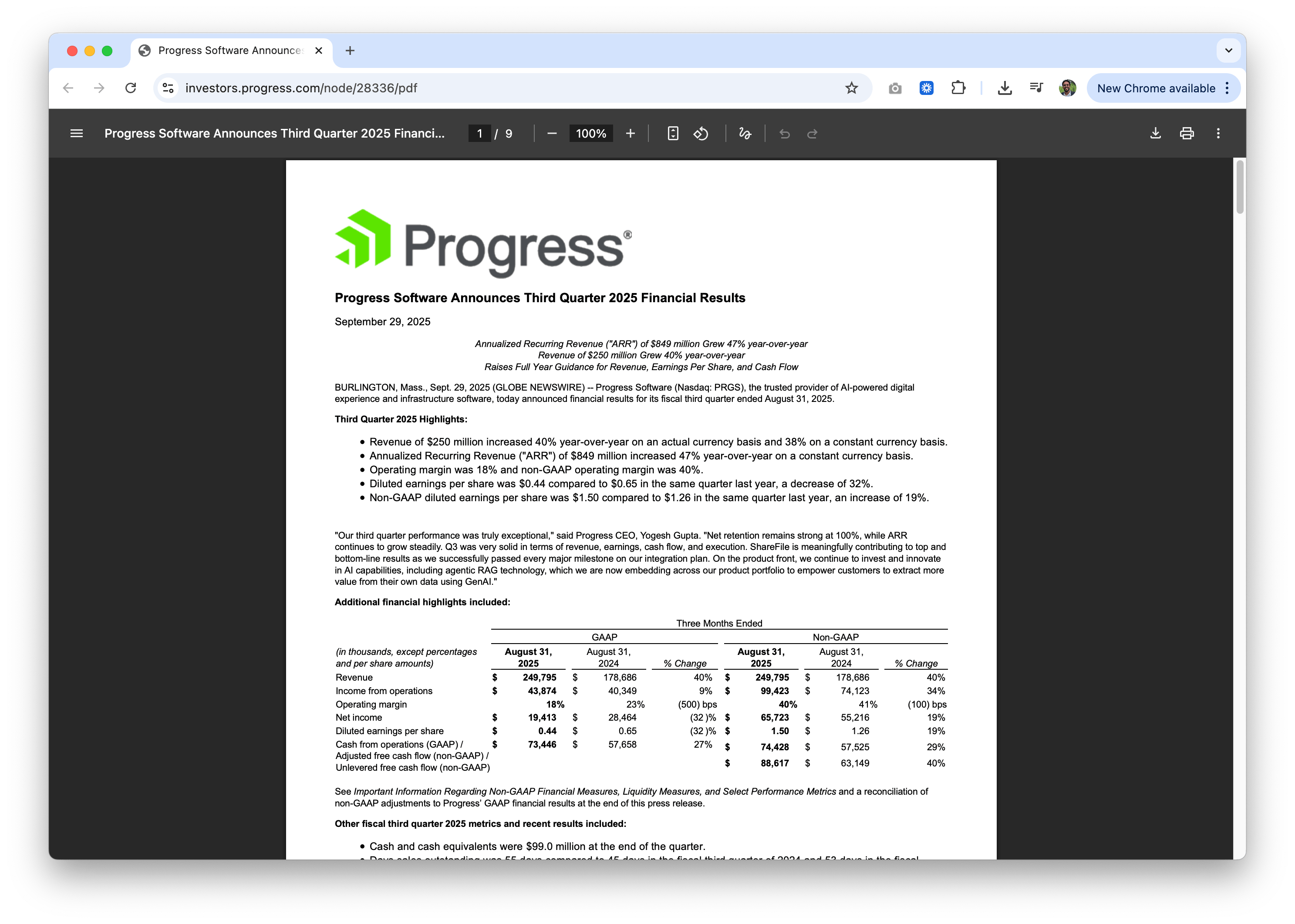
We’re deliberately using a small, very recent source that LLMs are unlikely to have seen, making retrieval clearly observable.
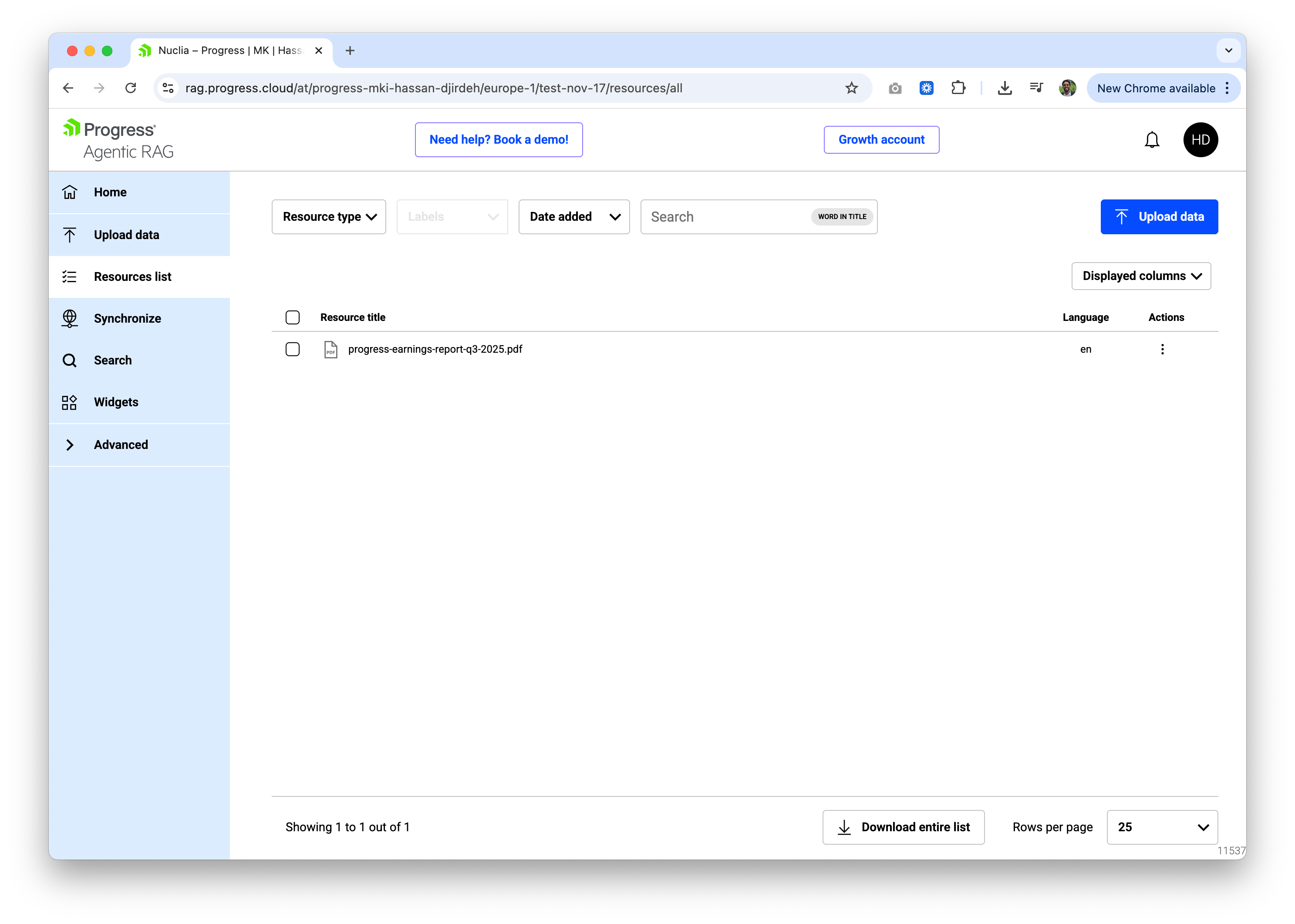
We’ll click on the File upload option and upload our PDF. Once the PDF is uploaded, Progress Agentic RAG will begin the processing to extract the text, chunk it appropriately, generate embeddings, and index everything for semantic search. Once processed, the file will then appear in the Resources list:
Search
With our data indexed, we can now query it. This is where the power of RAG becomes apparent. We aren’t just searching for keywords; we’re asking the AI to read, understand and synthesize answers based only on the document we provided.
Let’s look at three examples using the earnings report we just uploaded.
Query 1. Extracting Specific Financials
First, let’s ask for hard numbers. A standard keyword search might highlight where “revenue” appears, but RAG can construct a complete sentence answering the specific question.
Question: “What was Progress Software’s total revenue for the three months ended August 31, 2025, and what was the year-over-year growth rate?”
Answer: Progress Software’s total revenue for the three months ended August 31, 2025, was $249,795,000, and the year-over-year growth rate was 40%.
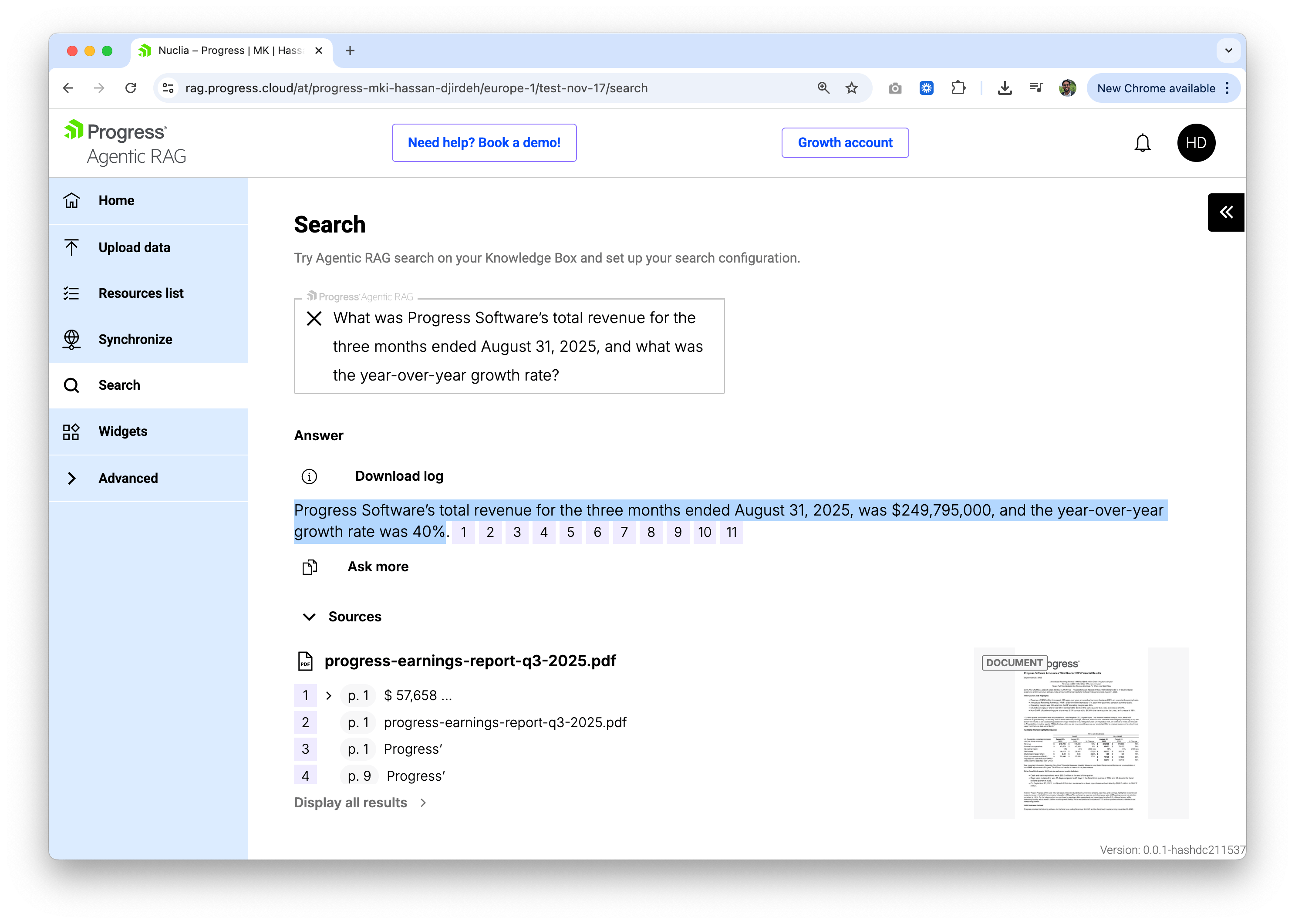
The answer includes numbered citations that link back to specific sections of the source document. Clicking through reveals exactly where in the PDF this information appears:
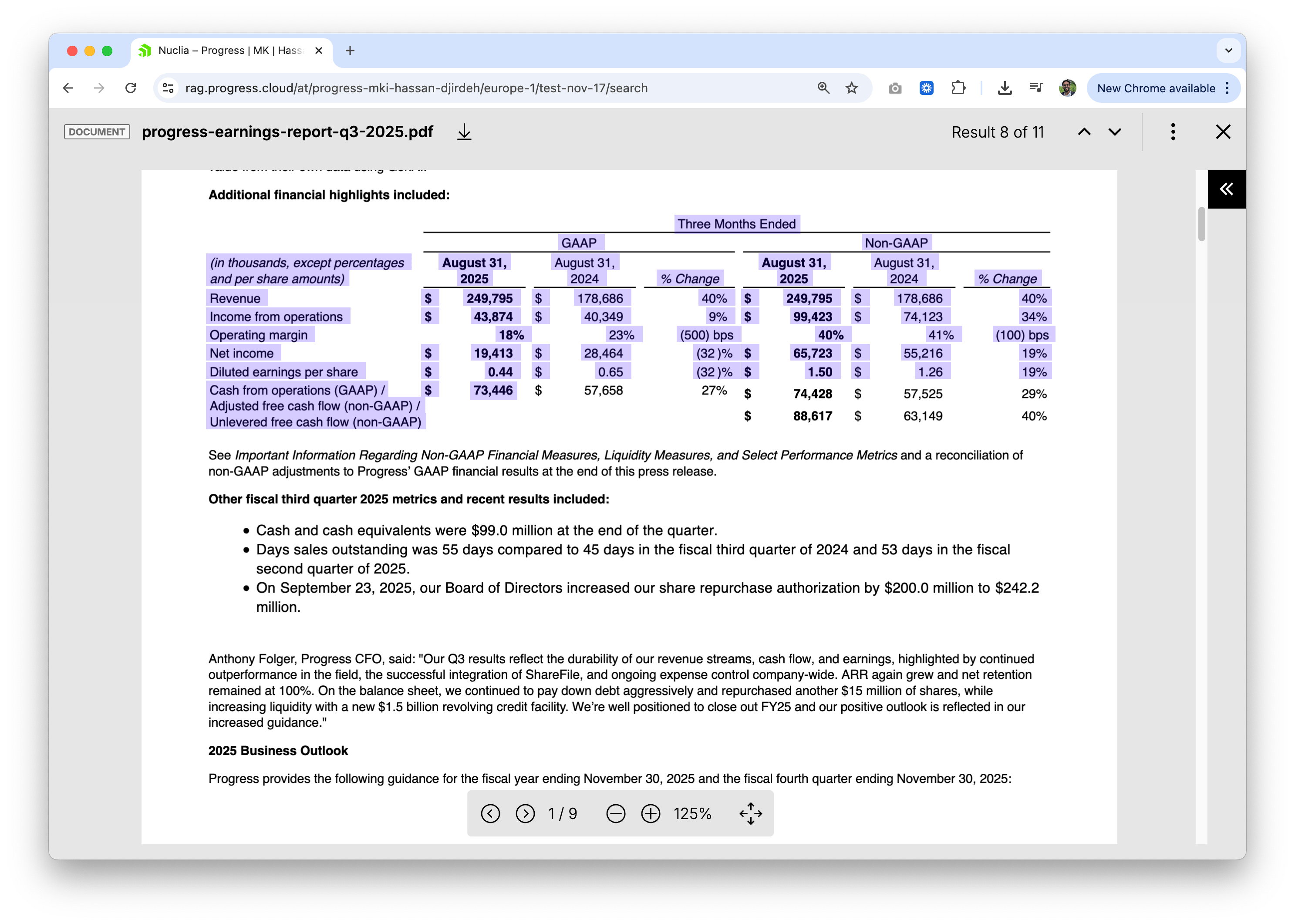
How cool is that! This traceability is critical for enterprise use cases that require verifying the accuracy of AI-generated responses.
Query 2: Understanding Strategic Context
Next, let’s ask a question that isn’t purely numerical and instead requires understanding the CEO’s quote and its intent.
Question: “According to CEO Yogesh Gupta, what product capabilities is Progress investing in and why?”
Answer: According to CEO Yogesh Gupta, Progress is investing in AI capabilities, including agentic RAG technology. This investment aims to empower customers to extract greater value from their data using GenAI.
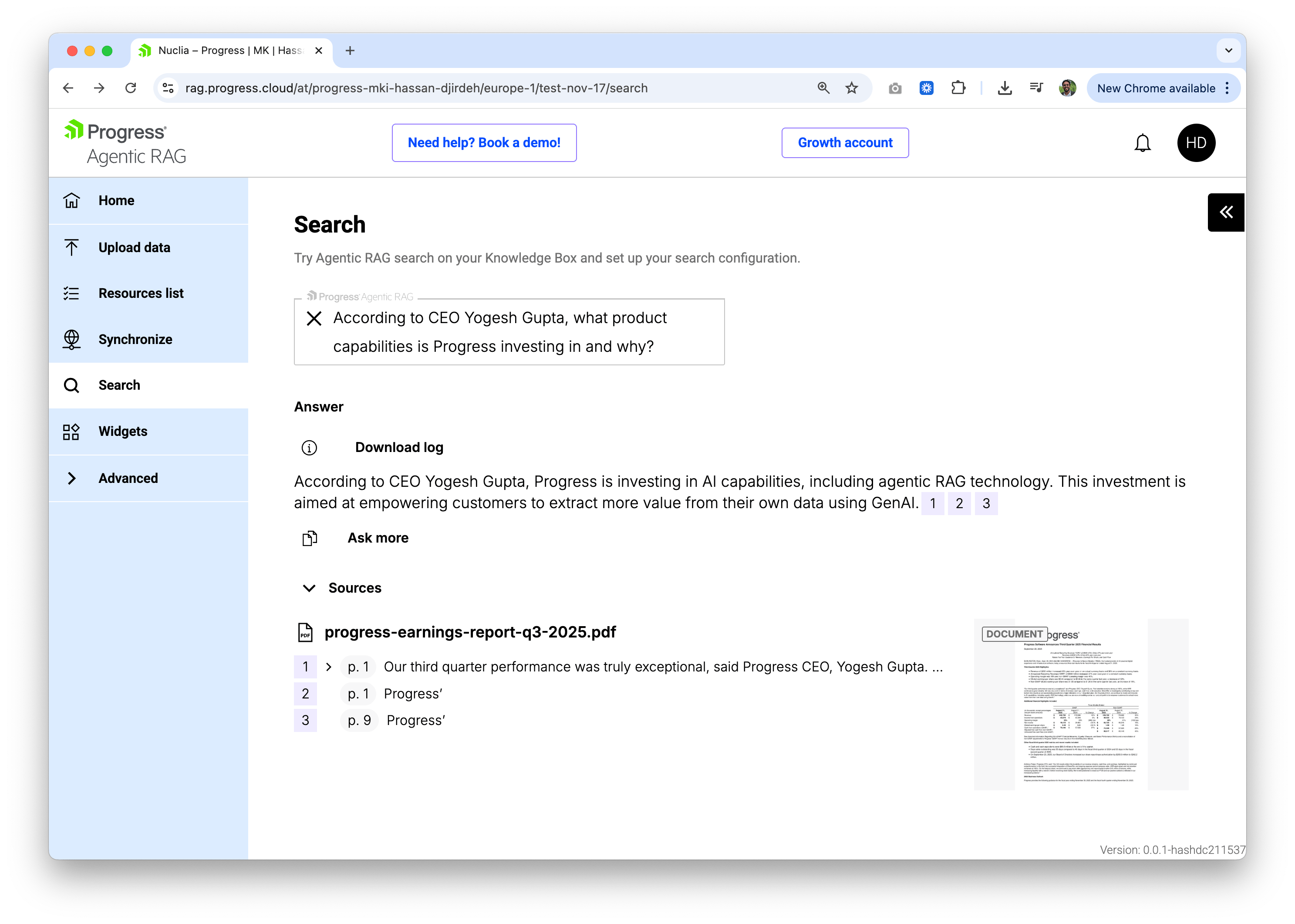
This query demonstrates semantic understanding. The system locates the CEO’s quote within the document and extracts the relevant context about AI capabilities and agentic RAG technology, even though the question doesn’t use those exact terms.
Query 3: Finding Forward-Looking Guidance
Lastly, let’s examine how RAG handles forward-looking financial projections, which are often presented in separate guidance tables.
Question: “What is Progress Software’s updated fiscal year 2025 revenue guidance range?”
Answer: Progress Software’s updated fiscal year 2025 revenue guidance range is $975 million to $981 million.
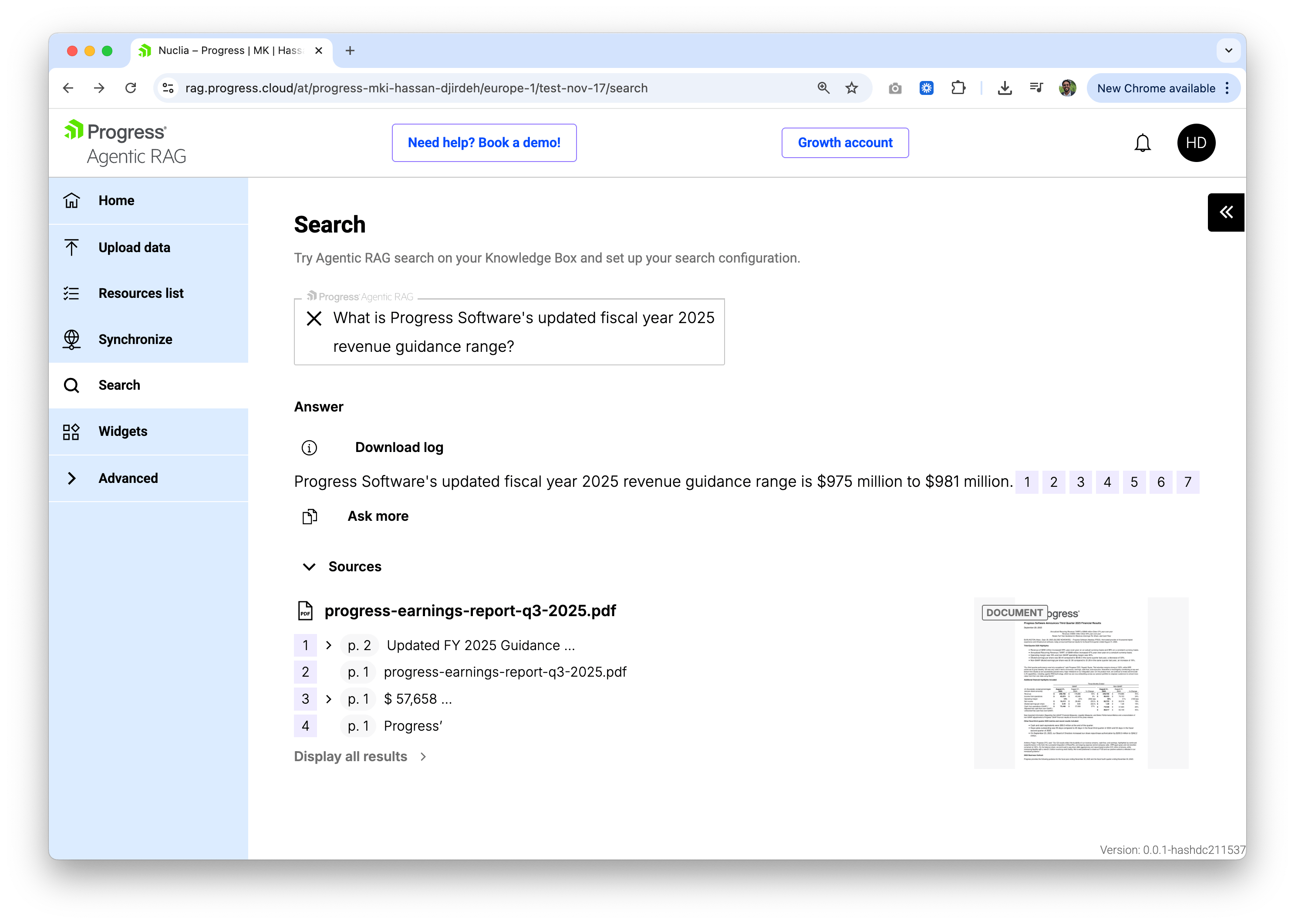
Here, the system synthesizes information from the guidance tables in the report, demonstrating its ability to parse structured financial data and return precise figures.
Wrap-up
In just a few minutes, we went from a raw PDF to a fully searchable, AI-powered knowledge base. Progress Agentic RAG handles the heavy lifting (document processing, chunking, embedding generation and retrieval) so we can focus on asking questions and getting answers.
The no-code interface makes it accessible to anyone, but Progress Agentic RAG also offers a comprehensive API for developers who want to integrate RAG capabilities into their own applications. We’ll explore the API-driven approach more in upcoming articles.
For more details, check out the following resources:
Keep reading this series of RAG posts:
- Understanding RAG (Retrieval-Augmented Generation)
- What Are RAG Embeddings?
- An Introductory Walk-through of the Progress Agentic RAG Dashboard (this post)
- Progress Agentic RAG: Tuning How We Find and Search for Content
- Embedding Agentic RAG Widgets

Hassan Djirdeh
Hassan is a senior frontend engineer and has helped build large production applications at-scale at organizations like Doordash, Instacart and Shopify. Hassan is also a published author and course instructor where he’s helped thousands of students learn in-depth frontend engineering skills like React, Vue, TypeScript and GraphQL.
Related Posts
Comments
All articles
Topics
Web MobileMobile
Desktop
Design
Productivity
People