How to Transition to Cross-Platform Development
 by Héctor Pérez

Summarize with AI:
In this post, we will analyze the importance of bringing your applications to any operating system, as well as the challenges that this entails. We will also see how prebuilt controls can help you create cross-platform apps more quickly and efficiently.
Why Should You Build Cross-Platform Applications?
According to StatCounter, a site specialized in gathering information about market share for browsers, devices, social media, etc., between July 2024 and July 2025, on average Android ranks as the operating system platform with the crown, capturing a market share of 45.67%, followed by Windows with 25.94% and finally the Apple operating systems, which together account for about 23.4%.
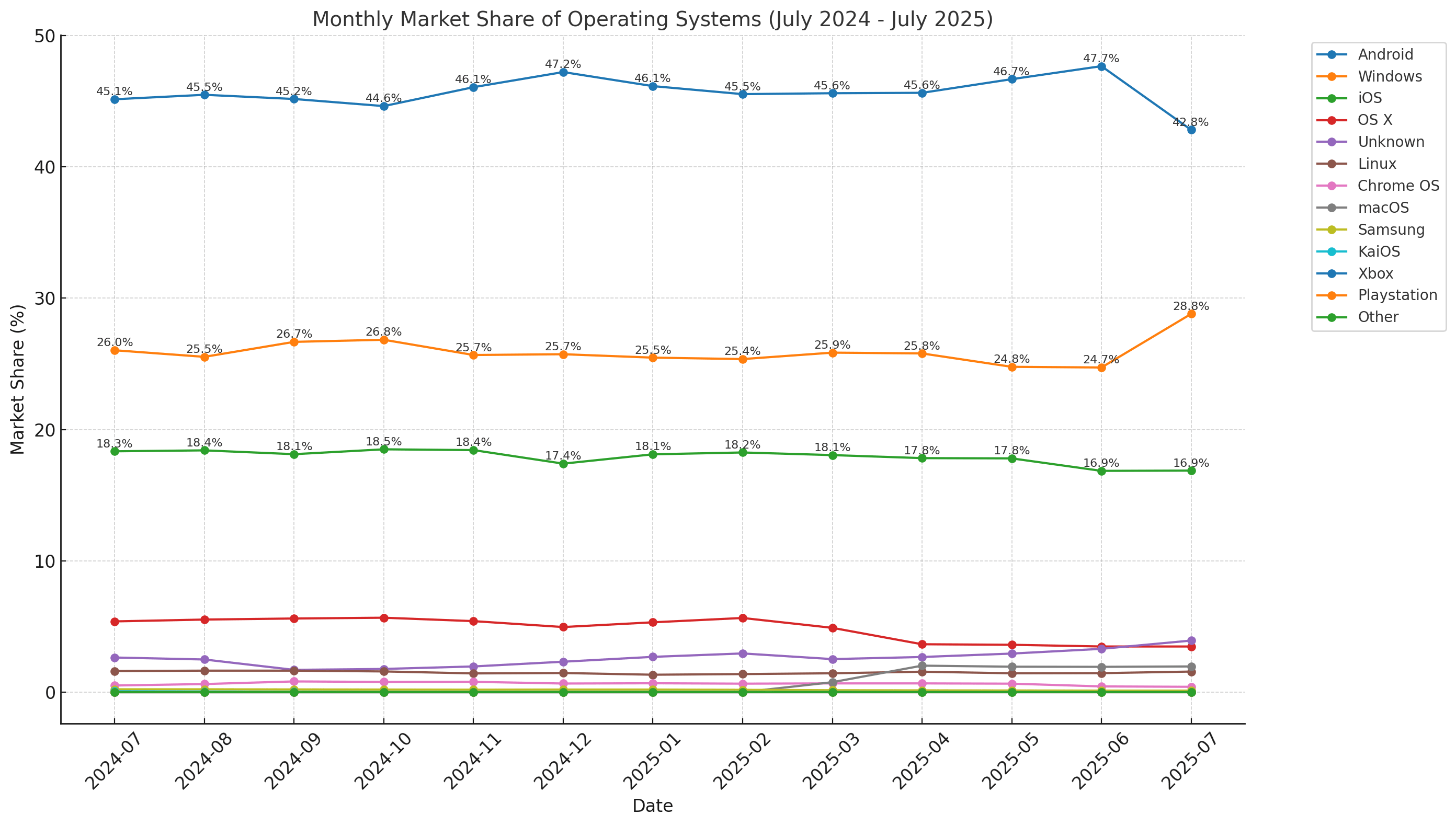
With these statistics, it is possible to understand that, while we could target the development of an application to a specific operating system, this would reduce the number of users we could reach. This would mean giving way to other similar applications that can fill the gap we leave by not focusing on developing for the platforms with the highest market share. However, creating cross-platform applications involves a series of key challenges in their development, as we will see next.
Key Challenges When Moving from Platform-Specific Development
Developing and maintaining applications for each platform may not be as easy as it sounds.
First, it is almost certain that the programming languages across different platforms are not the same. While Android typically uses Java or Kotlin, in the Apple ecosystem, Swift or Objective-C is used. This implies having several teams of developers trained to achieve the same functionality on each platform but using different frameworks, which is often costly.
Swift code example
import UIKit

class ViewController: UIViewController {
    override func viewDidLoad() {
        super.viewDidLoad()

        let button = UIButton(type: .system)
        button.setTitle("Press", for: .normal)
        button.frame = CGRect(x: 100, y: 100, width: 120, height: 40)

        // Event handler
        button.addTarget(self, action: #selector(buttonTapped), for: .touchUpInside)

        view.addSubview(button)
    }

    @objc func buttonTapped() {
        print("Button pressed in Swift!")
    }
}
Kotlin code example
import android.os.Bundle
import android.widget.Button
import android.widget.Toast
import androidx.appcompat.app.AppCompatActivity

class MainActivity : AppCompatActivity() {
    override fun onCreate(savedInstanceState: Bundle?) {
        super.onCreate(savedInstanceState)

        val button = Button(this).apply {
            text = "Press"
            setOnClickListener {
                Toast.makeText(this@MainActivity, "Button pressed in Kotlin!", Toast.LENGTH_SHORT).show()
            }
        }

        setContentView(button)
    }
}
Another point to consider is that development tools are platform-specific, which means having multiple devices and IDEs configured differently to maintain native applications.
Likewise, it is very likely that there will be inconsistencies in the visual design of the applications, as each operating system has default controls and visual guidelines that can alter the appearance of the application, which can confuse users transitioning between devices.
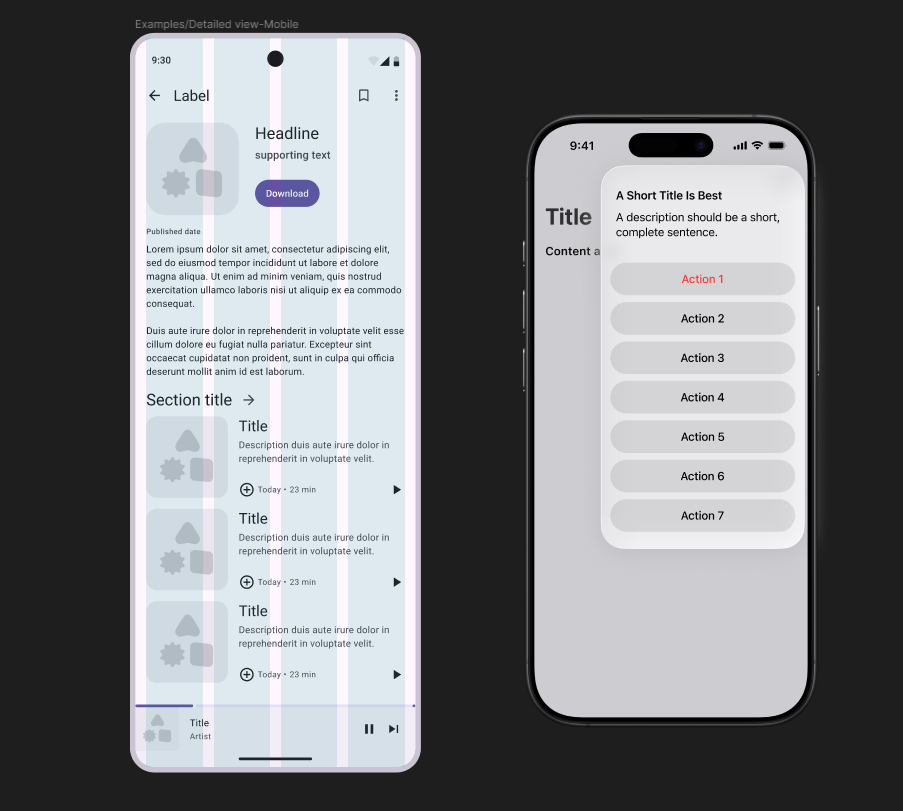
Fortunately, there are frameworks that can greatly assist us in building cross-platform applications in less time, allowing deployment using the same codebase across multiple operating systems, as we will see next.
.NET MAUI: A Robust Choice for Cross-Platform Development
When analyzing the challenges of creating natively for multiple platforms, Microsoft has developed a framework called .NET MAUI, which allows us to create a code base that we can reuse to build apps primarily for Android, Windows, and iOS.
Visual Studio offers a template for working exclusively with .NET MAUI composed of a single project divided into folders, allowing for easy project management. It is possible to create other related projects to separate the different layers of the application and even reuse them with other types of .NET projects.
In general, .NET MAUI projects feature a graphical interface layer comprised of controls, pages, navigation elements and adaptive layouts that enable the creation of applications overall. The definition of the graphical interface is usually done through pages with XAML code (although it is possible to create them using pure C# code), which allows defining the UI once to maintain a similar appearance across all devices and platforms.
XAML code example
<Grid Background="LightGray">
    <Button Content="Click here"
            HorizontalAlignment="Center"
            VerticalAlignment="Center"
            Width="120"
            Height="40"
            Background="LightBlue"
            Foreground="Black"
            FontWeight="Bold"/>
</Grid>
To provide interaction in the application, it is possible to create a business logic base using C# code, which, like the graphical interface, is written only once. In .NET MAUI, it is common to use the MVVM pattern, which allows separating models, views and view models to avoid mixing UI elements with business logic.
C# code example
public partial class MainViewModel : ObservableObject
{
    [ObservableProperty]
    private string message = "Press the button";

    [RelayCommand]
    private void OnButtonClicked()
    {
        Message = "The button was clicked!";
    }
}
It is worth noting that the .NET MAUI ecosystem has grown significantly in recent years, translating into a series of NuGet packages that allow you to do anything you can imagine, from creating local databases, integrating Lottie animations, or enhancing your graphical interfaces through modern .NET MAUI controls like those from the Progress Telerik library.
Combining all the advantages mentioned above, it is possible to create applications that have native-like performance as the team has focused its efforts in the latest versions of .NET MAUI to resolve hundreds of issues related to platform performance, providing us today with a robust, multi-platform ecosystem for creating applications for the major operating systems.
Delivering Native Experiences with Less Complexity Through Prebuilt Components
While .NET MAUI provides controls for creating applications in general, there will undoubtedly come a time when you need to create complex functionalities with more sophisticated and advanced components to achieve tasks that native controls do not offer. For example, you may need a .NET MAUI Scheduler control with advanced functionality to schedule by day, month, etc., a .NET MAUI PDF viewer that allows users to make annotations or even an image editor integrated into your application.

It is possible to create these components from scratch; however, it almost certainly would take some time because, remember, you need to make these components cross-platform, which sometimes involves writing native code for each platform to make them work properly.
Additionally, it is always necessary to perform multiple performance tests to verify that poorly optimized components do not slow down or hinder the application. You should also not forget to test on various devices with different operating system versions to check that they behave optimally on all.
If you want to avoid the above, you can choose to use prebuilt components that allow you to focus on implementing the application requirements instead of worrying about creating components that you might never reuse. Among the benefits of these components are:
- Included support: You can create support tickets to ask specific questions about a control and even suggest new features.
- Extensive control catalog: Companies typically have a wide catalog of controls for different tasks.
- Customization options: Control APIs have customization options to change styles and colors.
- Constant updates: There are constant update cycles that fix bugs, add features and improve performance.
Companies like Progress have been pioneers in developing controls for .NET MAUI since its inception, resulting in a robust and optimized catalog of controls for creating interfaces of any type. Their catalog includes controls for almost any popular framework today, such as Angular, React, ASP.NET Core, .NET MAUI and WPF, among many others.
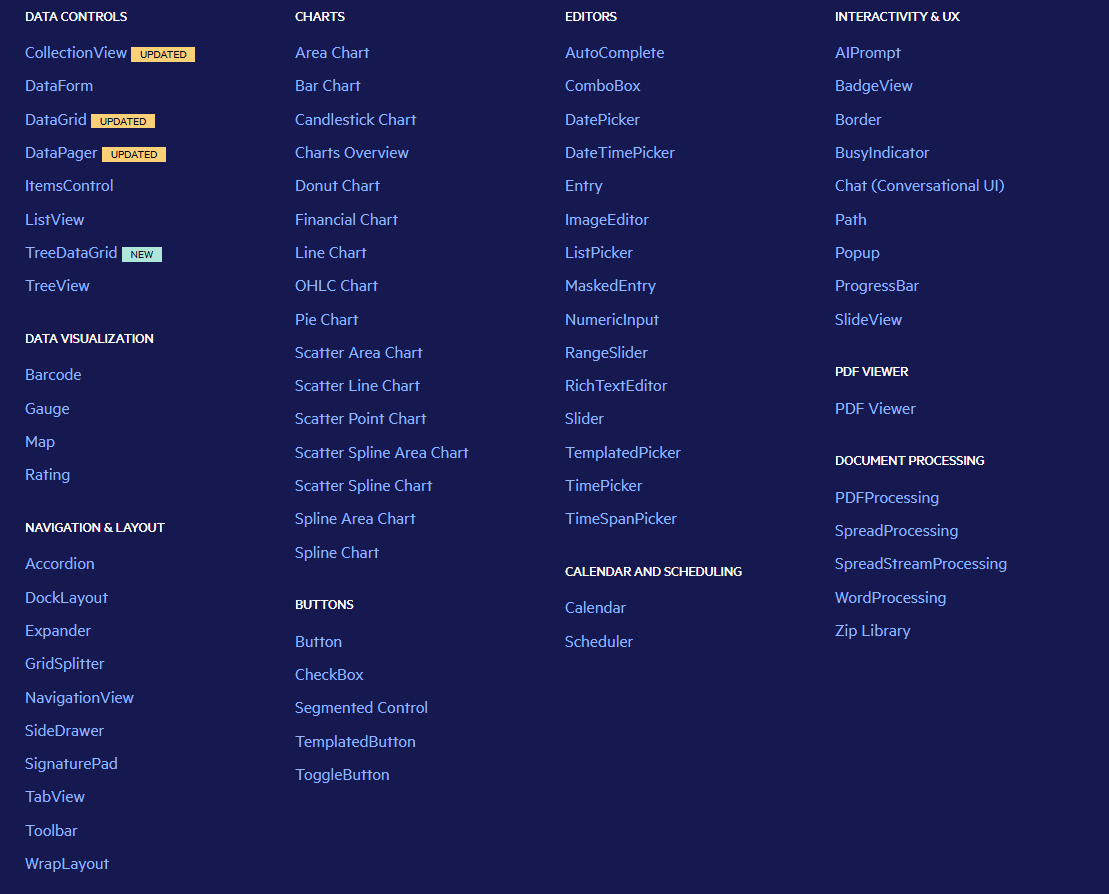
As part of their offering for .NET MAUI, the company has the extraordinary amount of more than 60 controls that will allow you to create any application you can imagine. Below are some examples of controls that can help you in your day-to-day tasks.
Prebuilt Component Examples to Accelerate Migration to .NET MAUI
Let’s discuss some controls that can help you make your migrations from native and complex views to .NET MAUI pages without a headache.
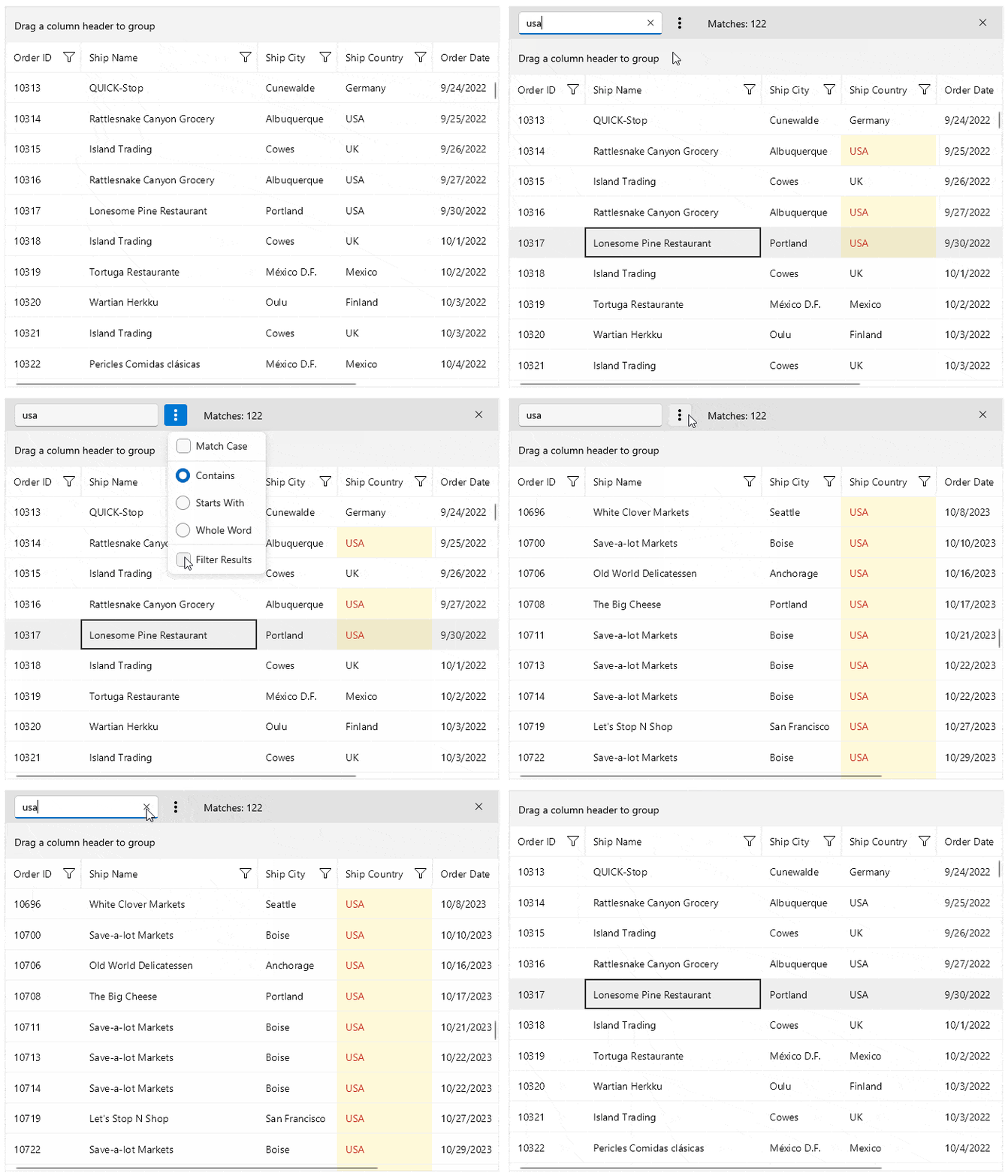
First, in the .NET MAUI framework, the most common control for handling collections is the CollectionView; however, it lacks advanced functions such as filtering, sorting, pagination, tree view mode, etc. In these cases, the Telerik UI library has controls that allow you to create forms from data models, grids for data, controls to represent information trees, etc.
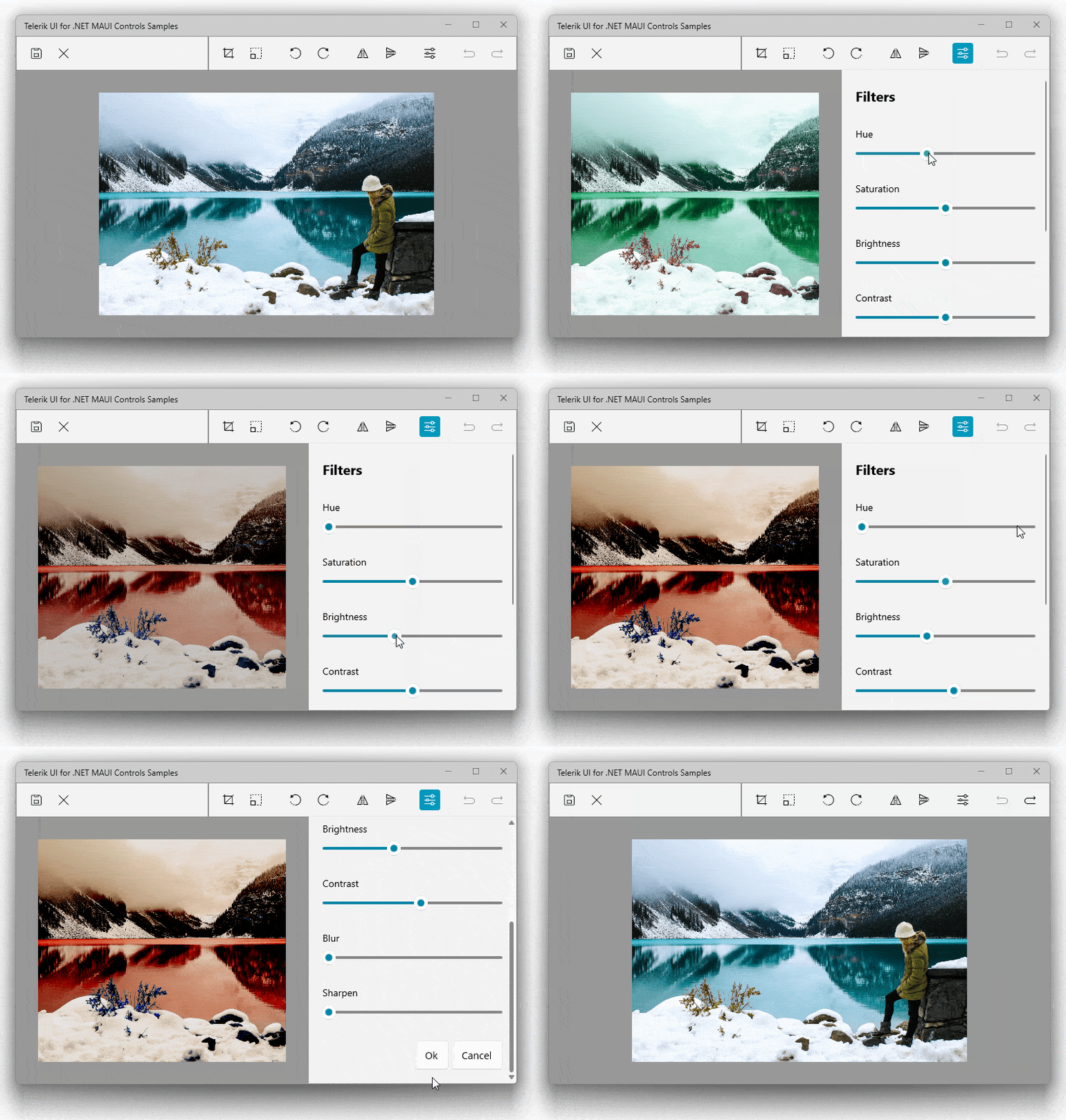
Similarly, at some point, you may want to add controls like a ComboBox, autocomplete functionality, masks in text boxes, custom pickers or a Range Slider to your applications. All these functionalities and more can be found in the form of editors as part of the Telerik suite for .NET MAUI.
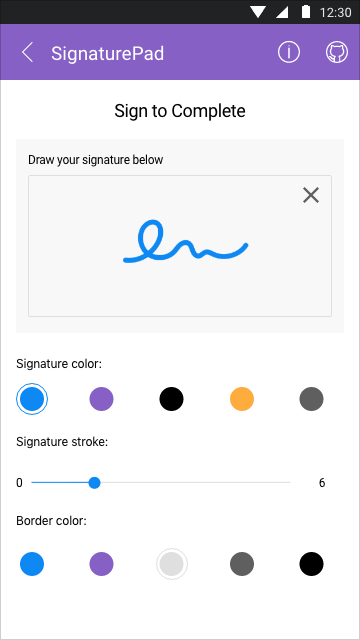
In terms of navigation, the default pages in .NET MAUI may not be sufficient for you, whether you need to implement an accordion with information, create panels based on dock positions, allow users to input signatures or distribute your elements in a layout with a wrap mode. Once again, Telerik has several controls to achieve these goals.
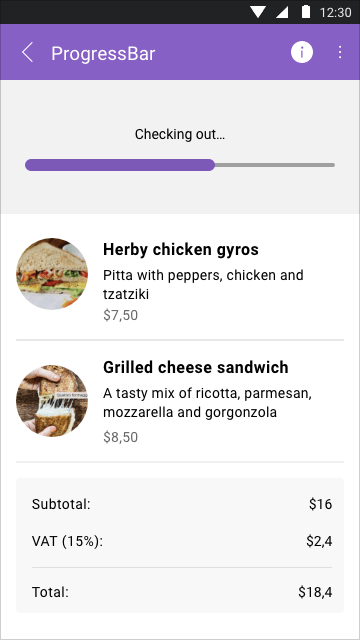
Finally, within their catalog, they also have gauge controls; controls for displaying multiple formats of charts, calendars and schedulers; interactive controls like chat views, popups and progress bars; and many more that will make your applications look phenomenal and user-friendly.
Conclusion
Throughout this article, we have analyzed why it is important for companies and individuals to provide their customers with applications in the main app stores, as well as the challenges this entails. Likewise, we have examined how prebuilt controls such as those from the Telerik library can help you make successful migrations faster using .NET MAUI.
Héctor Pérez
Héctor Pérez is a Microsoft MVP with more than 10 years of experience in software development. He is an independent consultant, working with business and government clients to achieve their goals. Additionally, he is an author of books and an instructor at El Camino Dev and Devs School.
Related Posts
Comments
All articles
Topics
Web MobileMobile
Desktop
Design
Productivity
People