New to Telerik UI for WPF? Start a free 30-day trial
Could Not Load File or Assembly Error in WPF Demos Application
Updated on Aug 25, 2026
Environment
| Product | UI for WPF |
Description
When running an example from the Telerik UI for WPF Demos application, you may receive an error similar to:
Could not load file or assembly '...'. The system cannot find the file specified.
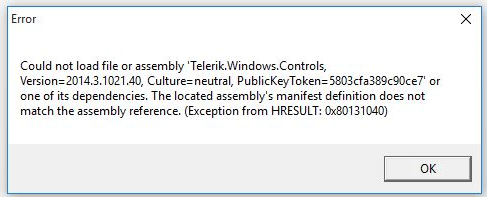
This is usually caused by cached ClickOnce files from a previous demos installation.
Solution
-
Close the Telerik UI for WPF Demos application.
-
Uninstall the existing demos application.
-
Clear any cached ClickOnce files by deleting the contents of
C:\Users\<your_user>\AppData\Local\Apps\2.0.Deleting the contents of this folder removes cache for all ClickOnce applications installed for the current user.
-
Install the latest demos package again from https://demos.telerik.com/wpf/.
-
Run the example again.