Selection
The purpose of this tutorial is to show you the basic properties exposed by the RadComboBox for working with selection. This topic includes the following sections:
Using the SelectedItem
The purpose of the SelectedItem property is to get or set the currently selected item of the RadComboBox. There are two common cases when accessing the SelectedItem property run-time.
- When your RadComboBox is with static data (declared in XAML), the SelectedItem property is of type RadComboBoxItem.
RadComboBoxItem selectedItem = radComboBox.SelectedItem as RadComboBoxItem;Dim selectedItem As RadComboBoxItem = TryCast(radComboBox.SelectedItem, RadComboBoxItem)- When your RadComboBox is data bound to a collection of custom objects, the SelectedItem is of the type of the custom object.
Agency agency = radComboBox.SelectedItem as Agency;Dim agency As Agency = TryCast(radComboBox.SelectedItem, Agency)Using SelectedValue and SelectedValuePath
The SelectedValue property is used when you have linked your RadComboBox to a data source, and you want to return a value other than the one which is displayed. The SelectedValuePath property provides a way to specify a SelectedValue for the SelectedItem in a RadComboBox. There are two essential things that you should remember here:
-
The SelectedItem property represents an object in the Items collection and the combo box displays the value of a single property of the selected item.
-
The SelectedValuePath property specifies the path to the property that is used to determine the value of the SelectedValue property.
The following example demonstrates the usage of the SelectedItem, SelectedValue and SelectedValuePath properties.
Imagine that you have a business object named Agency with two members (properties): Name and Phone. And a RadComboBox object which is data bound to a list of Agency objects
public class Agency
{
    public string Name
    {
        get;
        set;
    }
    public string Phone
    {
        get;
        set;
    }
}Public Class Agency
Private _Name As String
Public Property Name() As String
Get
Return _Name
End Get
Set(ByVal value As String)
_Name = value
End Set
End Property
Private _Phone As String
Public Property Phone() As String
Get
Return _Phone
End Get
Set(ByVal value As String)
_Phone = value
End Set
End Property
End Class<telerik:RadComboBox x:Name="radComboBox"
ItemsSource="{Binding Source={StaticResource DataSource}, Path=Agency}"
DisplayMemberPath="Name"
SelectedValuePath="Phone"/>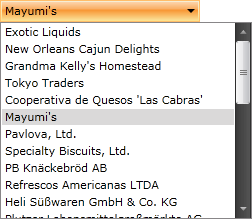
When you select an agency name from the combo box, the SelectedItem property returns the Agency data item that corresponds to the selected Name. However, because the SelectedValuePath of this RadComboBox is set to agency phone, the SelectedValue is set to the Phone property of the Agency business object.
Using the SelectedIndex
Use the SelectedIndex property to get or set the index of the selected item. For example, by using the SelectedIndex property, you could specify which the default selected item is.
<telerik:RadComboBox SelectedIndex="3"/>Using the Text Property
Use the RadComboBox's Text property, whenever you want to get or set the text of the currently selected item. This is the currently displayed text in the input box.
string text = radComboBox.Text;Dim text As String = radComboBox.Text