New to Telerik UI for WPF? Start a free 30-day trial
Message Status
Updated on Sep 29, 2026
The RadChat messages allows you to display a custom status message text under the message (eg. "Sent", "Delivered", "Seen", etc.).
The status message visual is enabled by setting the StatusVisibility property of the view model of the message object.
The status text is set via the Status property of the message's view model.
Creating a new message and setting the message status
C#
var message = new TextMessage(this.radChat.CurrentAuthor, "Hi there ☺");
message.InlineViewModel.StatusVisibility = Visibility.Visible;
message.InlineViewModel.Status = "Sent";
this.radChat.AddMessage(message);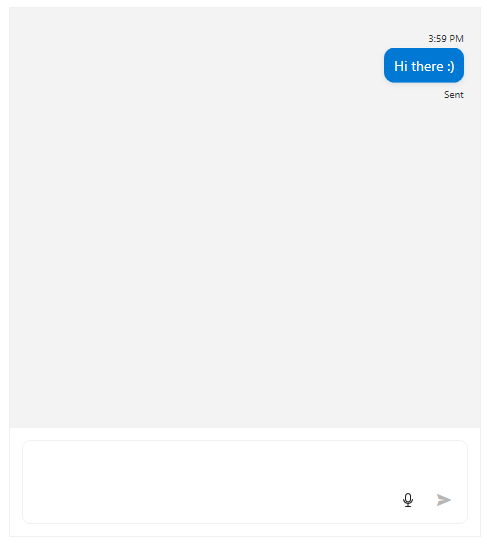
You can later access the message and update its status if necessary.
Updating the message status
C#
var message = this.radChat.GetMessageByIndex(0) as TextMessage;
message.InlineViewModel.Status = "Delivered";