Application Hangs When a Single GridView Cell is Copied in Windows 11
Environment
| Product Version | Product | Author |
|---|---|---|
| 2023.1.117 | RadGridView for WinForms | Desislava Yordanova |
Description
When a single cell is copied in RadGridView with a sufficient number of records (e.g. 50 000), the UI stays frozen and eventually leads to this error:
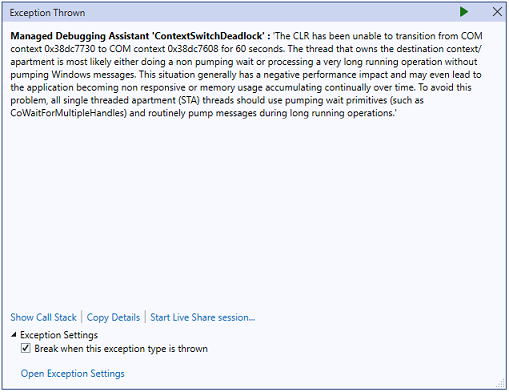
Such behavior is observed only on Windows 11 Version 22H2 machines.
Solution
It seems that Windows 11 comes with an improved clipboard: "The upcoming Windows 11 update, also known as version 22H2 or Sun Valley 2, will introduce support for Smart Clipboard, which will offer a new way to paste contents between apps.".
It seems that even browsers are experiencing freezing when copying some text: Mozilla Firefox fixes freezes caused by new Windows 11 feature
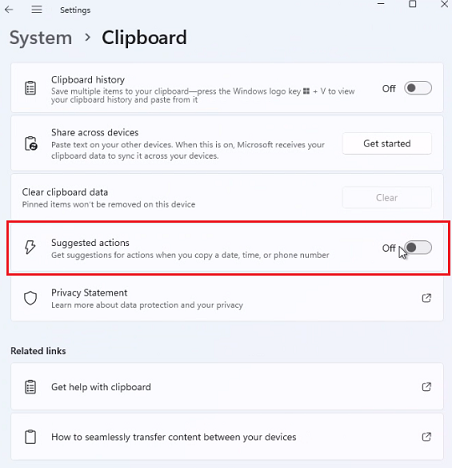
Currently, the possible solution is to disable Suggested Actions temporarily to avoid this undesired behavior: Select Start > Settings > System > Clipboard > and turn the Suggested actions toggle Off: