New to Telerik UI for WinForms? Start a free 30-day trial
Use GridComboBoxColumn with Custom Values - Telerik UI for WinForms - KB
Updated over 1 year ago
| Product Version | Product | Author | Last modified |
|---|---|---|---|
| Q2 2015 | RadGridView for WinForms | Dimitar Karamfilov | July 28, 2015 |
Problem
By default you can only select values from the drop down with GridViewComboBoxColumn. Sometimes you may need to provide the user with predefined values and allow him/her to use custom ones as well.
Solution
Figure1. The final result.
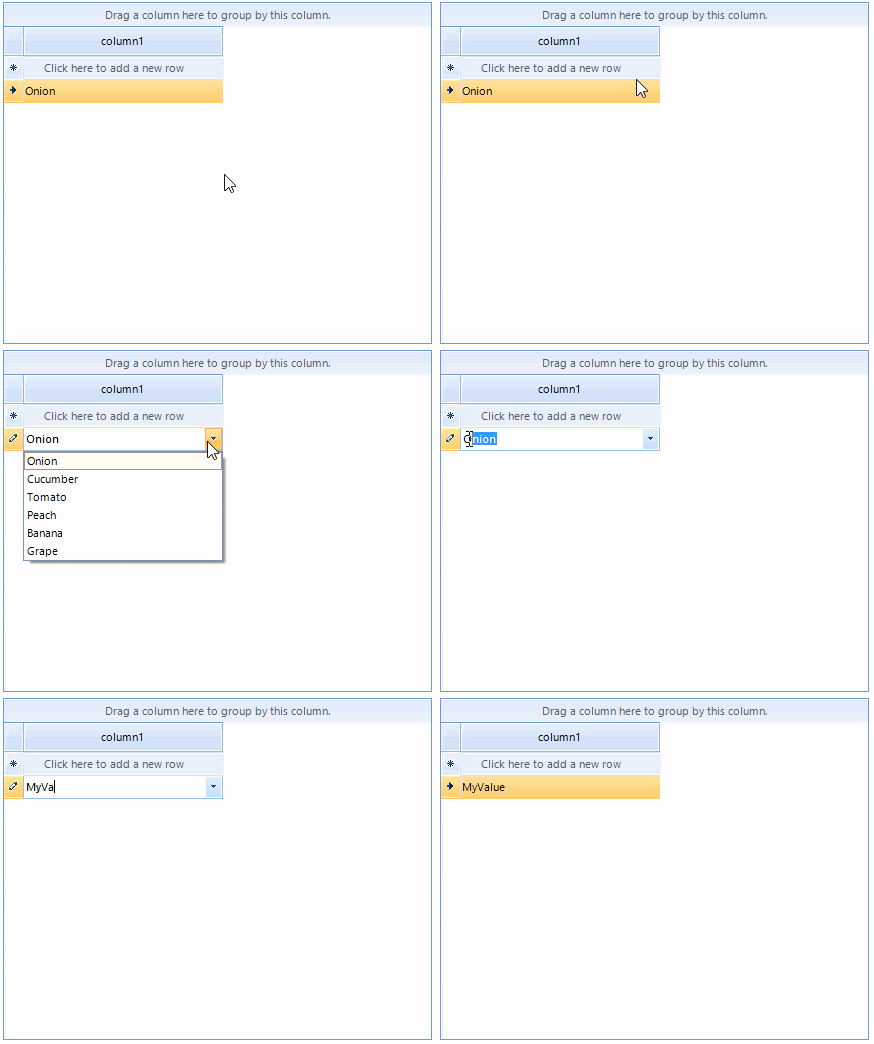
To achieve this functionality, you should create a custom editor which returns the text of the combo box editor. In addition, you should create a custom cell element and override the SetContent method. This is necessary because by default the cell is looking for the proper value in the editor data source.
C#
public class MyRadDropDownListEditor : RadDropDownListEditor
{
    public override object Value
    {
        get
        {
            RadDropDownListElement editor = this.EditorElement as RadDropDownListElement;
            if (editor.SelectedItem != null)
            {
                if (!string.IsNullOrEmpty(editor.ValueMember))
                {
                    return editor.SelectedItem.Value;
                }

                return editor.SelectedItem.Text;
            }

            return editor.Text;
        }
        set
        {
            base.Value = value;
        }
    }
}

public class MyCombBoxCellElement : GridComboBoxCellElement
{
    public MyCombBoxCellElement(GridViewColumn col, GridRowElement row) : base(col, row)
    {
    }

    public override void SetContent()
    {

        SetContentCore(this.Value);
    }
}
The default editor and the default cell element can be changed in the CellEditorRequired and CellCreated events:
C#
void radGridView1_CreateCell(object sender, GridViewCreateCellEventArgs e)
{
    if (e.CellType == typeof(GridComboBoxCellElement))
    {
        e.CellElement = new MyCombBoxCellElement(e.Column as GridViewDataColumn, e.Row);
    }
}

void radGridView1_EditorRequired(object sender, EditorRequiredEventArgs e)
{
    if (e.EditorType == typeof(RadDropDownListEditor))
    {
        e.EditorType = typeof(MyRadDropDownListEditor);
    }
}
The complete examples in C# and VB can be downloaded by clicking the following link.