New to Telerik UI for WinForms? Start a free 30-day trial
Simulate EKG signal in RadChartView
Updated over 1 year ago
Environment
| Product Version | Product | Author |
|---|---|---|
| 2020.2.512 | RadChartView for WinForms | Desislava Yordanova |
Description
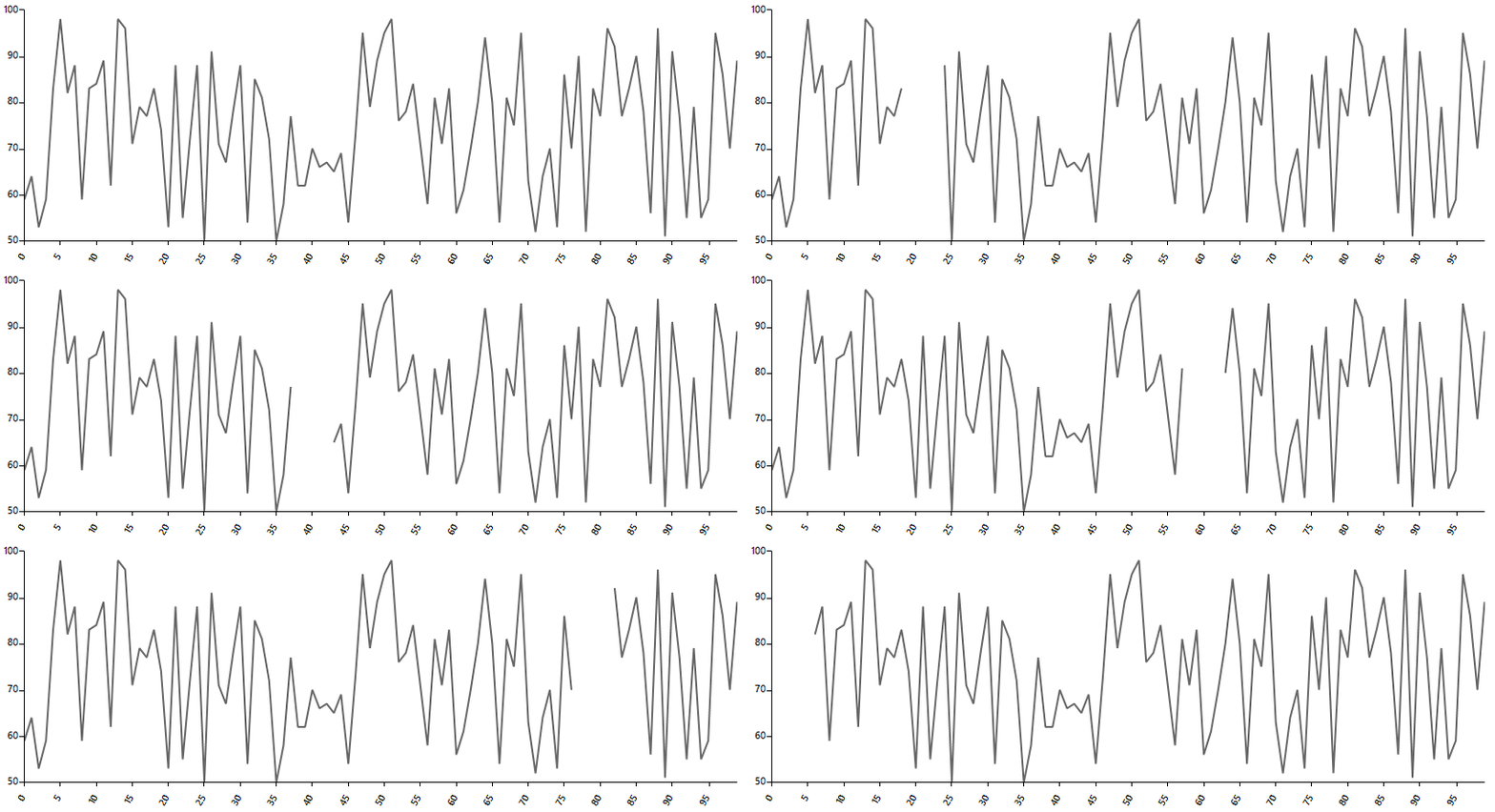
This tutorial demonstrates how to simulate an EKG signal in RadChartView.
Solution
RadChartView supports empty values in the series. In general, 'empty values' means missing Y value for a particular X value. This is appropriate for achieving blank parts within the chart. Using a timer, we will update the blank part in the line moving it forward.
Simulate an EKG signal
C#
Random rnd = new Random();
FastLineSeries series = new FastLineSeries();
Dictionary<string, double?> categoryValuePairs = new Dictionary<string, double?>();
public RadForm1()
{
    InitializeComponent();

    for (int i = 0; i < 100; i++)
    {
        CategoricalDataPoint point = new CategoricalDataPoint(rnd.Next(50, 100), i);
        series.DataPoints.Add(point);
        categoryValuePairs.Add(i.ToString(),point.Value);
    }
    radChartView1.Series.Add(series);
    LinearAxis verticalAxis = series.VerticalAxis as LinearAxis;
    verticalAxis.Minimum = 50;
    verticalAxis.Maximum = 100;
    CategoricalAxis categoricalAxis = series.HorizontalAxis as CategoricalAxis;
    categoricalAxis.LabelFitMode = AxisLabelFitMode.Rotate;
    categoricalAxis.MajorTickInterval = 5;
    this.timer1.Interval = 100;
}

private void radButton1_Click(object sender, EventArgs e)
{
    if (!this.timer1.Enabled)
    {
        this.timer1.Start();
    }
    else
    {
        this.timer1.Stop();
    }
}

int cnt = 0;

private void timer1_Tick(object sender, EventArgs e)
{
    cnt++;
    if (cnt >= series.DataPoints.Count - 5)
    {
        cnt = 0;
    }
    CategoricalDataPoint point = null;
    for (int i = 0; i < series.DataPoints.Count; i++)
    {
        point = (CategoricalDataPoint)series.DataPoints[i];
        if (i >= cnt && i < cnt + 5)
        {
            point.Value = null;
        }
        else
        {
            point.Value = categoryValuePairs[point.Category.ToString()];
        }
    }
}