Showing/hiding elements in Telerik RadControls
| Article relates to | Product | Author |
|---|---|---|
| RadControls for WinForms | Telerik UI for WinForms | Angel Kanchev |
Problem
Show or hide elements with or without affecting the visual hierarchy
Solution
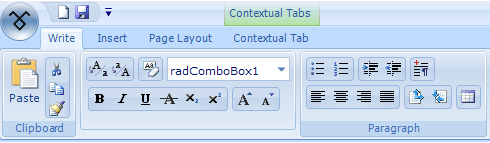
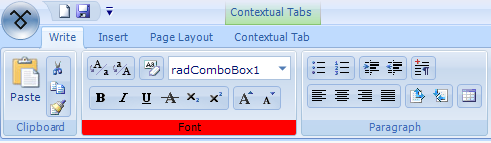
There are 3 ways to affect elements's visibility in relation to the impact this will have over other elements in the same hierarchy. As an example we will use RadRibbonBar and will hide the red fill primitive in the "Font" chunk of the RibbonBar, as shown in the figure below. Text primitive "Font" is a child of the red fill primitive.
SOLUTION 1 - Show or hide only the needed element without effecting other elements (even the element's children).
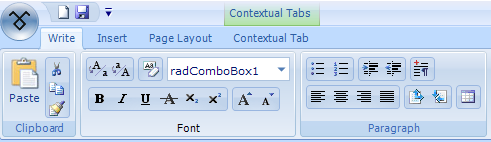
The boolean property **ShouldPaint **affects only the drawing of the element. No children or siblings are affected by it. In the next capture we have shown what happens when **ShouldPaint **for the fill primitive is set to false.
SOLUTION 2 - Show or hide the element along with its children
The property Visibility can have 3 values: Visible, Hidden and Collapsed. When Visibility is set to Hidden the element is hidden along with its children - see the screenshot below:
SOLUTION 3 - Show or hide the element by affecting the siblings (via the layout mechanism)
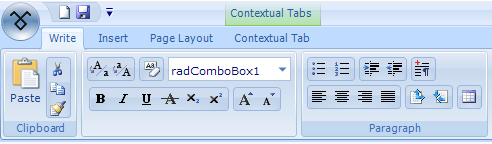
When Visibility is set to Collapsed the element is hidden as if there is no such element at all - there is no visual indication of its existence in the layout. As shown in the image below, the Chunk has a different size - its height is smaller because there is no fill primitive: