New to Telerik UI for WinForms? Start a free 30-day trial
How to print image from RadImageEditor
Updated over 1 year ago
Environment
| Product Version | Product | Author |
|---|---|---|
| 2021.2.511 | RadImageEditor for WinForms | Nadya Karaivanova |
Description
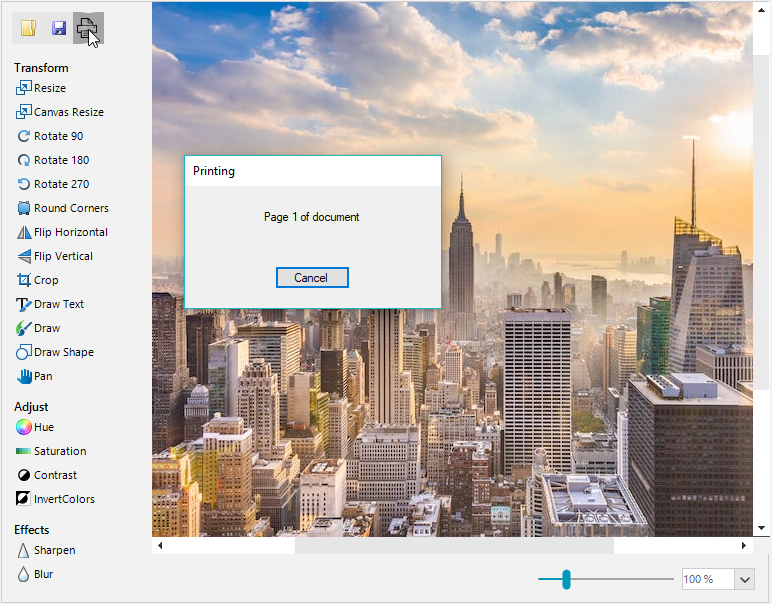
RadImageEditor does not support printing out of the box. However, you can easily achieve this by adding an additional button and implement the print functionality in RadImageEditor using PrintDocument.
This article demonstrates how to achieve printing in RadImageEditor.
Solution
Let's first create the print button, add it to the CommandsElement and handle it's Click event:
C#
public RadForm1()
{
    InitializeComponent();
    RadButtonElement printButton = new RadButtonElement();
    printButton.Image = Resources.printer_icon;
    printButton.Click += this.PrintButton_Click;

    var buttonContainer = radImageEditor1.ImageEditorElement.CommandsElement.TopCommandsStackElement;
    buttonContainer.Children.RemoveAt(3);
    buttonContainer.Children.RemoveAt(2);
    buttonContainer.Children.Add(printButton);
}
Then, in the print button's Click event you can print the PrintDocument that contains the current image from RadImageEditor:
C#
private void PrintButton_Click(object sender, EventArgs e)
{
    PrintDocument printDocument = new PrintDocument();
    printDocument.PrintPage += PrintPage;
    printDocument.Print();
}
private void PrintPage(object o, PrintPageEventArgs e)
{
    System.Drawing.Image img = radImageEditor1.CurrentBitmap;
    Point loc = new Point(100, 100);
    e.Graphics.DrawImage(img, loc);
}