New to Telerik UI for WinForms? Start a free 30-day trial
How to auto-size the rows to fill the grid's height
Updated over 1 year ago
Environment
| Product Version | 2018.3.911 |
| Product | RadGridView for WinForms |
Description
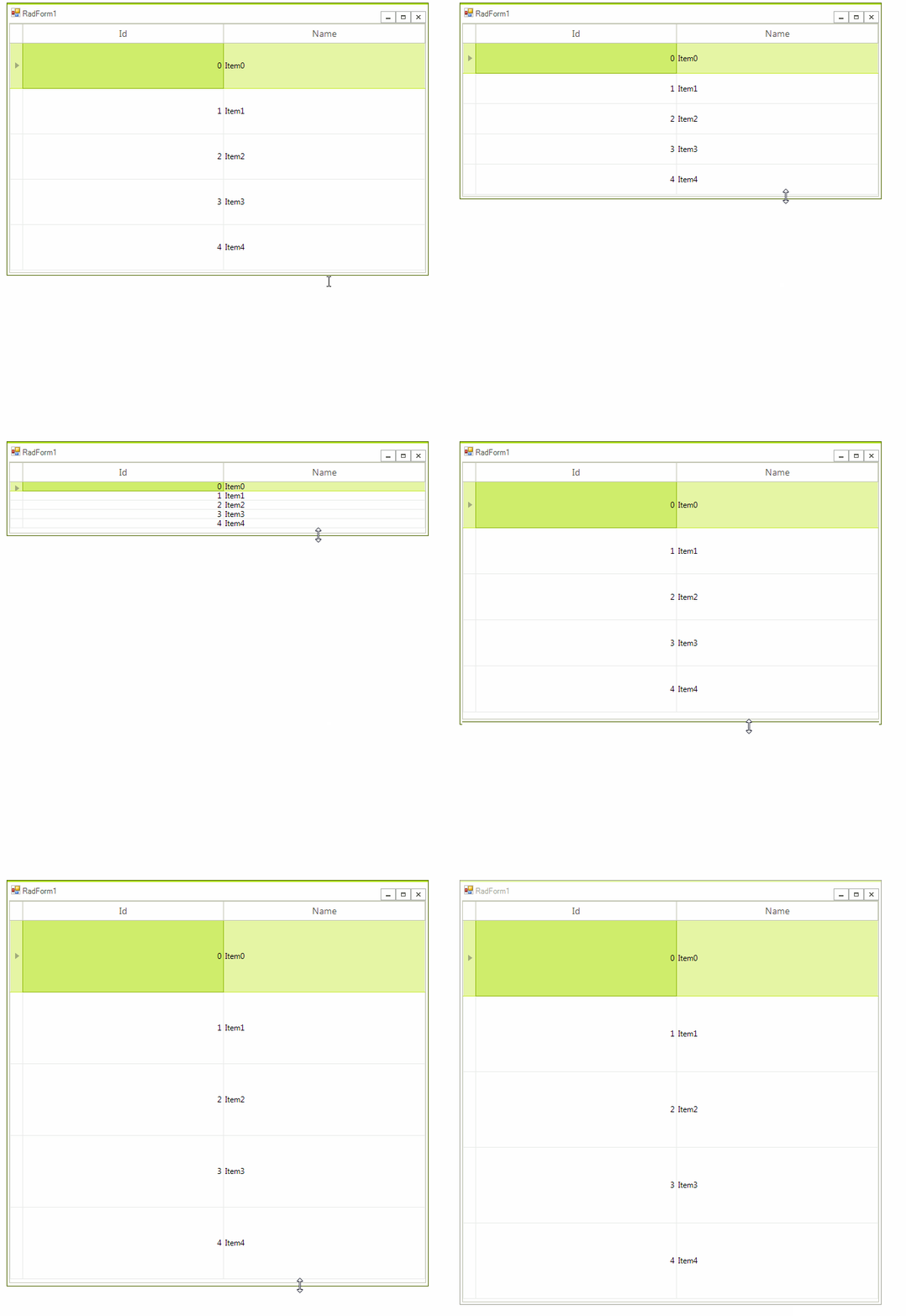
RadGridView allows you to adjust the columns' width automatically to fill the entire width of the control. This is controlled by the AutoSizeColumnsMode property. This article will demonstrate a sample approach how to achieve a similar functionality for the rows. In other words, it shows how to adjust the rows' height to fill the height of the control.
Solution
The TableElement.RowHeight property controls the height of the rows in the grid. The following code snippet calculates the RowHeight considering the current size of RadGridView and rows count:
C#
        public RadForm1()
        {
            InitializeComponent();

            DataTable dt = new DataTable();
            dt.Columns.Add("Id", typeof(int));
            dt.Columns.Add("Name", typeof(string));
            for (int i = 0; i < 5; i++)
            {
                dt.Rows.Add(i, "Item" + i);
            }
            this.radGridView1.DataSource = dt;
            this.radGridView1.AutoSizeColumnsMode = Telerik.WinControls.UI.GridViewAutoSizeColumnsMode.Fill;

            this.radGridView1.AutoSizeColumnsMode = Telerik.WinControls.UI.GridViewAutoSizeColumnsMode.Fill;
            this.radGridView1.ShowGroupPanel = false;
            this.radGridView1.EnableFiltering = false;
            this.radGridView1.AllowAddNewRow = false;
            this.radGridView1.AutoSizeColumnsMode = Telerik.WinControls.UI.GridViewAutoSizeColumnsMode.Fill;
            this.radGridView1.SizeChanged += radGridView1_SizeChanged;
        }

        private void radGridView1_SizeChanged(object sender, EventArgs e)
        {
            AdjustRowHeight();
        }

        private void AdjustRowHeight()
        {
            int rowHeight = (this.radGridView1.Size.Height - this.radGridView1.TableElement.TableHeaderHeight) / this.radGridView1.ChildRows.Count;
            if (rowHeight > 0)
            {
                this.radGridView1.TableElement.RowHeight = rowHeight;
            }
        }

        private void RadForm1_Load(object sender, EventArgs e)
        {
            AdjustRowHeight();
        }
If some of the system rows are displayed as well, their height should participate in the calculation. You can access a system row by the respective property exposed in the MasterView.