Zoom to Date Range
Environment
| Product Version | 2018.1 220 |
| Product | RadGanttView for WinForms |
Description
The RadGanttView.GanttViewElement.GraphicalViewElement exposes the OnePixelTime property. This property determines how much time a single pixel represents. This property can be also manipulated so that the view is zoomed to a particular date range. The example below will zoom the view port to fit the first and last tasks.
Solution
The gif file below demonstrates the end result.
Figure 1: Zooming to a Specified Date Range
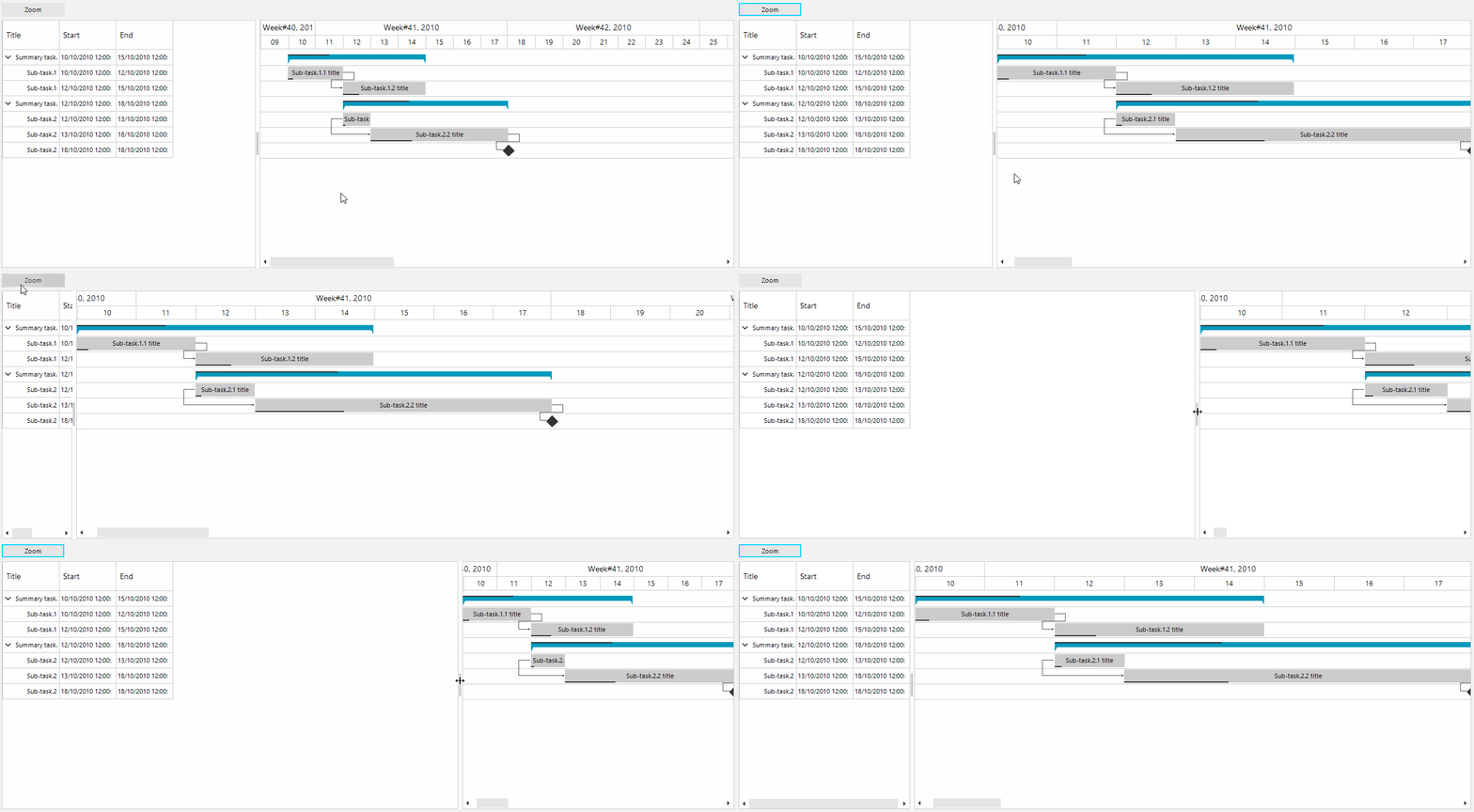
The desired behavior can be achieved by calculating the total seconds between the two dates and by dividing the result by the actual width of the of the graphical view. This way we will know how much time a single pixel will represent so that the segment between the the two dates can fit the screen.
Depending on the actual local setup it may also be necessary to change the TimelineRange.
OnePixelTime Calculation
private void radButton1_Click(object sender, EventArgs e)
{
    // You can consider changing the timeline range if necessary
    //this.radGanttView1.GanttViewElement.GraphicalViewElement.TimelineRange = TimeRange.YearQuarters;

    DateTime start = this.radGanttView1.Items[0].Start;
    DateTime end = this.radGanttView1.Items[this.radGanttView1.Items.Count - 1].End;
    int totalPixels = this.radGanttView1.GanttViewElement.GraphicalViewElement.BoundingRectangle.Width;
    double span = (end - start).TotalSeconds;
    this.radGanttView1.GanttViewElement.GraphicalViewElement.OnePixelTime = TimeSpan.FromSeconds((int)(span / totalPixels));
    this.radGanttView1.GanttViewElement.GraphicalViewElement.InvalidateMeasure(true);
    this.radGanttView1.GanttViewElement.GraphicalViewElement.UpdateLayout();

    // The code below will scroll the timeline so that it starts on the selected start date.
    int scroll = (int)((start - this.radGanttView1.GanttViewElement.GraphicalViewElement.TimelineBehavior.AdjustedTimelineStart).TotalSeconds / this.radGanttView1.GanttViewElement.GraphicalViewElement.OnePixelTime.TotalSeconds);
    this.radGanttView1.GanttViewElement.GraphicalViewElement.HorizontalScrollBarElement.Value = scroll;

}