New to Telerik UI for WinForms? Start a free 30-day trial
Display ToolWindows on the Taskbar in WinForms
Updated on Sep 24, 2025
Environment
| Product Version | Product | Author |
|---|---|---|
| 2024.3.806 | RadDock for WinForms | Dinko Krastev |
Description
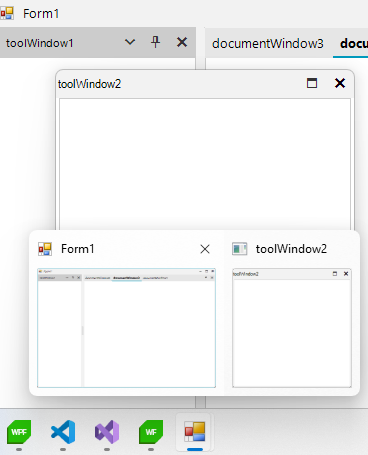
In a WinForms application that uses RadDock, the DocumentWindow can be detached and displayed on the taskbar, but the ToolWindow, when detached, does not show up on the taskbar. This article explains how to make ToolWindows visible on the taskbar.
Solution
To make detached ToolWindows appear on the taskbar, subscribe to the FloatingWindowCreated event of RadDock and set the ShowInTaskbar property of the window to true.
C#
public Form1()
{
    InitializeComponent();
    this.radDock1.FloatingWindowCreated += RadDock1_FloatingWindowCreated;
}

private void RadDock1_FloatingWindowCreated(object sender, Telerik.WinControls.UI.Docking.FloatingWindowEventArgs e)
{
    e.Window.ShowInTaskbar = true;
}