New to Telerik UI for WinForms? Start a free 30-day trial
How to Close the AutoHide Popup By Double-Clicking its TabStripItem
Updated on Aug 27, 2026
Environment
| Product Version | Product | Author |
|---|---|---|
| 2023.2.718 | RadDock for WinForms | Dinko Krastev |
Description
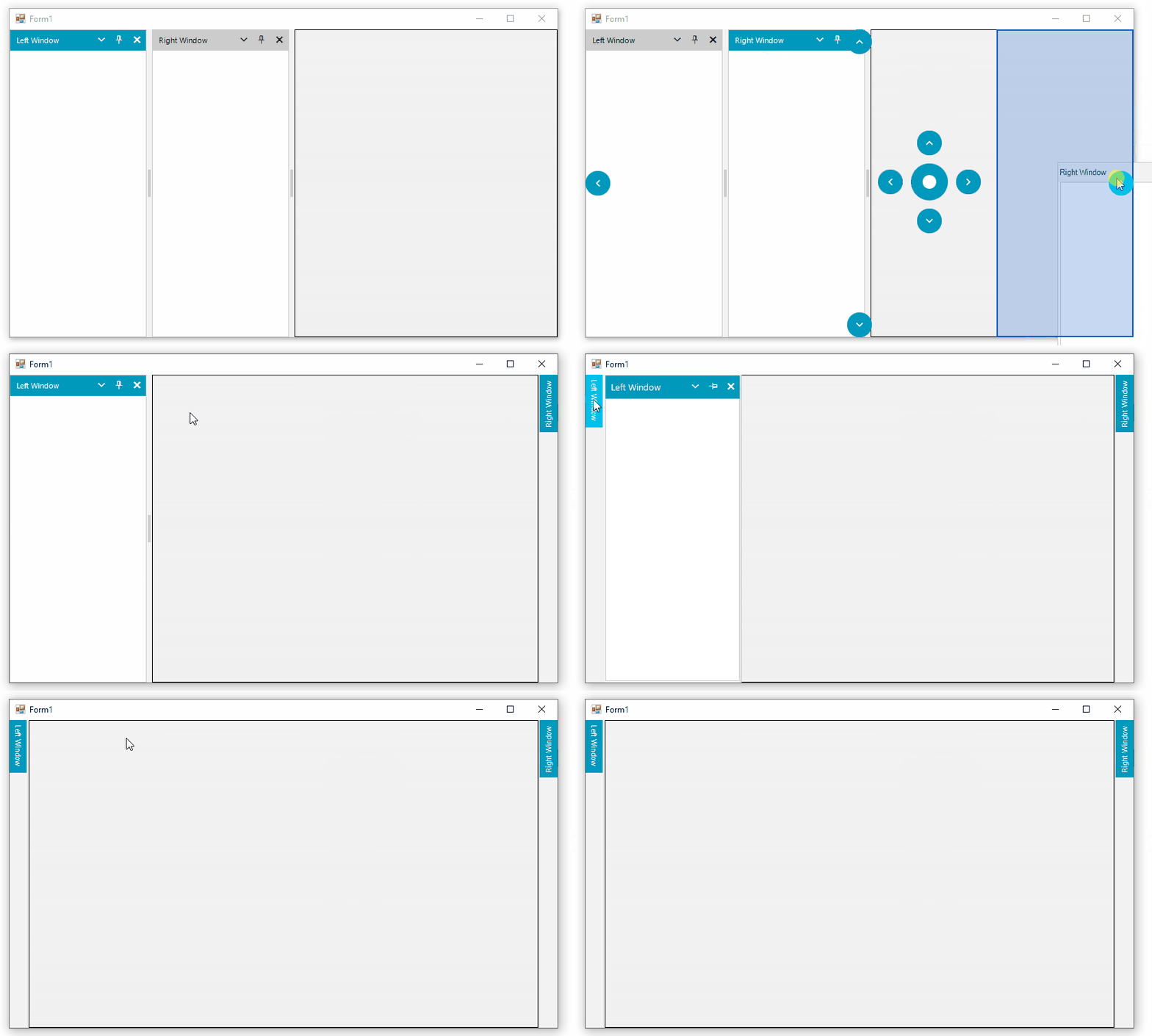
To auto-hide a ToolWindow, its pushpin icon needs to be clicked. This will cause the ToolWindow to auto-hide at the edge of the RadDock. By default, the AutoHideWindow is expected to show without even clicking on the auto-hide tab. However, clicking on the auto-hide tab while the AutoHideWindow is shown, will not close the popup. You will need to click somewhere else on the form and close the popup.
Solution
You can subscribe to several methods to interfere with the auto-hide logic and close the AutoHideWindow while clicking on its TabStripItem.
C#
	public partial class Form1 : Form
    {
        RadDock radDock1 = new RadDock();
        public Form1()
        {
            InitializeComponent();
            radDock1.Dock = DockStyle.Fill;
            this.Controls.Add(radDock1);
            ToolWindow topRightWindow = new ToolWindow();
            topRightWindow.Text = "Left Window";
            radDock1.DockWindow(topRightWindow, DockPosition.Left);

            ToolWindow bottomRightWindow = new ToolWindow();
            bottomRightWindow.Text = "Right Window";
            radDock1.DockWindow(bottomRightWindow, topRightWindow,DockPosition.Right);
            this.radDock1.DockStateChanged += RadDock1_DockStateChanged;
        }
        private void RadDock1_DockStateChanged(object sender, DockWindowEventArgs e)
        {
            if(e.DockWindow.DockState == DockState.AutoHide)
            {
                this.radDock1.AutoHideWindowDisplaying -= RadDock_AutoHideWindowDisplaying;
                this.radDock1.AutoHideWindowDisplayed -= RadDock_AutoHideWindowDisplayed;
                this.radDock1.AutoHideWindowHidden -= RadDock_AutoHideWindowHidden;
                e.DockWindow.AutoHideTab.MouseDown -= TabStripMouseDown;

                this.radDock1.AutoHideWindowDisplaying += RadDock_AutoHideWindowDisplaying;
                this.radDock1.AutoHideWindowDisplayed += RadDock_AutoHideWindowDisplayed;
                this.radDock1.AutoHideWindowHidden += RadDock_AutoHideWindowHidden;
                e.DockWindow.AutoHideTab.MouseDown += TabStripMouseDown;
            }
        }
        private bool shown = false;
        private bool cancel = false;
        private void RadDock_AutoHideWindowDisplaying(object sender, Telerik.WinControls.UI.Docking.AutoHideWindowDisplayingEventArgs e)
        {
            Console.WriteLine("Displaying " + shown);
            if (cancel)
            {
                e.Cancel = true;
            }
        }
        private void TabStripMouseDown(object sender, MouseEventArgs e)
        {
            if (shown)
            {
                cancel = true;
                shown = false;
                this.radDock1.CloseAutoHidePopup();
            }
            else
            {
                cancel = false;
            }
        }
        private void RadDock_AutoHideWindowDisplayed(object sender, DockWindowEventArgs e)
        {
            cancel = false;
            shown = true;
        }
        private void RadDock_AutoHideWindowHidden(object sender, DockWindowEventArgs e)
        {
            shown = false;
        }
    }