New to Telerik UI for WinForms? Start a free 30-day trial
Specify the Minutes/Hours Step in DateTimePicker's Popup
Updated over 1 year ago
Environment
| Product Version | Product | Author |
|---|---|---|
| 2023.2.606 | RadDateTimePicker for WinForms | Desislava Yordanova |
Description
By default, when the time picker is enabled for RadDateTimePicker, the minutes step is 5 minutes:
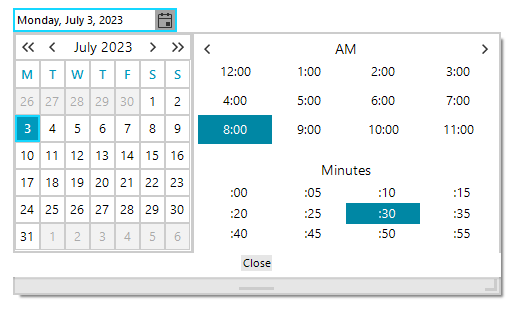
This article shows how to control the step for the minutes selector in the popup.
Solution
The hosted RadDateTimePickerCalendar contains a TimePickerElement that offers Step property:
C#
this.radDateTimePicker1.DateTimePickerElement.ShowTimePicker = true;
RadDateTimePickerCalendar calendarBehavior = this.radDateTimePicker1.DateTimePickerElement.GetCurrentBehavior() as RadDateTimePickerCalendar;
calendarBehavior.TimePicker.TimePickerElement.Step = 1;
calendarBehavior.Calendar.MinimumSize= new Size(300,0);
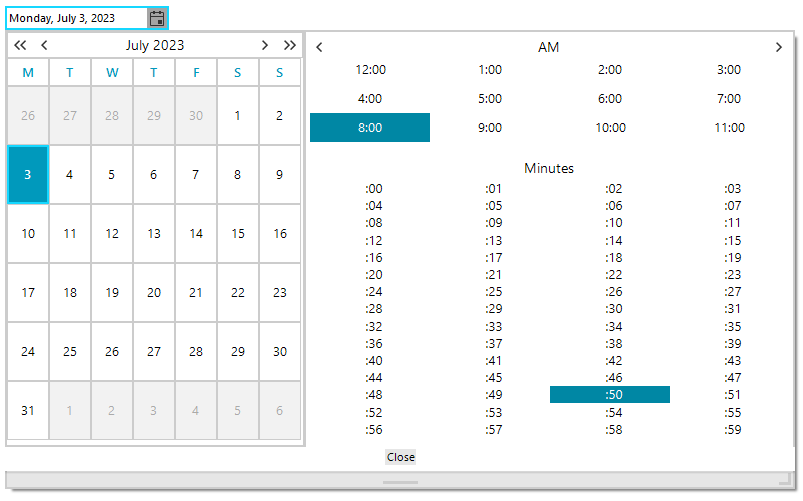
The achieved result is illustrated below: