New to Telerik UI for WinForms? Start a free 30-day trial
Add custom buttons in RadMultiColumnComboBox popup
Updated over 1 year ago
Environment
| Product Version | Product | Author |
|---|---|---|
| 2021.2.511 | RadMultiColumnComboBox for WinForms | Nadya Karaivanova |
Description
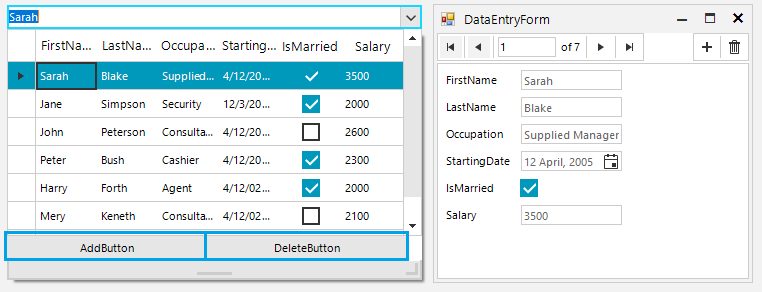
This example demonstrates how to customize the pop up in RadMultiColumnComboBox by adding custom buttons for add/delete records. The add functionality is presented through RadDataEntry which provides an easy way to display and edit arbitrary business objects in a form layout.
Solution
A complete solution in C# and VB.NET is available in our SDK repository here.