New to Telerik UI for WinForms? Start a free 30-day trial
InputBehavior
Updated on May 7, 2026
RadVirtualGrid manages user mouse and keyboard input over its rows by VirtualGridInputBehavior. By implementing a specific custom input behavior, developers can change the default row functionality or supplement the existing one.
You can find below a sample code snippet demonstrating how to override the default up/down navigation logic when pressing the up/down arrow keys and show a message to confirm the operation. For this purpose, we should create a derivative of VirtualGridInputBehavior and override its HandleUpKey and HandleDownKey methods:
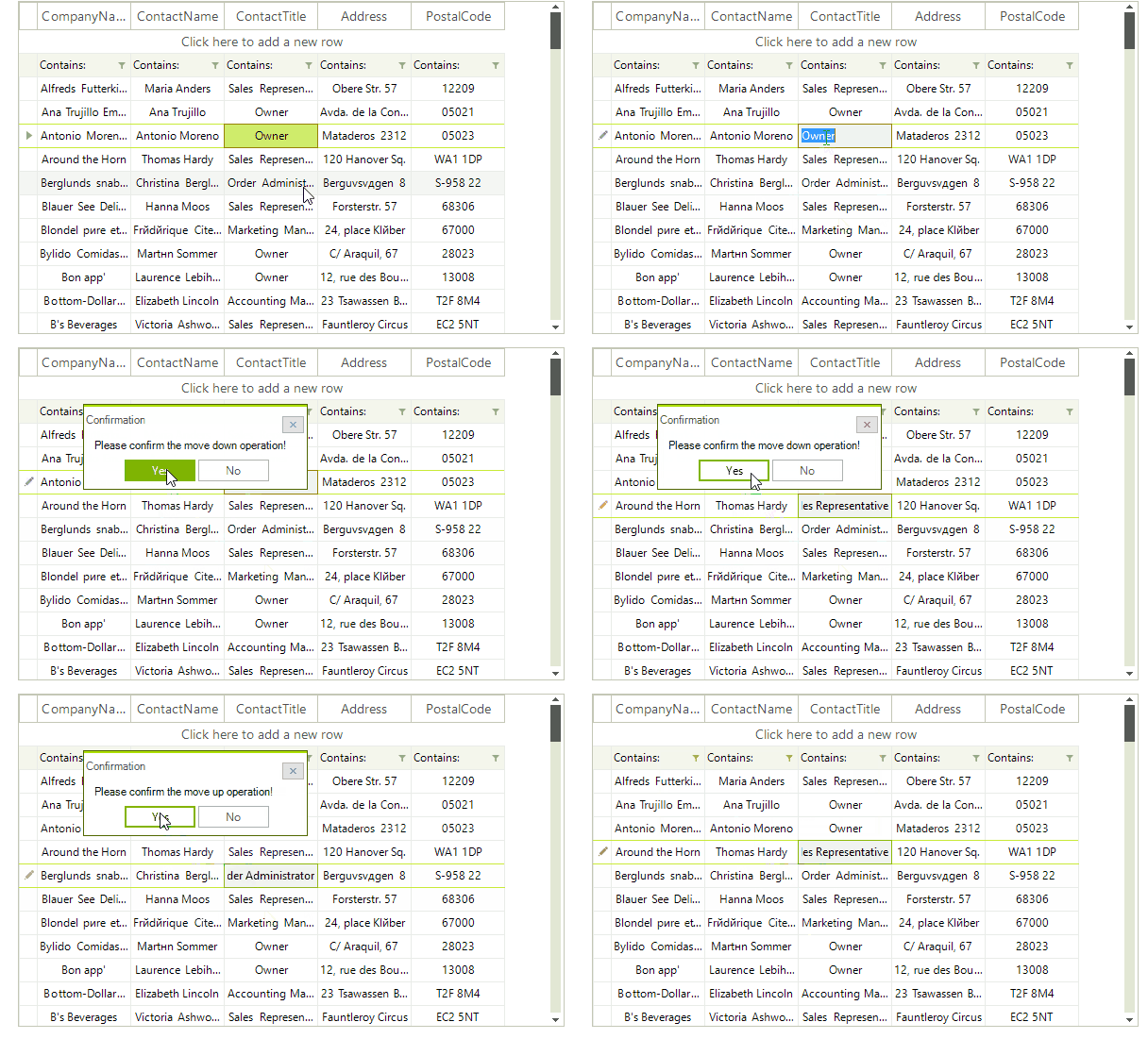
Custom VirtualGridInputBehavior
C#
public class CustomVirtualGridInputBehavior : VirtualGridInputBehavior
{
    public CustomVirtualGridInputBehavior(RadVirtualGridElement gridElement) : base(gridElement)
    {
    }

    protected override bool HandleUpKey(KeyEventArgs keys)
    {
        DialogResult dr = RadMessageBox.Show("Please confirm the move up operation!", "Confirmation", MessageBoxButtons.YesNo);
        if (dr == DialogResult.Yes)
        {
            return base.HandleUpKey(keys);
        }
        return false;
    }

    protected override bool HandleDownKey(KeyEventArgs keys)
    {
        DialogResult dr = RadMessageBox.Show("Please confirm the move down operation!", "Confirmation", MessageBoxButtons.YesNo);
        if (dr == DialogResult.Yes)
        {
            return base.HandleDownKey(keys);
        }
        return false;
    }
}
Apply the custom VirtualGridInputBehavior
C#
this.radVirtualGrid1.VirtualGridElement.InputBehavior = new CustomVirtualGridInputBehavior(this.radVirtualGrid1.VirtualGridElement);
You can follow a similar approach to customize any of the methods that handle the mouse and keyboard user input.